


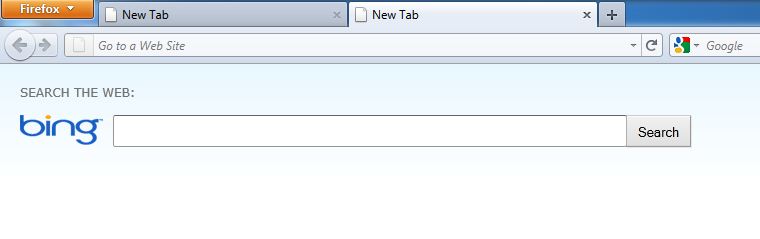
Everytime I open a new tab, it is a blank search page (Bing)..how do i change it ?

When starting Firefox my set homepage shows up, but everytime I open a new tab it goes to a blank search page automatically. How do I change it so my homepage will show every time a tab is opened?
Összes válasz (9)
You can look at one of these extensions:
- NewTabURL : https://addons.mozilla.org/firefox/addon/2221
- New Tab Homepage : https://addons.mozilla.org/firefox/addon/777
I'm using Firefox 3.6.10 When I opened a new tab, Bing search showed up. When I start up Firefox for the first time, Google remained my home page. I went to Tools, Add-Ons where I found a Search Toolbar that was powered by Bing. After I disabled it, new tabs opened up blank. I downloaded Google Toolbar and now my new tabs are Google again.
It works any kind of add-on/extension that is effecting your "New Tab", opening page. Just go to Tools, then Add-Ons, like stated by kimi2010. You have to find the extension that is effecting your "New Tab". In my case, the "New Tab" was Yahoo's homepage, and the extension was Freeze.com Net Assistant,..
Had the same problem. Didn't want to install more addons.Looked for "search" or "Bing" addon, nothing there. Uninstalled Bing Helper which I didn't use anyways, no change. I disabled some addons one by one and opened another tab to check. Lo and Behold it was the PDF Lite update that I recently installed.
Módosította: MrPerlishells,
If you have the 'Tab Mix Plus' Add-on installed then you can:
1. Go to: Options > Tabs > Tab Mix Plus Options
2. Then go to: Events > New Tabs
3. The top option should should say: 'Load on new tabs:' then have a drop-down menu.
4. Open up the menu and select the 'Home page' option
5. Click 'Apply' and then 'OK'
Please mark "Solved" one answer that will best help others with a similar problem -- hope this was it
Módosította: strongwind,
No longer works with FF 6.0.2
The tabs are meant to open blank. I don't know of a way to open each tab with a homepage. I would be interested to find out if there is a way with ff.6
You can look at this extension (already mentioned above) to set which page to open in a new tab:
This can be done very easily. Just Install the FEATURED addon - My Homepage. You can get it here:
https://addons.mozilla.org/en-US/firefox/addon/my-homepage
Hope this helps. Thanks!