Thunderbird email loses window controls and email controls

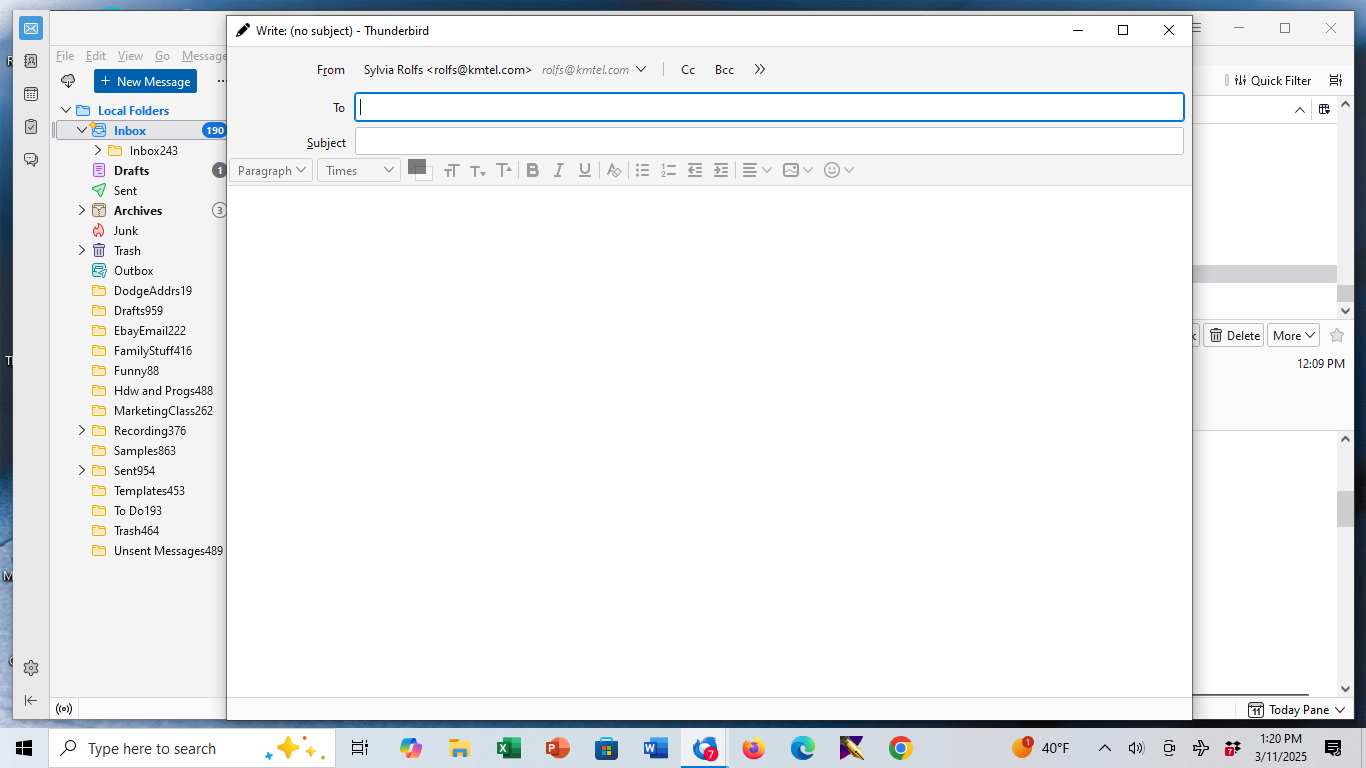
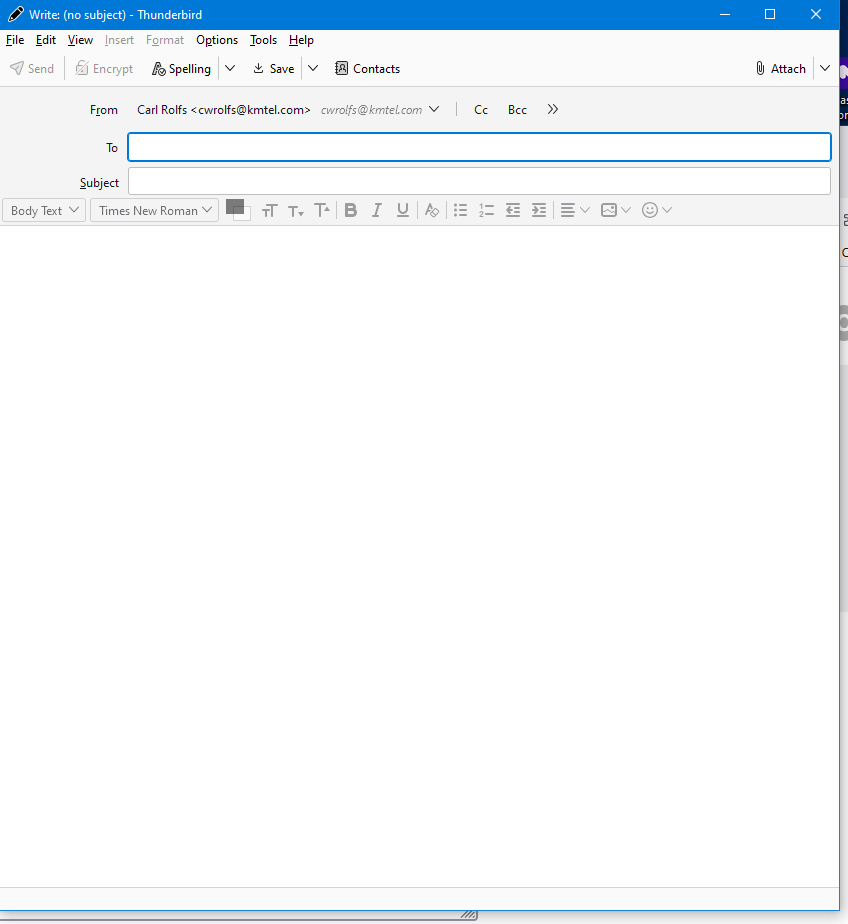
Open "+ new message" to write an email. The window does NOT have window control options (File, edit, view, insert, format, options, tools, help) OR email control options (Send, encrypt, spelling, save, contacts, attach).
How can I get these things back? Only happens when trying to send a new email with "+ new message"
Using Thunderbird 128.8.0esr 32 bit Windows 2025-02 Ver 22H2 for X64 KB5052077
Images attached of problem window from the problem machine and from a different machine where it works.
Kiválasztott megoldás
click 'new message; then, after pressing alt key, click view>toolbars and tick menu bar. The default does not show menu bar when initially installed. I believe that was set as default back in release 78. if the send button does not appear, click view>toolbars and tick composition toolbar.
Összes válasz (6)
The Menu Bar is hidden by default. You can temporarily show it by pressing the Alt key. http://mzl.la/1BsOGPW
WHY is the menu bar "hidden by default"? It used to be there ALL THE TIME. I want it there all the time by default. HOW do I get it back by default?
Using the Alt key brings the menu bar back for sending the one email, but not by default.
This is only a work around, not a solution.
Kiválasztott megoldás
click 'new message; then, after pressing alt key, click view>toolbars and tick menu bar. The default does not show menu bar when initially installed. I believe that was set as default back in release 78. if the send button does not appear, click view>toolbars and tick composition toolbar.
Thank you, David, for the helpful reply. We were able to fix this problem using your answer above.
Still wondering WHY OH WHY was the default changed to hide these items and make it so difficult to find how to change them.
Módosította: cwr1946,
I'm sorry, I am no Thunderbird developer and I use macOS! Maybe some Thunderbird-Windows specialist can explain why the menu bar is hidden and how you can restore it permanently. Now I have searched in the German Thunderbird forum, so try the following: hold the Alt key, go to menu View > Toolbars and check the bar you would like to display permanently ...
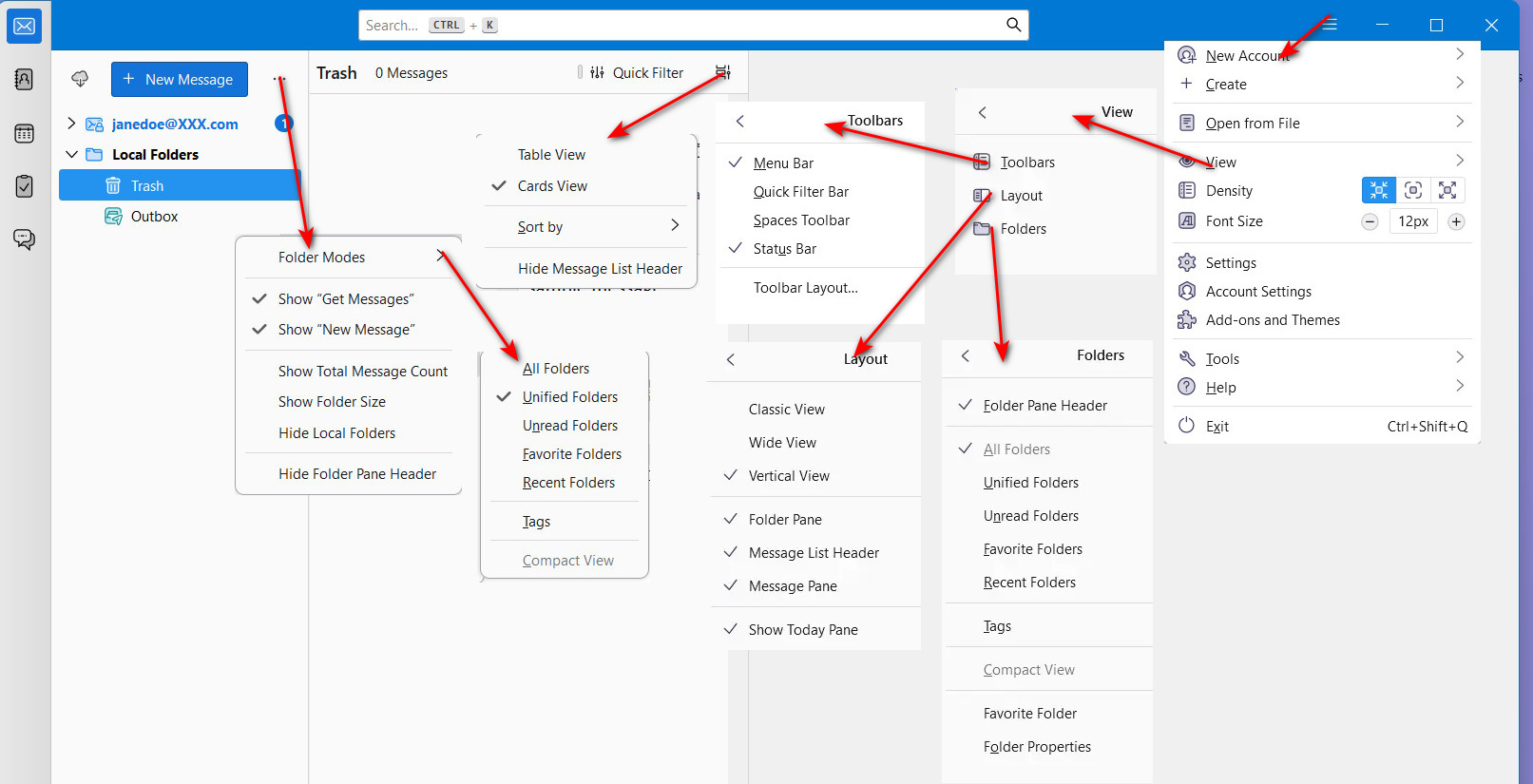
You're welcome. I have also asked that question. Hiding the controls just makes it more difficult to use Thunderbird. I set mine to be on all the time. Back when release 115 was the official release, I created the attached graphic to show what were then all (or most of ) the menus. I see people hunting for menus here on the forum daily. Once you figure out the ones you want, it's fine, but for new people, it can be a steep cliff. :)