

A témacsoportot lezárták és archiválták.
Tegyen fel új kérdést, ha segítségre van szüksége.

Archivált
Emails stopped sending suddenly

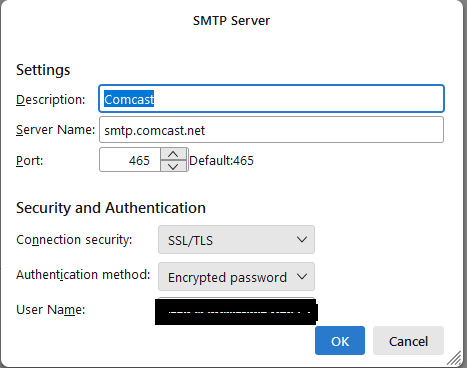
My emails stopped sending suddenly this morning after restarting Thunderbird. (Receive OK) Attached is screenshot of my SMPT settings. Also attached are the error messages I receive. The first message (received after trying to send with the settings in the screenshot) indicates that I should change Authentication Method to Normal Password. When I change the Authentication Method to Normal Password, I receive the second error message when trying to send. I'm at a loss as to what the problem could be. (I have tried turning off my antivirus/firewall.)
My emails stopped sending suddenly this morning after restarting Thunderbird. (Receive OK)
Attached is screenshot of my SMPT settings.
Also attached are the error messages I receive. The first message (received after trying to send with the settings in the screenshot) indicates that I should change Authentication Method to Normal Password.
When I change the Authentication Method to Normal Password, I receive the second error message when trying to send. I'm at a loss as to what the problem could be. (I have tried turning off my antivirus/firewall.)

Összes válasz (1)
Try with port 587, STARTTLS security, normal password authentication. If you have the latest 115 release or 128, it should also work with OAuth2 authentication, as should the incoming server.