


Unable to Log in Google Accounts
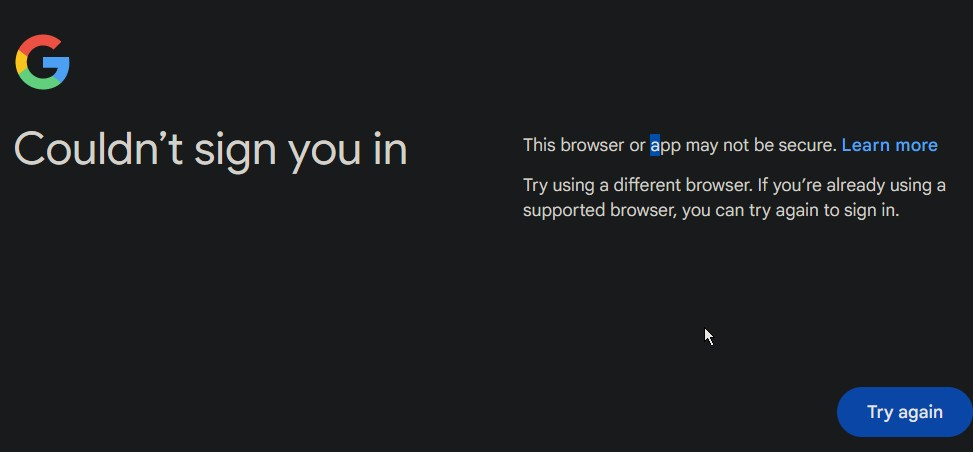
Error Message: "Could'nt Sign You In: This Browser or APP May not be Sscure 1. Happened to Both Build 124 and 125 2. Virus Clean 3. Haved tried cleaning the cache and cookies
Összes válasz (2)
Updates: Having no such a problem on Edge
Start Firefox in Troubleshoot Mode to check if one of the extensions ("3-bar" menu button or Tools -> Add-ons -> Extensions) or if hardware acceleration or if userChrome.css/userContent.css is causing the problem.
- switch to the Default System theme: "3-bar" menu button or Tools -> Add-ons -> Themes
- do NOT click the "Refresh Firefox" button on the Troubleshoot Mode start window
- https://support.mozilla.org/en-US/kb/diagnose-firefox-issues-using-troubleshoot-mode
- https://support.mozilla.org/en-US/kb/troubleshoot-extensions-themes-to-fix-problems
Your System Details show that you have a user.js file in the profile folder to initialize prefs each time Firefox starts. The user.js file will only be present if you or other software has created this file and is normally not present.
You can check its content with a text editor (right-click: "Open with"; do not double-click). The user.js file is read each time Firefox is started and initializes preferences to the value specified in this file, so preferences set via user.js can only be changed temporarily for the current session.
You can delete the user.js file if you didn't create this file yourself.
You can check for issues with your K7UltimateSecurity security software. Boot the computer into Windows Safe Mode with network support to see if that has effect.