


Google Drive error message

Every time I open Google Drive, I get an error message that says "Google Drive was unable to load your view." And it no longer shows me the the filepath like it used to. I have tried clearing the cache and cookies, checked that javascript was enabled, and making sure cookies were allowed for the site. Nothing has helped.
Kiválasztott megoldás
Note that Google Drive may no longer support your Firefox 78.15.0 version that is the last for your Mac OS X 10.11.
Összes válasz (15)
What are your cookie settings? Do you have the same issue with Firefox in Safe Mode? https://support.mozilla.org/en-US/kb/diagnose-firefox-issues-using-troubleshoot-mode#w_how-to-start-firefox-in-4troubleshoot-modesf5safe-modesf
Módosította: jonzn4SUSE,
Let me try my mac running 10.13.6
Show the issue. What view is the message talking about? Is this the path you're referring to? see screenshot
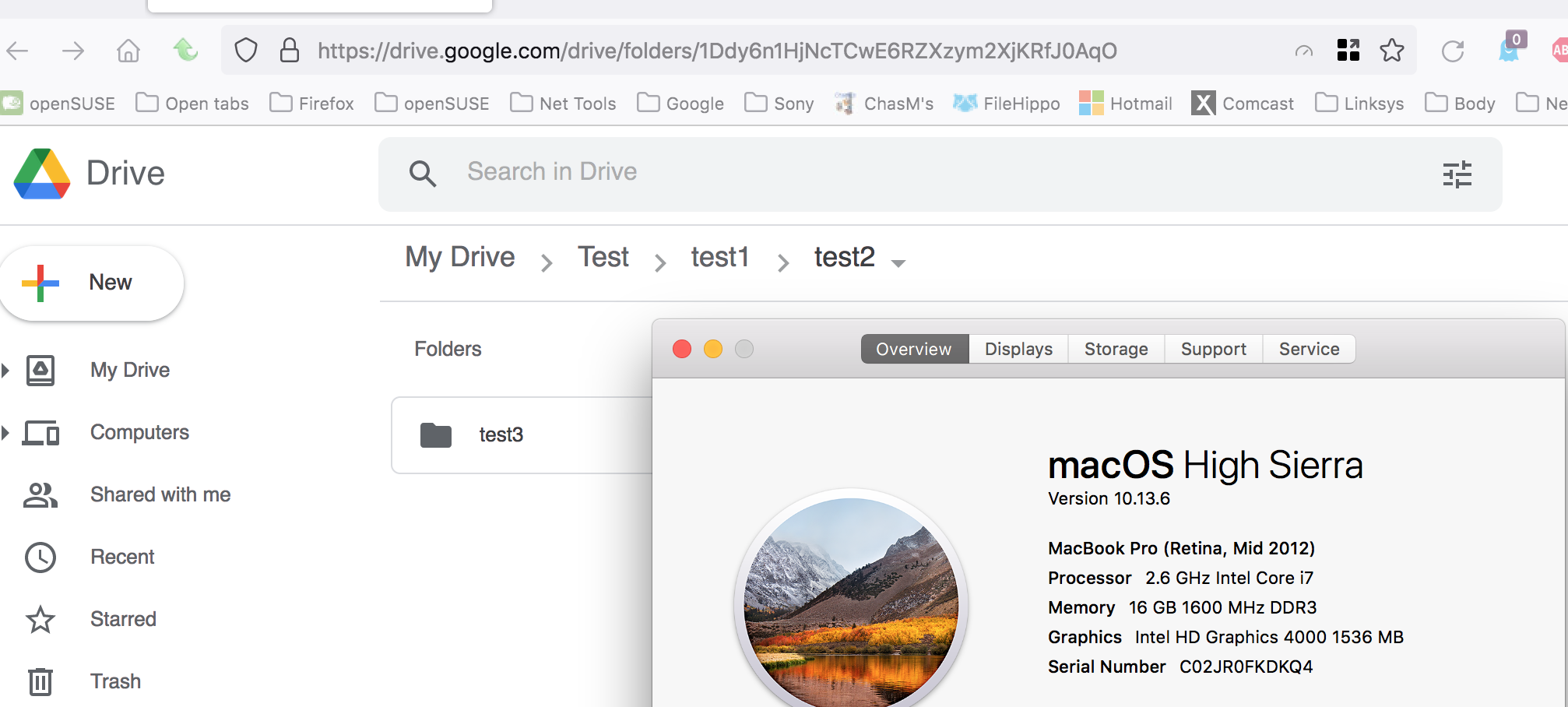
I tried opening it in Safe Mode and got the same error message.
Yes, the screenshot you posted shows the path I'm talking about.
Here is a screenshot with the error message and without the path I mentioned (even though I clicked through 2 folders to get to that section).
I have my cookie settings set Standard. And I have specifically set them to be allowed on this page.
That looks like GD for Business, just to compare try GD from your personal account. Let me check on path view.
The "unable to load your view" message... what steps are you taking to get that message?
I see no options in GD for the path. Do you have another computer running a newer version of Firefox to compare?
Módosította: jonzn4SUSE,
...... .
Módosította: jonzn4SUSE,
It's my personal account.
I just get this message when I open Google Drive, before I do anything.
Is it possible to test on a newer machine? Just a suggestion, make them an offer... ;^))
Módosította: jonzn4SUSE,
I haven't had a chance to yet. I was just hoping there was an answer, since this issue didn't exist until a week ago.
Yes, it works on a newer machine.
Kiválasztott megoldás
Note that Google Drive may no longer support your Firefox 78.15.0 version that is the last for your Mac OS X 10.11.
Yes, that seems to be the case.
Mark it as resolved and have a nice day.
This question has been locked because the original author has deleted their account. While you can no longer post new replies, the existing content remains available for reference.