


Windows 10 reached EOS (end of support) on October 14, 2025. If you are on Windows 10, see this article.

Támogatás keresése

Kerülje el a támogatási csalásokat. Sosem kérjük arra, hogy hívjon fel egy telefonszámot vagy osszon meg személyes információkat. Jelentse a gyanús tevékenységeket a „Visszaélés bejelentése” lehetőséggel.

További tudnivalók

A témacsoportot lezárták és archiválták. Tegyen fel új kérdést, ha segítségre van szüksége.

Weird fonts for some pages

  • 3 válasz
  • 1 embernek van ilyen problémája
  • 166 megtekintés
  • Utolsó üzenet ettől: teedin

The fonts are weird for some pages. I have used the following settings: Fonts for: latin, Proportional: Serif, Serif: Default(DejaVu Serif), Sans-serif: Default(DejaVu Sans), Monospace: Default(DejaVu Sans Mono). Also I have checked the box "Allow pages to choose their own fonts, instead of your selections above".

Need help to fix the issue!
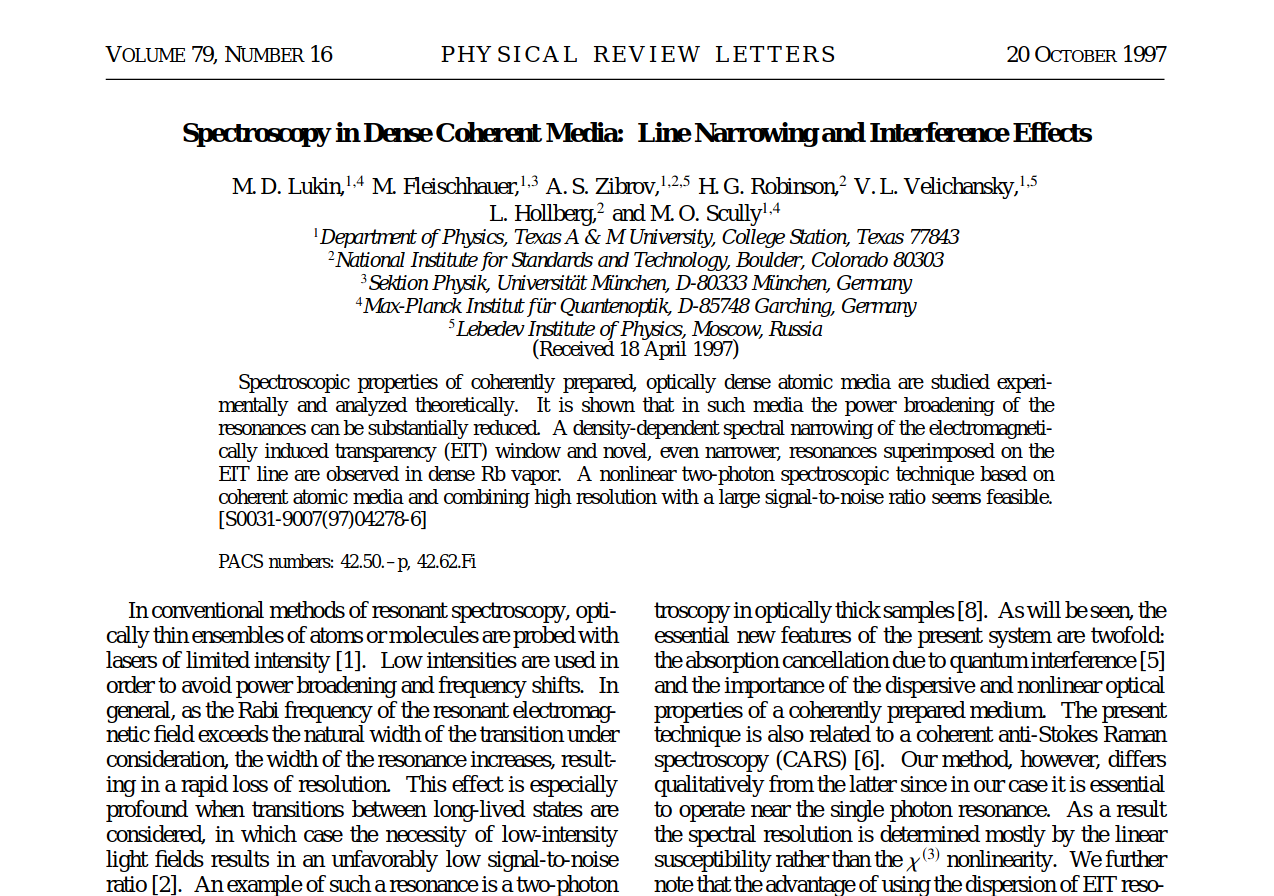
The fonts are weird for some pages. I have used the following settings: Fonts for: latin, Proportional: Serif, Serif: Default(DejaVu Serif), Sans-serif: Default(DejaVu Sans), Monospace: Default(DejaVu Sans Mono). Also I have checked the box "Allow pages to choose their own fonts, instead of your selections above". Need help to fix the issue!
Csatolt képernyőmentések

Módosította: parthadas.physics,

Összes válasz (3)

I've also been having this issue for quite awhile, especially with Helvetica. I've tried troubleshooting based on some previous help threads, but none of the suggested fixes worked for me. One of the main suggestions I've seen was to simply uninstall the problem font from my computer, but I require Helvetica for work. There's no reason why Firefox shouldn't be able to show one of the most common fonts without user intervention.

Hi teedin

Are you possibly using a Mac?

cor-el said

Hi teedin Are you possibly using a Mac?

Yes, I am using a Mac. Both it and Firefox are fully up to date.