


XULRunner Error on Reinstall
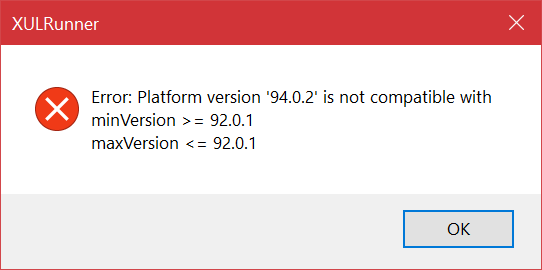
Windows 10 - Lenovo Thinkpad X1 Carbon This fall after an update attempt, Firefox started trying to update every time it was started. Deleted Update files in Program Data. FF would restart normally one time. Update data files were always replaced and the update on every startup continued - over and over and over. Tried refreshing FF- same thing. Uninstalled FF this AM and tried to reinstall when I get the following error:
XULRunner Error: Platform version "94.0.2" is not compatible with minVersion >= 94.0.1 maxVersion <= 94.0.1
No FF - HELP!
Kiválasztott megoldás
An error message about XPCOM missing or about platform version usually happens because of a failed Firefox update that left you with a mixture of old and updated files in the Firefox program folder. This can happen in case security software was keeping a handle of some of the files in the Firefox program folder preventing Firefox from replacing all the files. You need to do a clean reinstall and remove the Firefox program folder to ensure that all files are replaced. You may have to disable security software temporarily in case the problem persists.
You can find the full installer of the current Firefox release (94.0.2) in all languages and all operating systems here:
- https://www.mozilla.org/en-US/firefox/all/#product-desktop-release
- https://www.mozilla.org/en-US/firefox/94.0.2/releasenotes/
Összes válasz (1)
Kiválasztott megoldás
An error message about XPCOM missing or about platform version usually happens because of a failed Firefox update that left you with a mixture of old and updated files in the Firefox program folder. This can happen in case security software was keeping a handle of some of the files in the Firefox program folder preventing Firefox from replacing all the files. You need to do a clean reinstall and remove the Firefox program folder to ensure that all files are replaced. You may have to disable security software temporarily in case the problem persists.
You can find the full installer of the current Firefox release (94.0.2) in all languages and all operating systems here: