Windows 10 reached EOS (end of support) on October 14, 2025. For more information, see this article.

Támogatás keresése

Kerülje el a támogatási csalásokat. Sosem kérjük arra, hogy hívjon fel egy telefonszámot vagy osszon meg személyes információkat. Jelentse a gyanús tevékenységeket a „Visszaélés bejelentése” lehetőséggel.

További tudnivalók

A témacsoportot lezárták és archiválták. Tegyen fel új kérdést, ha segítségre van szüksége.

Automatically switching tabs when I middle-click

  • 2 válasz
  • 1 embernek van ilyen problémája
  • 11 megtekintés
  • Utolsó üzenet ettől: v

további lehetőségek

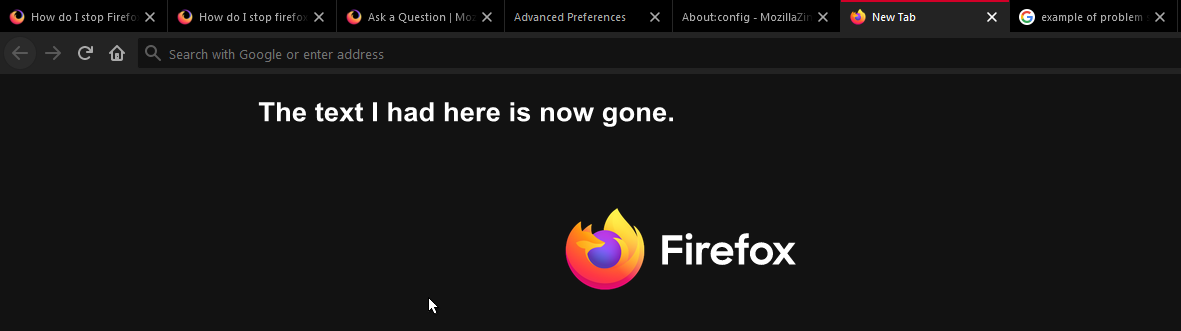
This is a difference I noticed when changed from Chrome to Firefox. When I search something in the search bar, and instead of pressing enter I middle-click on a predicted text, it automatically switches to that new tab, deleting all my text when I go back to the initial tab. Here is something similar to my problem: https://support.mozilla.org/bm/questions/915873#question-reply Is there a way to fix this? You can try for yourself and see the difference between Firefox and Chrome. I want to open multiple tabs without having to retype the question again.
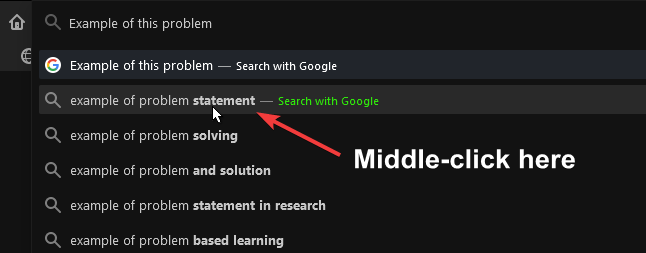
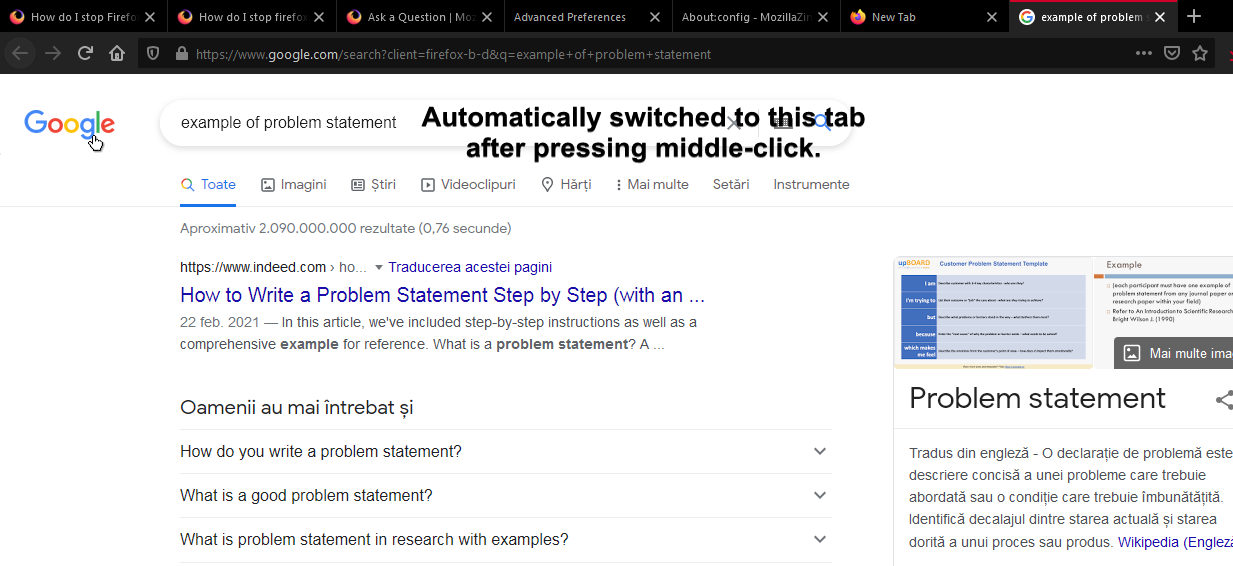
This is a difference I noticed when changed from Chrome to Firefox. When I search something in the search bar, and instead of pressing enter I middle-click on a predicted text, it automatically switches to that new tab, deleting all my text when I go back to the initial tab. Here is something similar to my problem: https://support.mozilla.org/bm/questions/915873#question-reply Is there a way to fix this? You can try for yourself and see the difference between Firefox and Chrome. I want to open multiple tabs without having to retype the question again.
Csatolt képernyőmentések

Összes válasz (2)

további lehetőségek

Hmm, you might need to file a "request for enhancement." I can't recall anyone mentioning it before. Perhaps someone has created an add-on for former Chrome users (although it probably would work with a separate drop-down and not directly from the address bar)?

Bug tracking system: https://bugzilla.mozilla.org/

további lehetőségek

I found a way to "fix" this by using this little search bar (see attached image).