


Import folders from Microsoft Outlook

I have Version 2007 of Outlook and I need easy to follow instructions to move everything to Thunderbird.
Kiválasztott megoldás
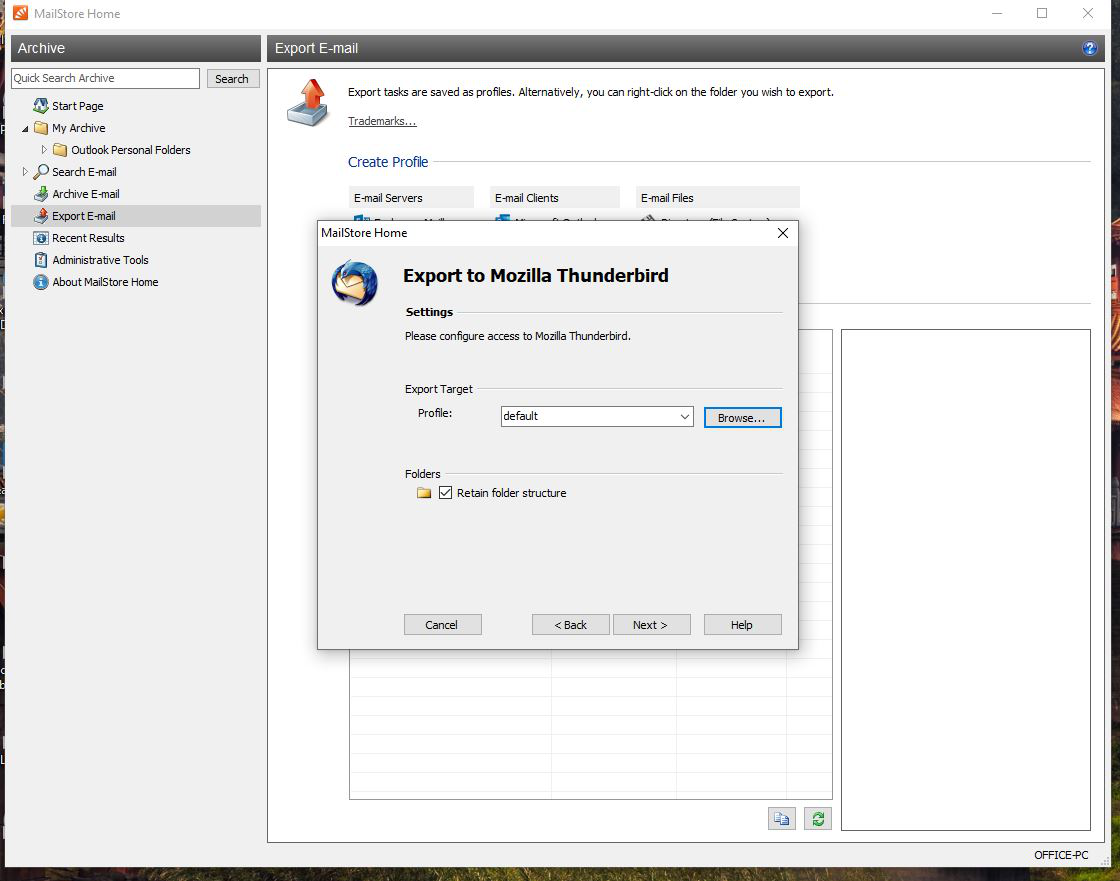
The first picture requires that you choose the current active TB profile. In most cases this is named 'default', but yours may be default-release or something else. The TB profile folder can be found under Help/Troubleshooting, about:profiles. Once you know the location, close TB, click the Browse.. button in MailStore and select the profile folder.
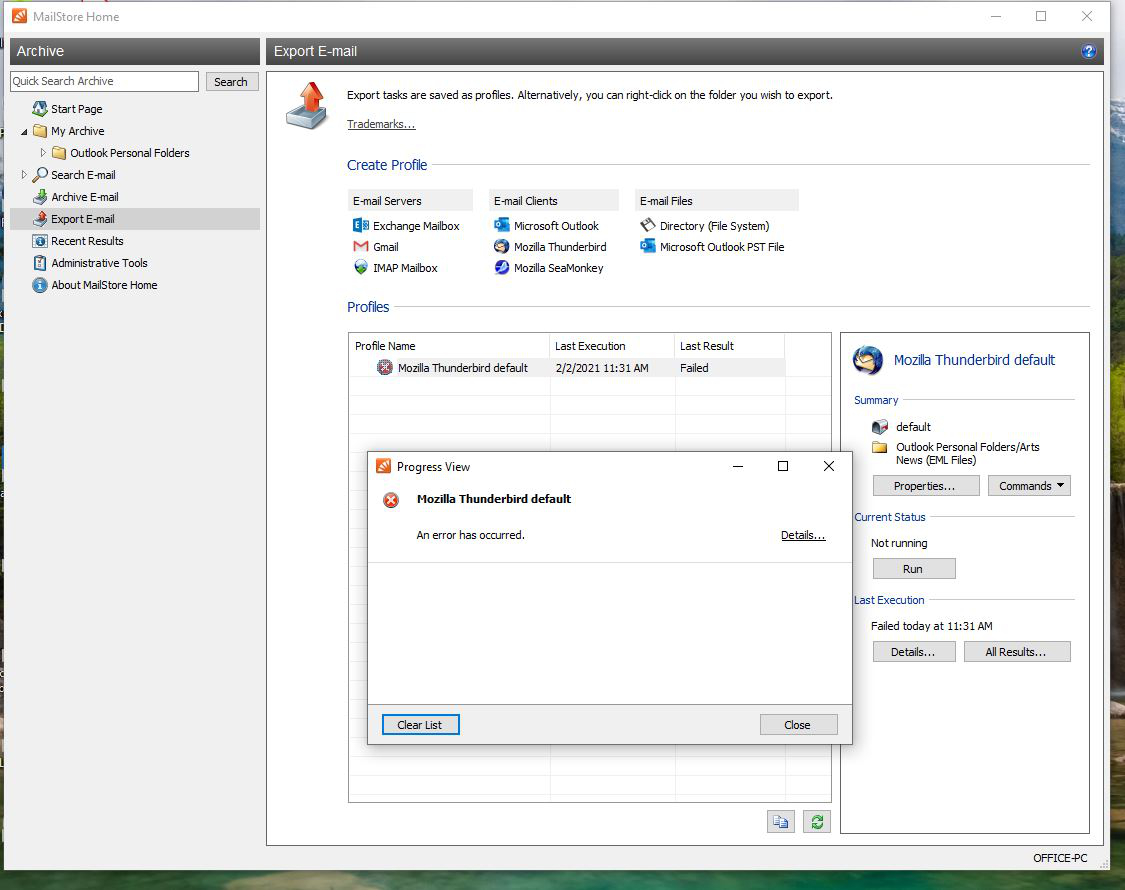
Otherwise, you could export from MailStore to eml files, or possibly have success with the built-in Tools/Import option in TB.
Összes válasz (3)
I think the easiest way is to import the Outlook mail to MailStore Home, then export it to eml files that can be imported to TB by simple drag and drop to Local Folders.
Hello, Thank you for your response to my email. I have followed the steps to a point at which I am unable to understand. I have included 2 snips of the process to indicate the error I am receiving. Further help would be appreciated. Cheers, Jerry
Kiválasztott megoldás
The first picture requires that you choose the current active TB profile. In most cases this is named 'default', but yours may be default-release or something else. The TB profile folder can be found under Help/Troubleshooting, about:profiles. Once you know the location, close TB, click the Browse.. button in MailStore and select the profile folder.
Otherwise, you could export from MailStore to eml files, or possibly have success with the built-in Tools/Import option in TB.