


Join us to show up for other Firefox users 🦊. Earn fun badges and Mozilla swag vouchers! Find out more: https://mzl.la/askafox150

Windows 10 reached EOS (end of support) on October 14, 2025. If you are on Windows 10, see this article.

Támogatás keresése

Kerülje el a támogatási csalásokat. Sosem kérjük arra, hogy hívjon fel egy telefonszámot vagy osszon meg személyes információkat. Jelentse a gyanús tevékenységeket a „Visszaélés bejelentése” lehetőséggel.

További tudnivalók

A témacsoportot lezárták és archiválták. Tegyen fel új kérdést, ha segítségre van szüksége.

Firefox's interface font size is so tiny in Kubuntu 20.10

  • 1 válasz
  • 1 embernek van ilyen problémája
  • 234 megtekintés
  • Utolsó üzenet ettől: jeyaganesh
  • Megoldva

Hi, I just installed Kubuntu 20.10 on an USB flash drive. System's font size is fine. But, the font size of Firefox's interface is so tiny. The font size of webpages are fine and I am able to change it in the Preferences.

When I searched on Google, the other users having same problem recommended to add a 'userChrome.css' file with some code that specify the font size to the Firefox's folder. Then, I came to know that Mozilla has disabled the userChrome.css in recent Firefox versions. I also changed a setting in about:config to make the Firefox accept the userChrome.css. But, the font size is not changing yet.

Please, guide me how to change the font size of Firefox's interface. Thanks in advance :)
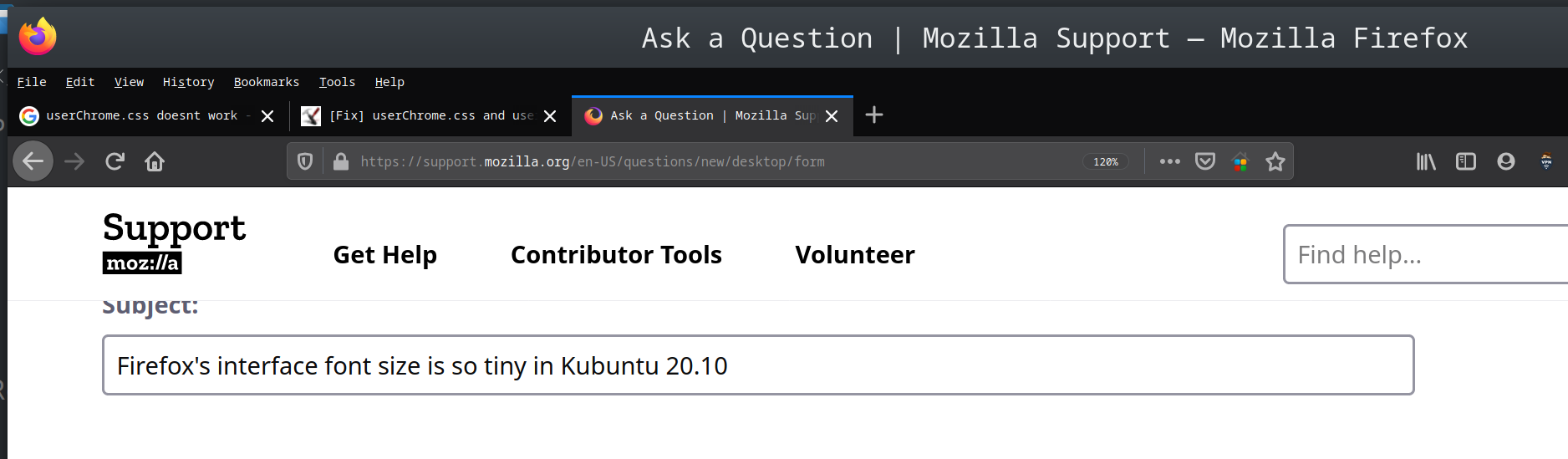
Hi, I just installed Kubuntu 20.10 on an USB flash drive. System's font size is fine. But, the font size of Firefox's interface is so tiny. The font size of webpages are fine and I am able to change it in the Preferences. When I searched on Google, the other users having same problem recommended to add a 'userChrome.css' file with some code that specify the font size to the Firefox's folder. Then, I came to know that Mozilla has disabled the userChrome.css in recent Firefox versions. I also changed a setting in about:config to make the Firefox accept the userChrome.css. But, the font size is not changing yet. Please, guide me how to change the font size of Firefox's interface. Thanks in advance :)
Csatolt képernyőmentések

Kiválasztott megoldás

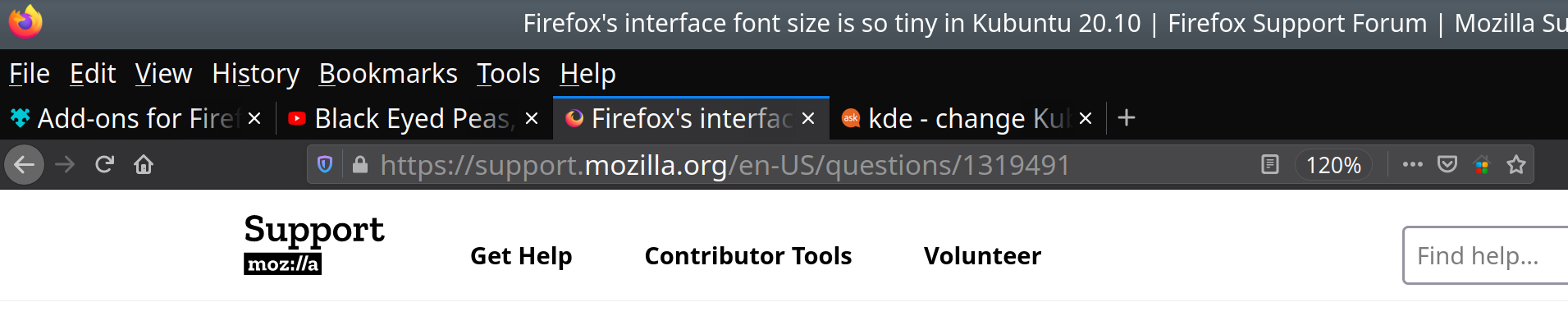
Hi, I found the solution from Ask Ubuntu website. I changed 'Force Font DPI' to 230 in Settings > Fonts. The default value was 96. Now, the fonts of Firefox's Menu bar and Tabs are bigger.
Válasz olvasása eredeti szövegkörnyezetben 👍 0

Összes válasz (1)

Kiválasztott megoldás

Hi, I found the solution from Ask Ubuntu website. I changed 'Force Font DPI' to 230 in Settings > Fonts. The default value was 96. Now, the fonts of Firefox's Menu bar and Tabs are bigger.