


Button on toolbar that can toggle the background color on and off.

When I updated to quantum 57.0 an extension I used that toggled the background color on a website stopped working and I cannot find a replacement. There are extensions that attempt to do this but just invert the webpage, or do a poor job converting the background.
I want to hit a button on the toolbar that does the same thing as going to preferences > language and appearance > colors > "Override the colors specified by the page with your selections above" then toggle between never and always.
Összes válasz (3)
I'm not sure any extensions can modify that internal setting in Firefox 57.
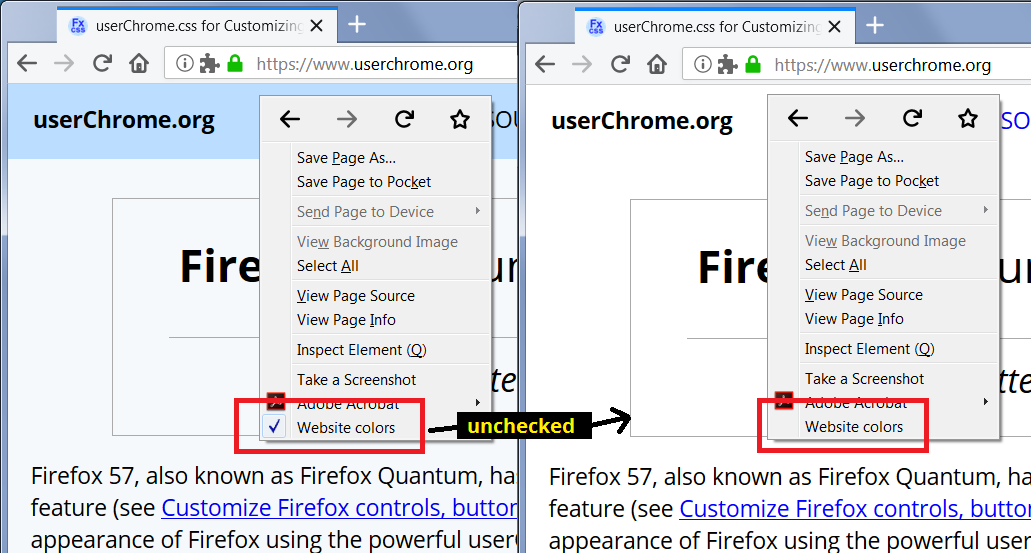
There are extensions to make a page black-and-white, such as https://addons.mozilla.org/firefox/addon/togglewebsitecolors/ (effect pictured).
That is one of the better add-ons, but every time I go to a new webpage the background is white for a second so it flashes white which is kind of annoying. Also, the unvisited links color doesn't work. It does allow me to toggle it on and off from the toolbar, not just right click which is nice. I'll try this out.
Do you think in the future this internal setting could be modified by an extension?
Thanks!
bobby112283 said
That is one of the better add-ons, but every time I go to a new webpage the background is white for a second so it flashes white which is kind of annoying.
I think this is how Firefox works out of the box, because by default the "empty content area" color is white. You can use custom style rules to color the container that tabs open in, but it's not always possible to completely avoid the "white flash" problem. There was a recent discussion here: White Flash When Opening New Tabs In FireFox Quantum.