How can I change default reminder in Thunderbird calendar to "No Reminder"

Every time I create a new calendar event in Thunderbird, I have to manually set the reminder to "No Reminder". I have not found a way to set "No Reminder" as the default. How do I do that, and If this is not possible, how do I request a new feature?
Every time I create a new calendar event in Thunderbird, I have to manually set the reminder to "No Reminder". I have not found a way to set "No Reminder" as the default. How do I do that, and If this is not possible, how do I request a new feature?
Összes válasz (3)

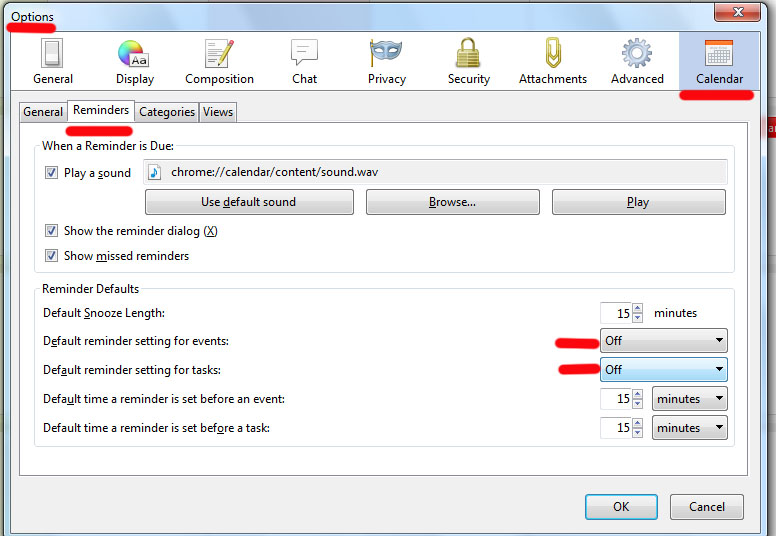
Options-Calendar-Reminders
This does not appear to work. I have to set a time. There is no place to set "No Reminder". When I save event and look at calendar, there is an email symbol and a bell. When I manually set the reminder to "No Reminder" no symbols show.
There is a place for me and it works just fine.