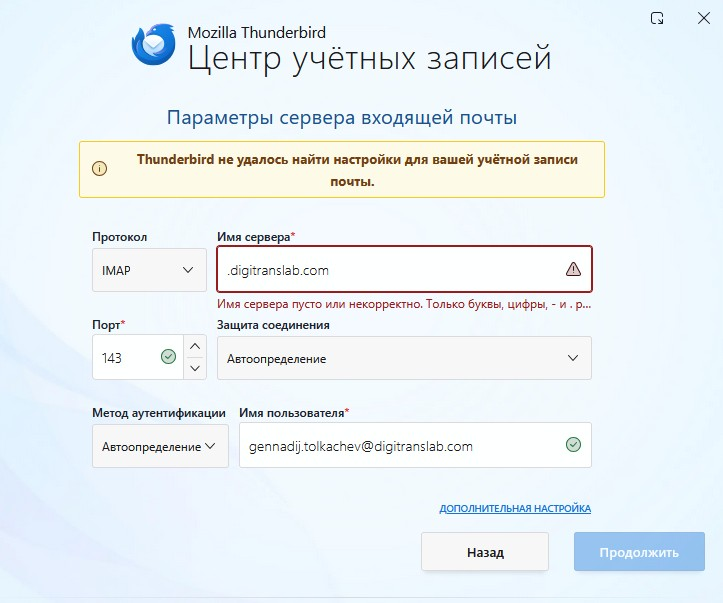
Manual server settings required for Thunderbird email setup

"Dear Support Team, I am trying to configure my email account (gennadij.tolkachev@digitranslab.com) in Mozilla Thunderbird, but I am encountering an issue. The automatic configuration fails with the message: "Thunderbird failed to find the settings for your email account." When I proceed to the manual setup screen, the Incoming Server field is pre-filled with ".digitranslab.com" (including the leading dot). The application rejects this, stating that the server name is empty or invalid (it says: "Server name is empty or incorrect. Only letters, numbers, - and . are allowed"). Could you please provide me with the correct manual server settings for our mail server? Specifically: Incoming Server (IMAP): Server hostname Port Connection security (SSL/TLS, STARTTLS, or None) Authentication method Outgoing Server (SMTP): Server hostname Port Connection security Authentication method Thank you for your assistance. Best regards, Gennadij Tolkachev"