Thunderbird and GMail Account Problems
I was using Thunderbird 153.4.0esr 64-bit and my send feature on GMail stopped working. It just spun and spun with no connection.
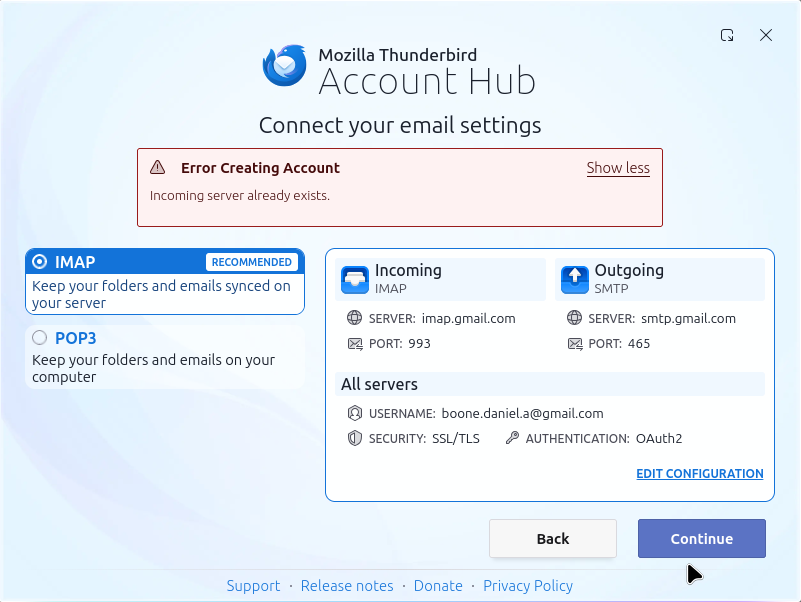
So, I removed the GMail account from my accounts list and then tried re-adding it, but only received the following error (see image attached). This implies what? I have an account at GMail already? I have a remnant of the previous working account in my configuration? It was working fine until today.
I'm using the automatically derived ports (993 inbound and 465 outbound). That error message appears immediately after having clicked the "Continue" button.
System:
 Kernel: 6.8.0-147-generic arch: x86_64 bits: 64 compiler: gcc v: 13.3.0 clocksource: tsc
 Desktop: Xfce v: 4.18.1 tk: Gtk v: 3.24.41 wm: xfwm4 v: 4.18.0 with: xfce4-panel
   tools: light-locker vt: 7 dm: LightDM v: 1.30.0 Distro: Linux Mint 22.2 Zara
   base: Ubuntu 24.04 noble
All Replies (2)
Check to see if an smtp account exists for that address.
I have been using the account for 20+ years and can view the account on their existing gmail portal.
I can ping the smtp server as well...
daniel@workstation-01:~/Downloads$ ping smtp.gmail.com PING smtp.gmail.com (2607:f8b0:4004:c1f::6d) 56 data bytes 64 bytes from pd-in-f109.1e100.net (2607:f8b0:4004:c1f::6d): icmp_seq=1 ttl=105 time=32.8 ms 64 bytes from pd-in-f109.1e100.net (2607:f8b0:4004:c1f::6d): icmp_seq=2 ttl=105 time=29.8 ms 64 bytes from pd-in-f109.1e100.net (2607:f8b0:4004:c1f::6d): icmp_seq=3 ttl=105 time=27.2 ms
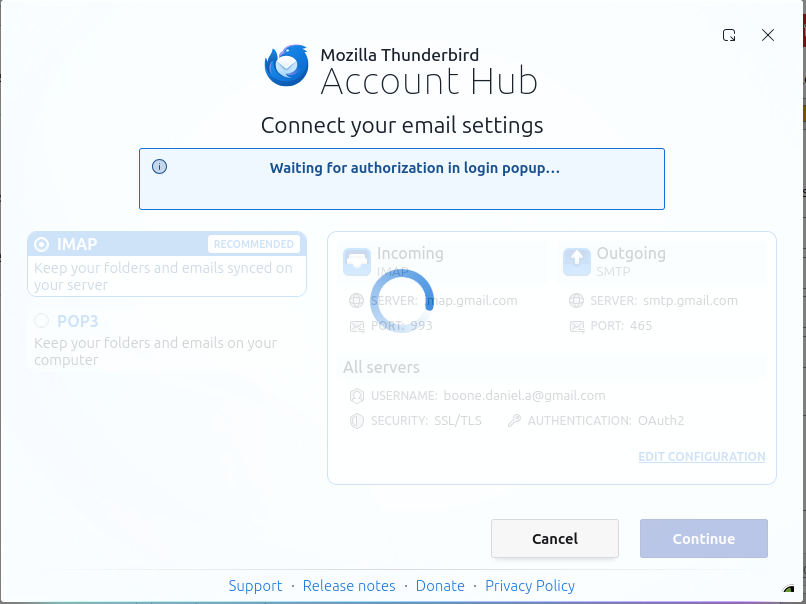
I stepped away from the problem and tried again this morning. The attached image is what I see... spinning spinning spinning...