


Avoid support scams. We will never ask you to call or text a phone number or share personal information. Please report suspicious activity using the “Report Abuse” option.

Learn More
Open

Facebook Reels "Learn More" links failing to open in new tabs since Firefox 156.0 update

phillstroud

Hi everyone,I’m hoping to get some insight into a frustrating issue I’ve encountered since updating to Firefox 156.0 (64-bit).

Prior to this update, clicking the "Learn More" bar on a Facebook Reels advertisement would consistently open the advertiser's website in a new tab. Since the update, this behavior has broken:

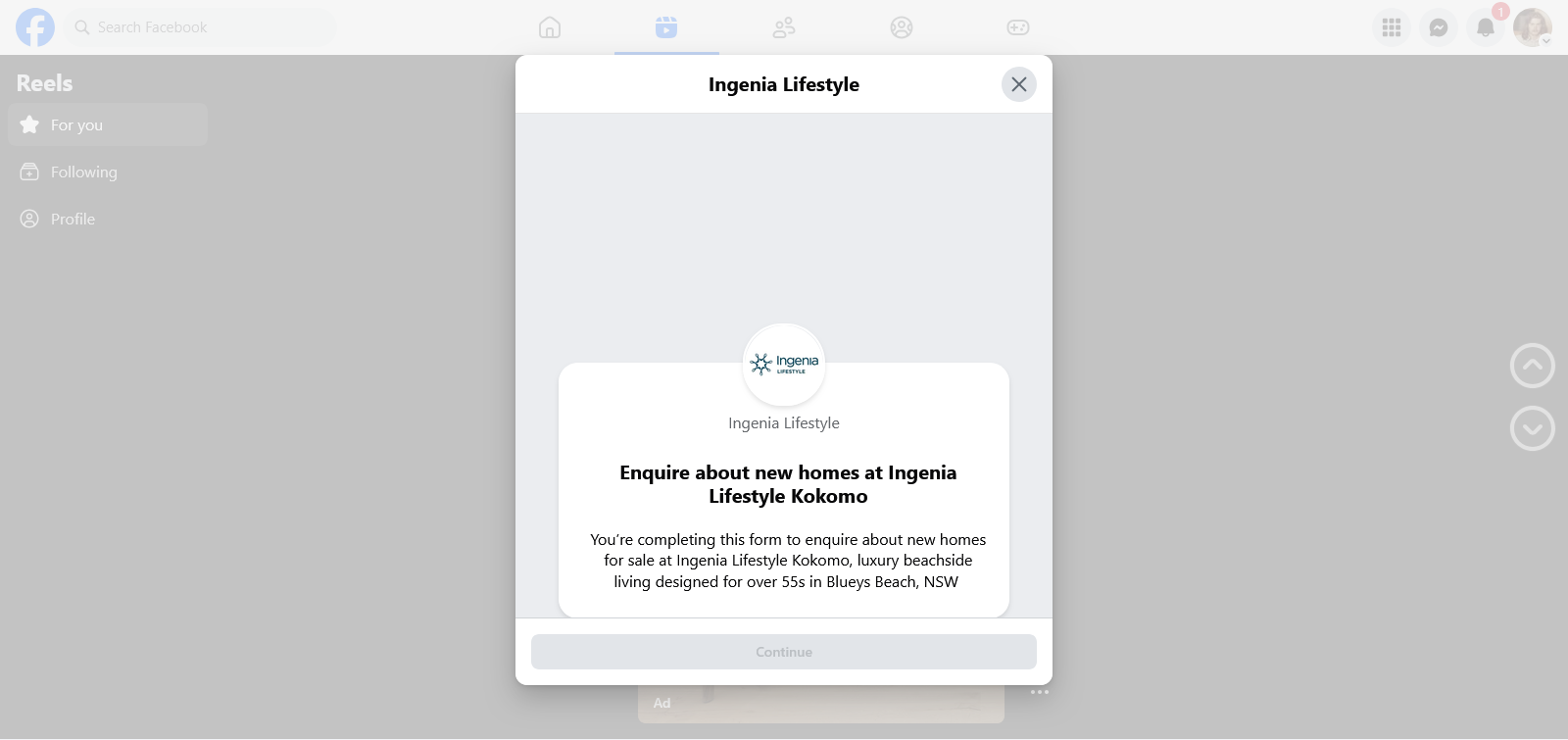
Overlays instead of new tabs: Clicking "Learn More" now frequently opens a contact form or internal Facebook page directly over the ad, rather than launching an external tab.

Instant tab crashes/disappearing tabs: On certain advertisements (for example, Subaru Australia), Firefox attempts to trigger a new tab, but the tab immediately closes and disappears roughly one second later.

I only click these links when I am genuinely interested in a product (like shopping for a new car), and I prefer to review them in a separate tab.

Because this was working perfectly right up until the Firefox 156.0 release, I am trying to narrow down the root cause. Could a default setting have changed in the new Firefox update (such as strict popup blocking or tracking protection stripping ad parameters), or is this a simultaneous coding change made by Facebook to force users to stay on their platform?

(Note: I've attached a screenshot of the page overlay I now commonly see instead of the external link.)Any advice on settings I can tweak to restore the old behavior would be greatly appreciated. Thanks in advance!
Hi everyone,I’m hoping to get some insight into a frustrating issue I’ve encountered since updating to Firefox 156.0 (64-bit). Prior to this update, clicking the "Learn More" bar on a Facebook Reels advertisement would consistently open the advertiser's website in a new tab. Since the update, this behavior has broken: '''Overlays instead of new tabs:''' Clicking "Learn More" now frequently opens a contact form or internal Facebook page directly over the ad, rather than launching an external tab. '''Instant tab crashes/disappearing tabs:''' On certain advertisements (for example, Subaru Australia), Firefox attempts to trigger a new tab, but the tab immediately closes and disappears roughly one second later. I only click these links when I am genuinely interested in a product (like shopping for a new car), and I prefer to review them in a separate tab. Because this was working perfectly right up until the Firefox 156.0 release, I am trying to narrow down the root cause. Could a default setting have changed in the new Firefox update (such as strict popup blocking or tracking protection stripping ad parameters), or is this a simultaneous coding change made by Facebook to force users to stay on their platform? (Note: I've attached a screenshot of the page overlay I now commonly see instead of the external link.)Any advice on settings I can tweak to restore the old behavior would be greatly appreciated. Thanks in advance!
Attached screenshots

You must log in to your account to reply to posts. Please start a new question, if you do not have an account yet.