


Having trouble creating a POP Profile from a previous IMAP profile.

I have a profile set that uses IMAP and need to change this to POP. I have tried changing the settings and tried creating a new profile by exporting folders and files but nothing is working correctly.
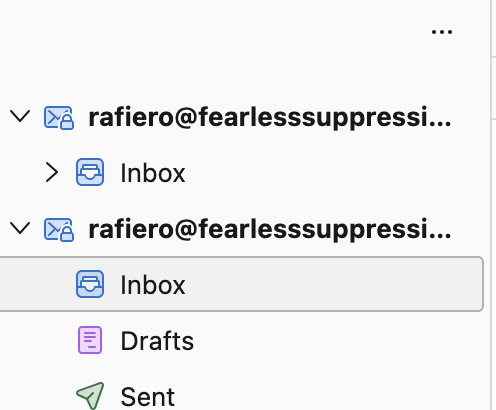
One problem I have is that in the IMAP profile I now have a second email address that is the same address name but is a POP setup. This is confusing. When I use the POP email to export and then import into a new profile I again get two email addresses in the folder panel of the new profile and one of them does have folders but they are empty.
Below is a screen shot of the original IMAP Profile. The upper address has folders but they are now blank because I pasted them in the lower address. I have tried selecting/highlighting the lower address for exporting but when I do I get the two addresses but the folders are empty/blank.
Thank you for any help!
Rick
All Replies (1)
IMAP accounts cannot be changed to POP. The solution is to create the POP account alongside the IMAP account and then delete the IMAP account when all is satisfactory. You do not need a new profile.