


pinned apps gone every time I log in

new computer. log into firefox, nothing is saved. pin an app, come back and it's gone. have to log into the app EVERY TIME. have to log into firefox too. why is it not saving anything???
All Replies (3)
Could you give an example of where you pin the apps you want?
And when you say you have to login to Fx how does that come about as soon as you click on the Fx icon, I've never seen that. or once you go to a specific site?
Win 11 Fx 153
i start Firefox. i start Pandora. i have to log in every time I do this. i pin pandora to the tool bar. it shows as a pin. close firefox. come back in and the pin is gone. if i start pandora, i have to log in again.
another odd thing - when i start a program, the tool bar bookmarks all disappear. that didn't happen on my old computer. how do i get the old version that is running without issue on my old computer?
Never used or seen that before. I use bookmarks to do the same. The icons are on the address bar in this case.
Just tried the 'pin' idea, and as you say they are gone when I close and reopen.
Images how my set up with the 'pin' that I also have in the address bar.
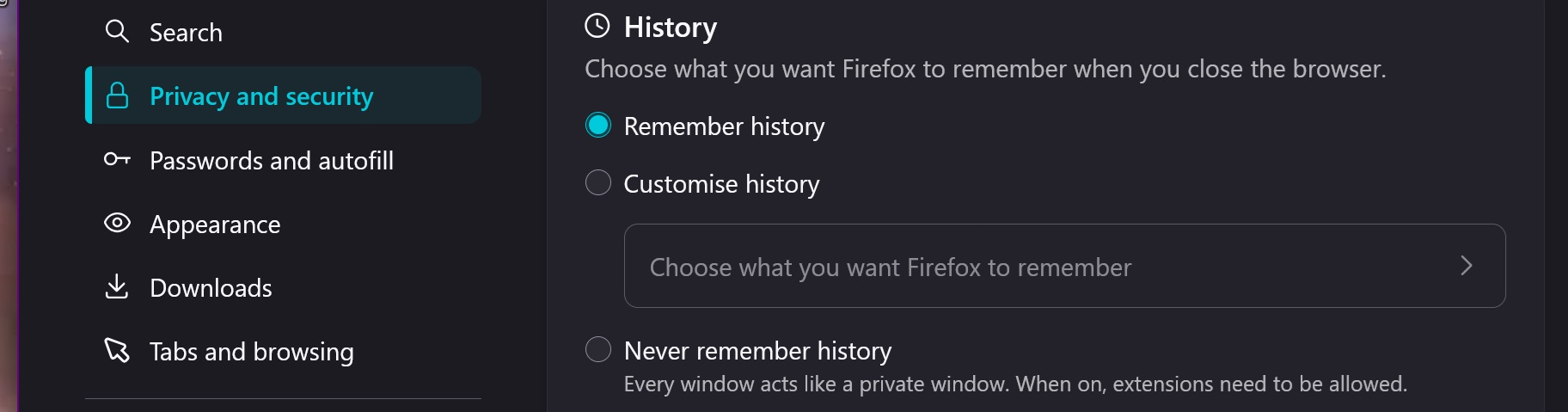
Will look into this a bit more . . . Check you are not clearing history and site data when you close Fx
....
Yes if I ask to save history (second image) the pin stays

Athraithe ag amoun ar