


Windows 10 reached EOS (end of support) on October 14, 2025. If you are on Windows 10, see this article.

Search Support

Avoid support scams. We will never ask you to call or text a phone number or share personal information. Please report suspicious activity using the “Report Abuse” option.

Learn More
Open

Debbuger question

Platform34 replied
Marcos Turcios

I am experiencing an issue where the built-in debugging features in Thunderbird for Android are not working as expected. I am trying to troubleshoot an issue, but the debugger is failing to generate or export useful information. Steps to Reproduce:Open Thunderbird for Android and navigate to Settings -> General settings -> Debugging.Toggle on Enable debug logging.Replicate the issue I am trying to troubleshoot.Return to the Debugging menu and tap Export logs.Expected Behavior:The app should successfully export a text file containing the local IMAP/POP3 commands, synchronization records, and error outputs.

contains no useful debugging .The application freezes or crashes as soon as I try to export the logs.Does anyone know if this is a known limitation of the release build, or if there is a specific configuration step I missed to get the debugger working? SpecificationsDevice Model: Samsung SM-A045MOperating System: Android 14 (API 34)Screen Resolution: 720x1465 (60.00 Hz)Available Storage: 25.28 GB free out of 64 GBBattery Level: 97%Memory & Performance StatusSystem Native Memory: 1853.59 MiB Free / 3792.47 MiB TotalApp JVM Heap: 38.51 MiB Used / 64.00 MiB Current Total (512.00 MiB Max Godbless.
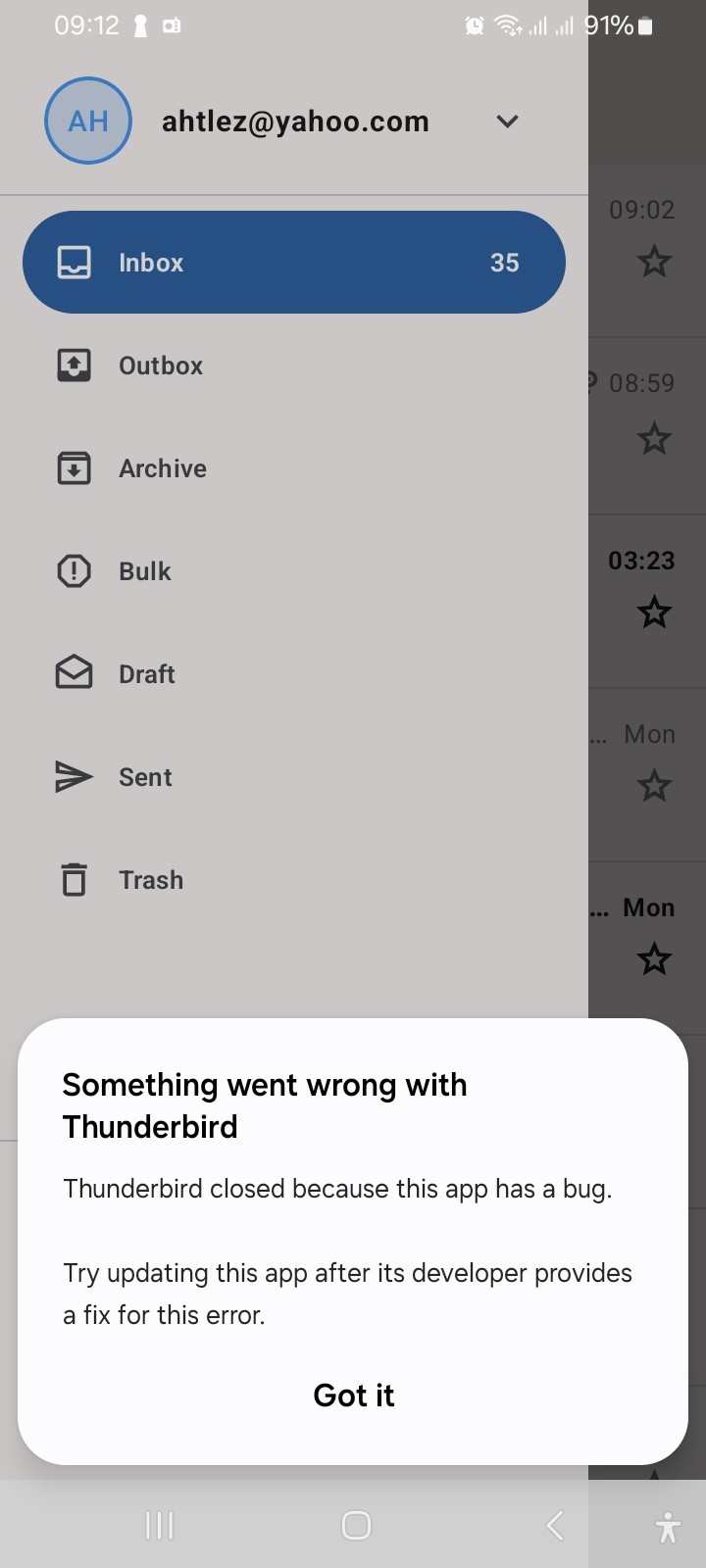
I am experiencing an issue where the built-in debugging features in Thunderbird for Android are not working as expected. I am trying to troubleshoot an issue, but the debugger is failing to generate or export useful information. Steps to Reproduce:Open Thunderbird for Android and navigate to Settings -> General settings -> Debugging.Toggle on Enable debug logging.Replicate the issue I am trying to troubleshoot.Return to the Debugging menu and tap Export logs.Expected Behavior:The app should successfully export a text file containing the local IMAP/POP3 commands, synchronization records, and error outputs. contains no useful debugging .The application freezes or crashes as soon as I try to export the logs.Does anyone know if this is a known limitation of the release build, or if there is a specific configuration step I missed to get the debugger working? SpecificationsDevice Model: Samsung SM-A045MOperating System: Android 14 (API 34)Screen Resolution: 720x1465 (60.00 Hz)Available Storage: 25.28 GB free out of 64 GBBattery Level: 97%Memory & Performance StatusSystem Native Memory: 1853.59 MiB Free / 3792.47 MiB TotalApp JVM Heap: 38.51 MiB Used / 64.00 MiB Current Total (512.00 MiB Max Godbless.
Attached screenshots

All Replies (1)

What version of Thunderbird for Android are you using?

Debug log capture is not crashing for me on v22.1 and 22.0b2 on Android 16. I've also not experienced the crash in prior versions i've used going back many years.

Given the crash, capturing the debug trace from Androids logcat using ADB is your best option. See method B in the guide linked below.

https://thunderbird.github.io/thunderbird-android/docs/latest/user-guide/troubleshooting/collecting-debug-logs.html

Cuir ceist

You must log in to your account to reply to posts. Please start a new question, if you do not have an account yet.