


Minimize button missing on top right of app

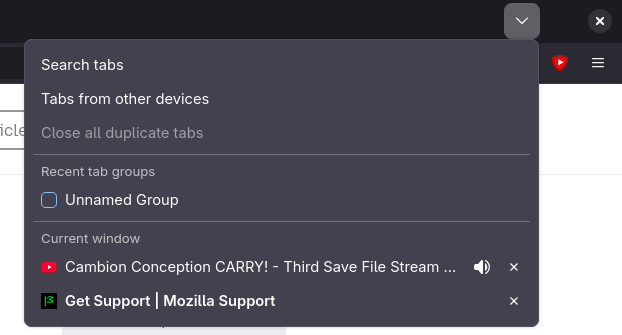
I've recently noticed that the minimize button on the top right of the screen is missing, all I have is the close app button and a drop down. I'm on Bazzite, I have the sidebar disabled, I've already done a refresh. The only thing I really haven't done is a full uninstall then reinstall, but I wanted to see if there was a setting I missed anywhere. I've attached a screenshot of the drop down and close app button, but no minimize.
I've recently noticed that the minimize button on the top right of the screen is missing, all I have is the close app button and a drop down. I'm on Bazzite, I have the sidebar disabled, I've already done a refresh. The only thing I really haven't done is a full uninstall then reinstall, but I wanted to see if there was a setting I missed anywhere. I've attached a screenshot of the drop down and close app button, but no minimize.
All Replies (1)
I assume you use Gnome? You don't have minimize and maximize buttons on Gnome by default, but you can easily get them back by typing this into your terminal: gsettings set org.gnome.desktop.wm.preferences button-layout ":minimize,maximize,close"