Windows 10 reached EOS (end of support) on October 14, 2025. If you are on Windows 10, see this article.

Search Support

Avoid support scams. We will never ask you to call or text a phone number or share personal information. Please report suspicious activity using the “Report Abuse” option.

Learn More

RAM is disappearing

  • 7 bhfreagra
  • 0 leis an bhfadhb seo
  • Freagra is déanaí ó МаК

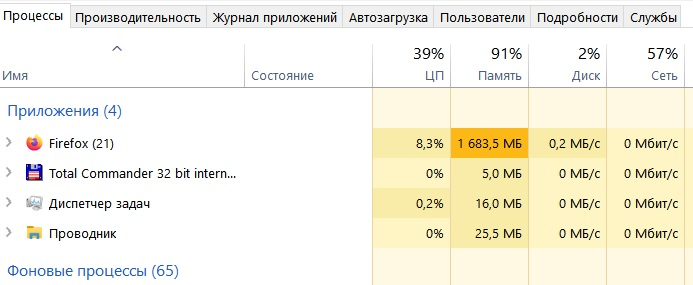
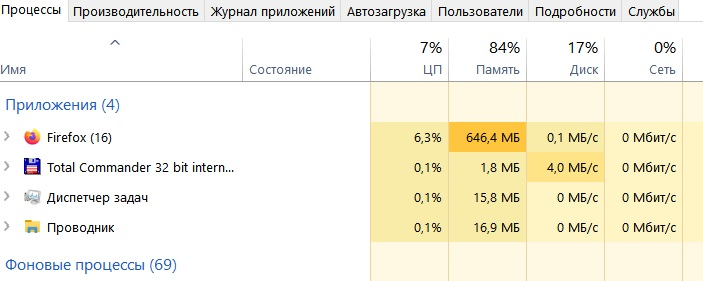
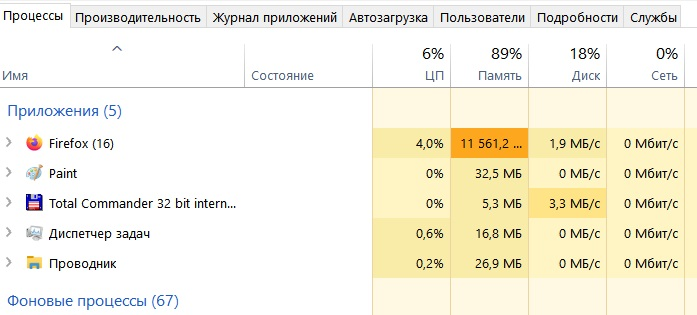
I always have multiple tabs open in my browser. Previously, I could easily open (and switch between) 20+ tabs (I have 16GB of RAM). Recently, after opening five tabs, the Task Manager shows 10-11GB of RAM (88-90%) in use! How can this be? I cleared the cache and history, but it didn't help. I installed several RAM cleaners, but none freed up the required amount. None of the five programs worked. Where does that 15GB of RAM go when I open Firefox? When will you finally implement something like Google Chrome—they free up RAM for active pages when inactive ones are opened. Maybe it's because I have so many inactive tabs that the RAM is disappearing? But I had just as many tabs before, some of them inactive, and fewer than 20 active ones, so I could easily open another 20. And now I can't even open five new ones. What's happening to the browser?! SOS!

I always have multiple tabs open in my browser. Previously, I could easily open (and switch between) 20+ tabs (I have 16GB of RAM). Recently, after opening five tabs, the Task Manager shows 10-11GB of RAM (88-90%) in use! How can this be? I cleared the cache and history, but it didn't help. I installed several RAM cleaners, but none freed up the required amount. None of the five programs worked. Where does that 15GB of RAM go when I open Firefox? When will you finally implement something like Google Chrome—they free up RAM for active pages when inactive ones are opened. Maybe it's because I have so many inactive tabs that the RAM is disappearing? But I had just as many tabs before, some of them inactive, and fewer than 20 active ones, so I could easily open another 20. And now I can't even open five new ones. What's happening to the browser?! SOS!

All Replies (7)

Is there any noticeably huge process in about:processes?

Athraithe ag TyDraniu ar

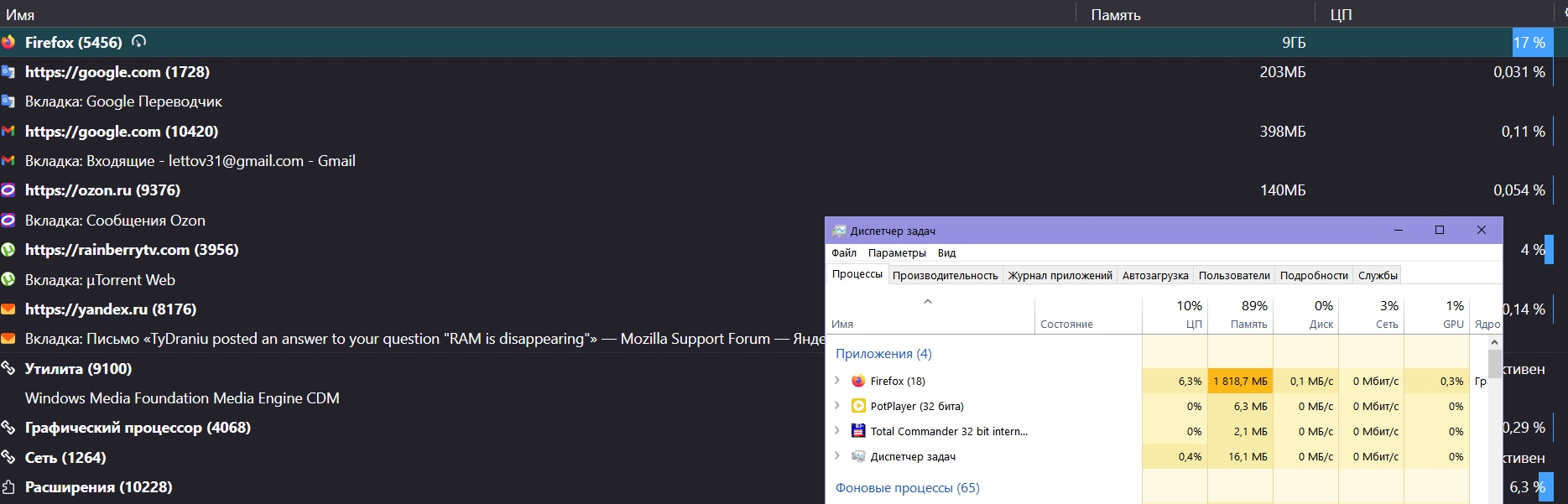
In processes, only Firefox takes up all the memory, as I mentioned above. Interestingly, initially (when launching Fox), the memory disappears—in "processes," it shows memory usage from 16 GB almost immediately to 10-11 GB—that is, 80%+ of the memory. But after some time, the memory "used" by Fox decreases to 2-3 GB, but the percentage of memory used remains the same—80%... Fantastic!

Enter about:processes in the address bar and check if there's anything noticeably huge.
I didn't quite understand - should I enter in the address bar who/what?

I finally figured out where to enter the query. But... nothing new.

OK. 

Athraithe ag TyDraniu ar

Undead, screenshot attached.)

Cuir ceist

You must log in to your account to reply to posts. Please start a new question, if you do not have an account yet.