


Cannot connect to Microsoft Office web editors (word, excel, powerpoint)

I recently updated to 147.0.1, and now it seems I can no longer access word/excel/powerpoint files for online editing. I have already tried clearing cookies, disabling adblockers, disabling tracking protection, running in a private window, all the way down to completely reinstalling Firefox 147 fresh. This has persisted for roughly a week, so it does not seem to be an issue with my own network connection, nor with Microsoft's services, nor my files specifically since I can edit the files online from my PC at work. The error message specifically reads:
We can't connect to the server at usc-excel.officeapps.live.com (or usc-word-edit.officeapps.live.com or usc-powerpoint.officeapps.live.com, respectively).
I could previously access these files to edit when I was still on Firefox 146, so I'm guessing it's something going on with 147. Has anyone encountered similar issues with Web Office apps, and perhaps found a resolution?
All Replies (3)
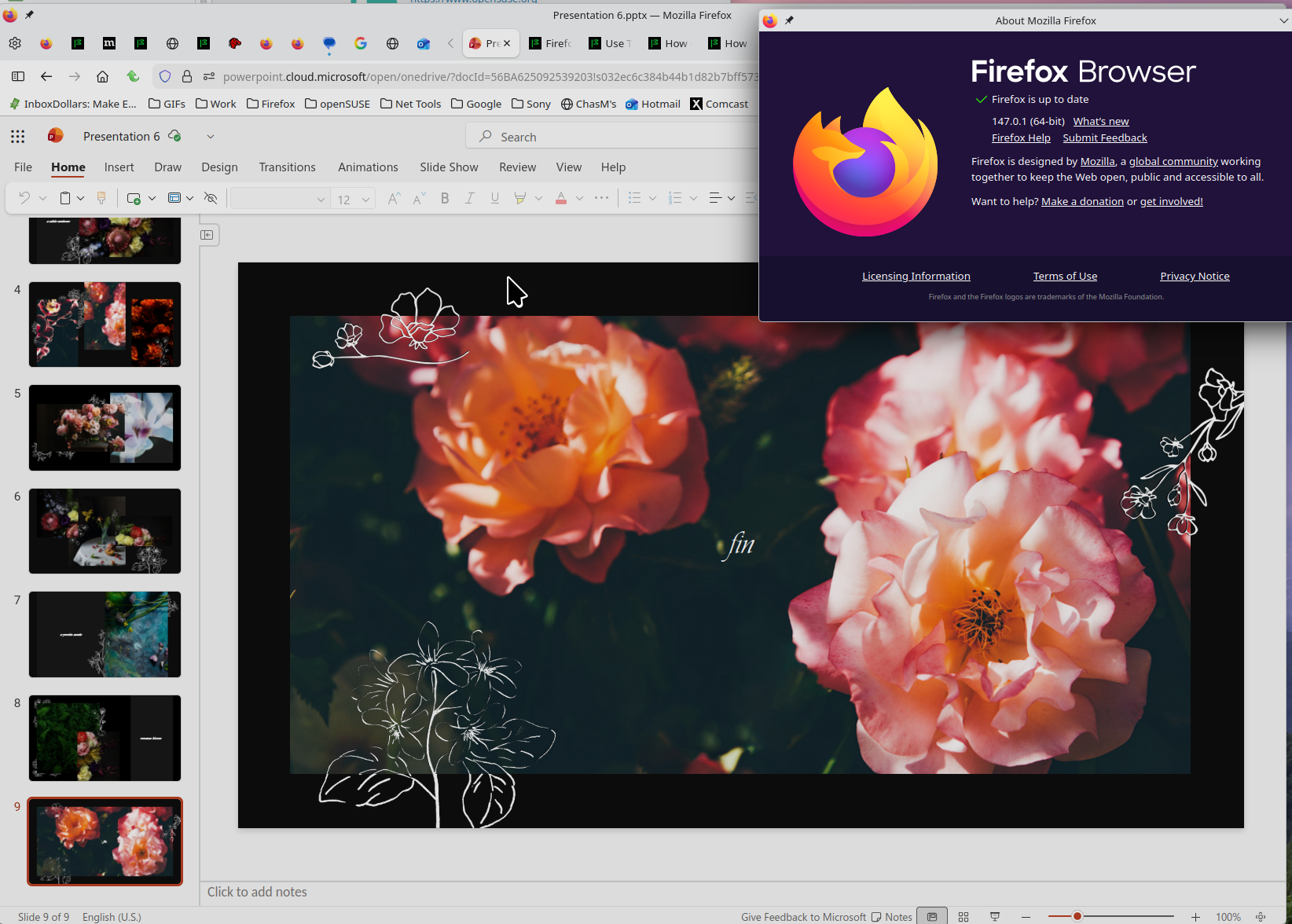
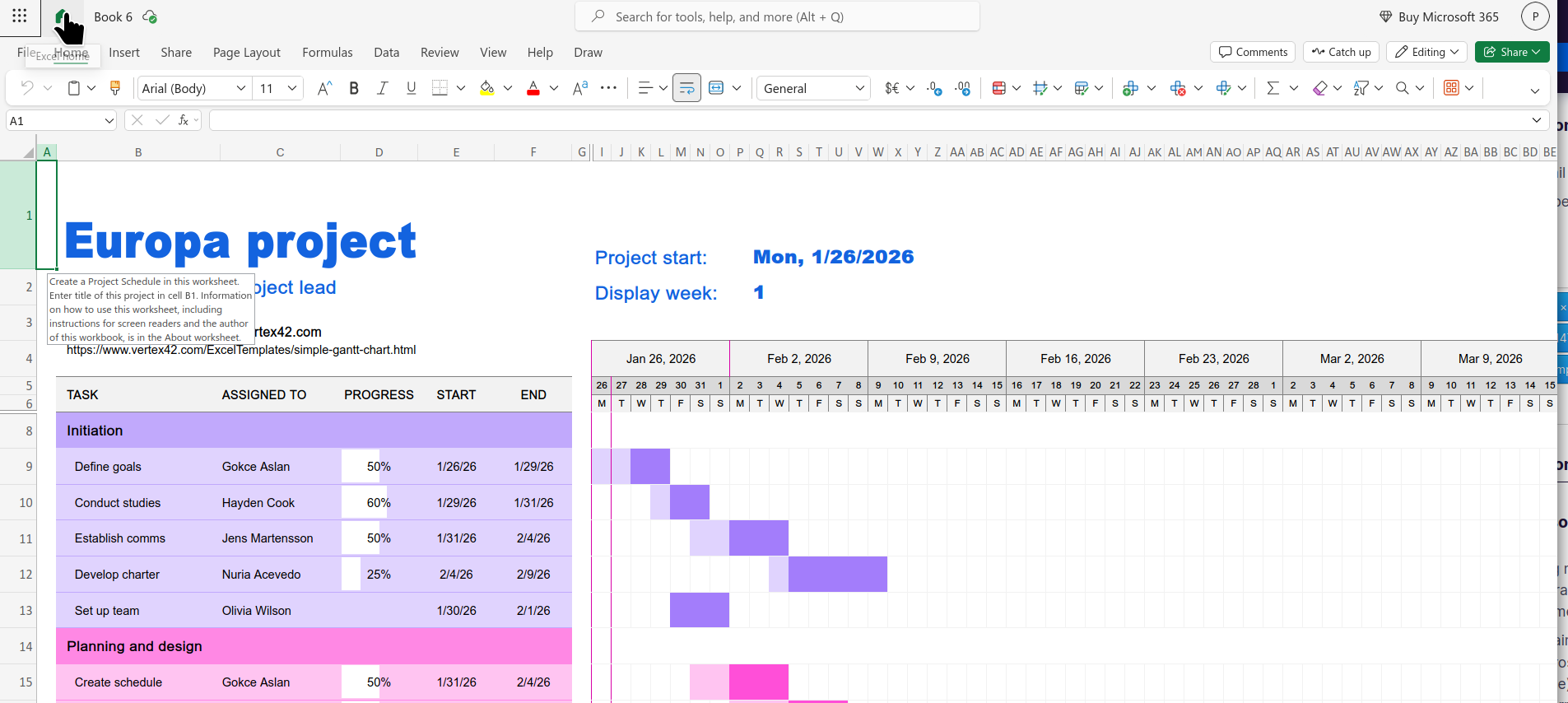
What OS? What Desktop? X11 or Wayland? I have no issues with office. see screenshot Does it happen with Firefox in Troubleshoot Mode? https://support.mozilla.org/en-US/kb/diagnose-firefox-issues-using-troubleshoot-mode#search
Did you clear your browser cache? https://support.mozilla.org/en-US/kb/clear-cookies-and-site-data-firefox
Try downloading Firefox from Mozilla. Download, unzip, and run firefox-bin from the folder and see if you have the same issue. https://www.mozilla.org/en-US/firefox/all/#product-desktop-release
Operating System: openSUSE Tumbleweed 20260123
KDE Plasma Version: 6.5.5
KDE Frameworks Version: 6.22.0
Qt Version: 6.10.1
Kernel Version: 6.18.6-1-default (64-bit)
Graphics Platform: X11
Processors: 12 × Intel® Core™ i7-9850H CPU @ 2.60GHz
Memory: 128 GiB of RAM (125.1 GiB usable)
Graphics Processor: Intel® UHD Graphics 630
Manufacturer: HP
Product Name: HP ZBook 17 G6
Athraithe ag jonzn4SUSE ar
- Linux Mint 22.3 - Cinnamon desktop - X11, I believe - Yes, it happens in troubleshoot mode - Yes, I tried clearing all cache and cookies - Downloading straight from Mozilla rather than via package manager was how I already tried the fresh install, problem persists
I'm thinking of reverting all the way back to the ESR version, haven't tried it yet.
System Info: [code] System:
 Kernel: 6.14.0-37-generic arch: x86_64 bits: 64 compiler: gcc v: 13.3.0 clocksource: tsc
 Desktop: Cinnamon v: 6.6.6 tk: GTK v: 3.24.41 wm: Muffin v: 6.6.3 vt: 7 dm: LightDM v: 1.30.0
   Distro: Linux Mint 22.3 Zena base: Ubuntu 24.04 noble
Machine:
Type: Desktop Mobo: Micro-Star model: PRO H610M-G WIFI DDR4 (MS-7D46) v: 1.0
CPU:
 Info: 16-core (8-mt/8-st) model: 12th Gen Intel Core i9-12900KF bits: 64 type: MST AMCP
   smt: enabled arch: Alder Lake rev: 2 cache: L1: 1.4 MiB L2: 14 MiB L3: 30 MiB
Graphics:
 Device-1: NVIDIA GA104 [GeForce RTX 3070 Lite Hash Rate] vendor: ASUSTeK driver: nvidia
   v: 580.95.05 arch: Ampere pcie: speed: 16 GT/s lanes: 16 ports: active: none
   off: HDMI-A-1,HDMI-A-2 empty: DP-1,DP-2,DP-3 bus-ID: 01:00.0 chip-ID: 10de:2488 class-ID: 0300
See what happens with your OS on a live usb stick and also try a different desktop.