


Want one-click-open-message and message next to messages list (as in advertised product)

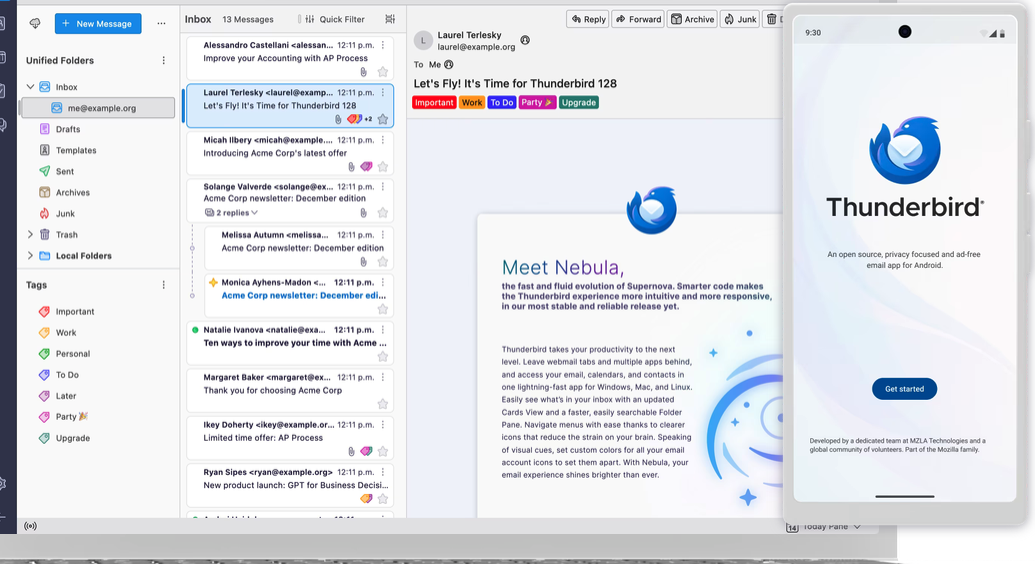
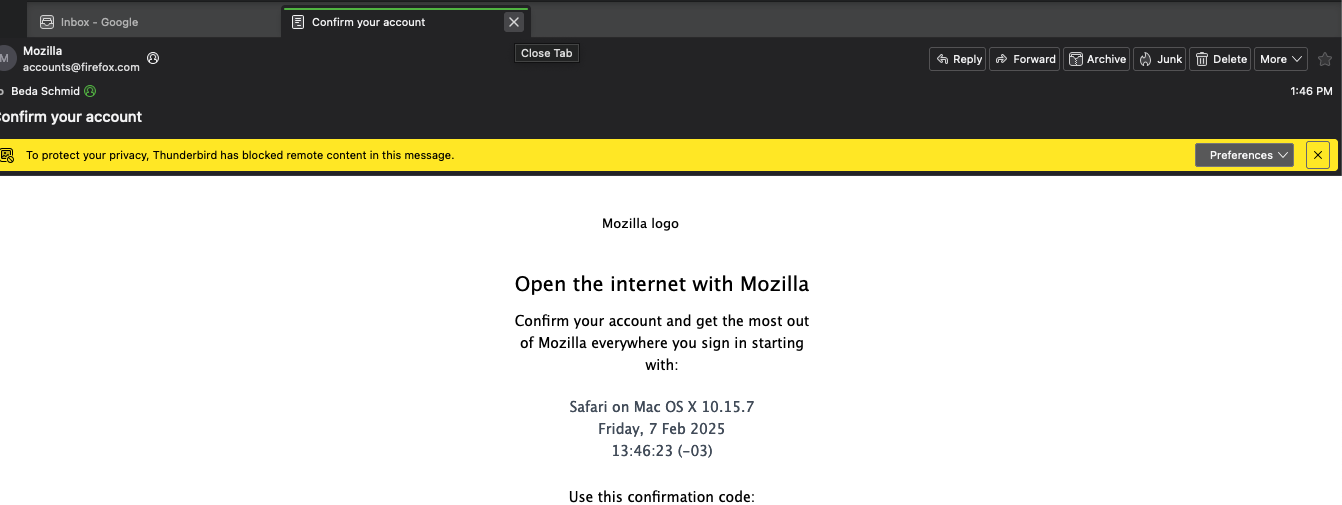
1. I want that messages open when I click ONCE. Right now I have to double click which is a huge showstopper for folks who really need to work. Click once > email you want to read opens. That is fast, productive and accessible. Double click is a no-option. 2. I would want the layout exactly as in the advertised app on https://www.thunderbird.net/en-GB/ where we can clearly see three columns: Accounts | Messages LIST | Single Message. Instead, in my case, I can only open the message in new window, or new tab, which is again totally unproductive, and inaccessible.
How can I achieve the two goals please? Here is a screenshot from the advertisement as of how it should look, and as well one of how it actually looks on my machine
Thank you!

Réiteach roghnaithe
- click the menu icon in upper right (or click alt key to display main menu bar) and then click View>layout>vertical view.clicking any message in message list will display message on the right - with just one click.
Read this answer in context 👍 1All Replies (1)
Réiteach Roghnaithe
- click the menu icon in upper right (or click alt key to display main menu bar) and then click View>layout>vertical view.clicking any message in message list will display message on the right - with just one click.