

Cuireadh an snáithe seo sa chartlann.
Cuir ceist nua má tá cabhair uait.

Réitithe
Cartlannaithe
Delete Accuweather
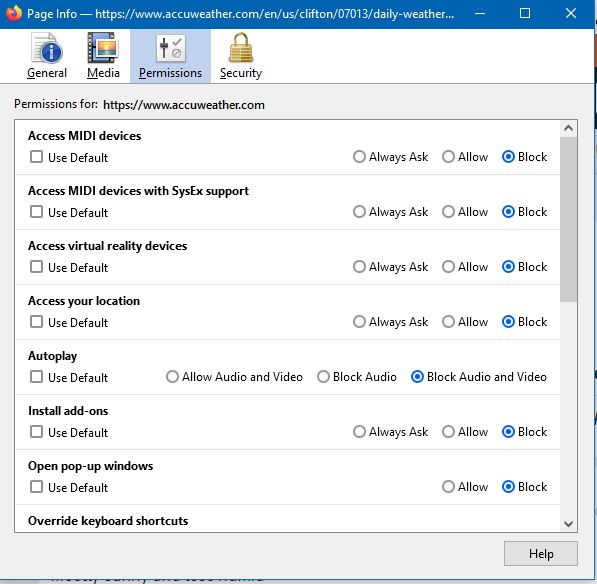
Mozilla added Accuweather to my New Tab page today. I can't use it because my VPN uses other locations. I attempted to remove it using the "solution" from another user's post 9 months ago. However, none of those things worked. There is no "Tools" option in the menu and I unchecked and blocked every item on the "Page Info" tab under the "Permissions" header. Zero result.
The Accuweather feed shows up in the upper left corner of the computer screen and does not have a "dismiss" option. I did notice that it has some entries in about:config. Is the solution to be found there?
Mozilla added Accuweather to my New Tab page today. I can't use it because my VPN uses other locations.
I attempted to remove it using the "solution" from another user's post 9 months ago. However, none of those things worked. There is no "Tools" option in the menu and I unchecked and blocked every item on the "Page Info" tab under the "Permissions" header. Zero result.
The Accuweather feed shows up in the upper left corner of the computer screen and does not have a "dismiss" option. I did notice that it has some entries in about:config. Is the solution to be found there?
All Replies (1)
Réiteach Roghnaithe
You can change the location if you want and hide this widget.
See also the browser.newtabpage.activity-stream.*weather prefs in about:config.