


Sync open tabs from old PC to new PC not working

I've read all the suggestions but can't get Firefox Sync to transfer the open tabs from my old PC to my new one. I'm signed in on both to the same account, both are on my LAN with a wired ethernet connection, and I've checked every box in the "what to sync" field. When I click "Sync Now" the icon spins for a few seconds like it's doing something but the tabs from the old machine do not appear on the new one as I expected them to. Nor can I get them by closing and doing a Restore Session.
This seems pretty straightforward and how most users would expect it to work - am I missing something? If not, why isn't it working?
Réiteach roghnaithe
Yes, there are a few ways to see them. If there are no more questions, please mark this as resolved and have a nice day. ;-)
Read this answer in context 👍 0All Replies (3)
The tabs do not automagiaclly show up on devices, but you can see, send, and open them. see screenshots I can expand the device or version and then see the tabs on that device and open them.
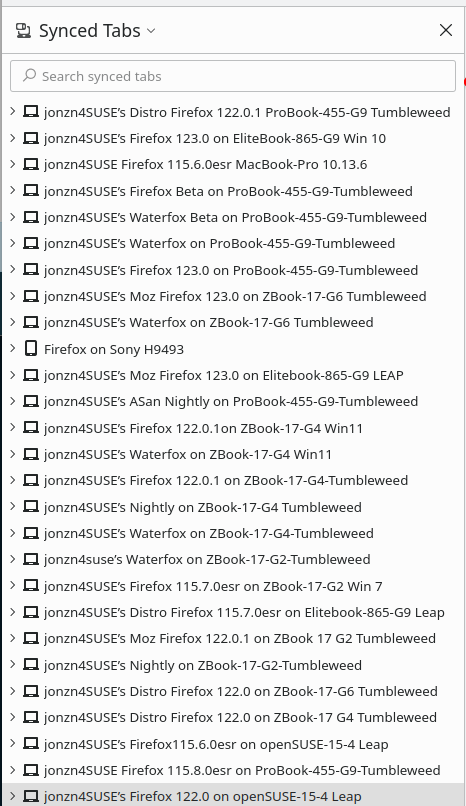
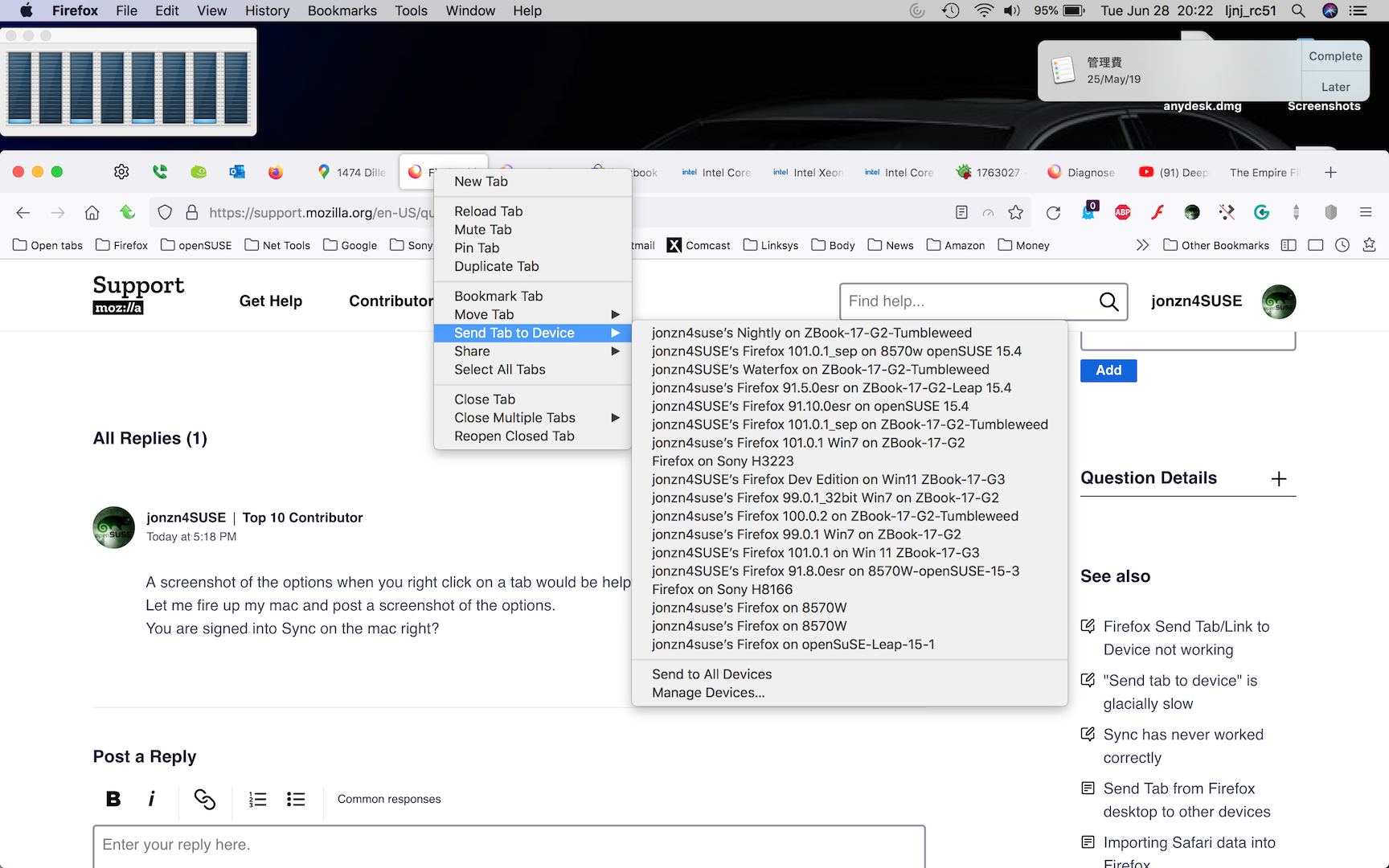
Athraithe ag jonzn4SUSE ar
Well I'll be darned! Not how I would have designed it but I see them now. Thanks for your VERY prompt reply!
Réiteach Roghnaithe
Yes, there are a few ways to see them. If there are no more questions, please mark this as resolved and have a nice day. ;-)