


JavaScript in firefox.cfg can't access `document`

As I understand, `autoconfig.js` (with `firefox.cfg`) can be used to have JavaScript run during startup to control Firefox's UI elements.
I have set up `autoconfig.js` in my `/usr/lib/firefox-developer-edition/defaults/pref` folder (I'm on EndeavourOS Linux). As instructed here, I've already put the two required files, `autoconfig.js` and `firefox.cfg` in their correct folders (`/usr/lib/firefox-developer-edition/defaults/pref` and `/usr/lib/firefox-developer-edition` in my machine).
The file `firefox.cfg` contains the following code:
 //
 (() => {
   var tabbar = document.getElementById("TabsToolbar");
 })();
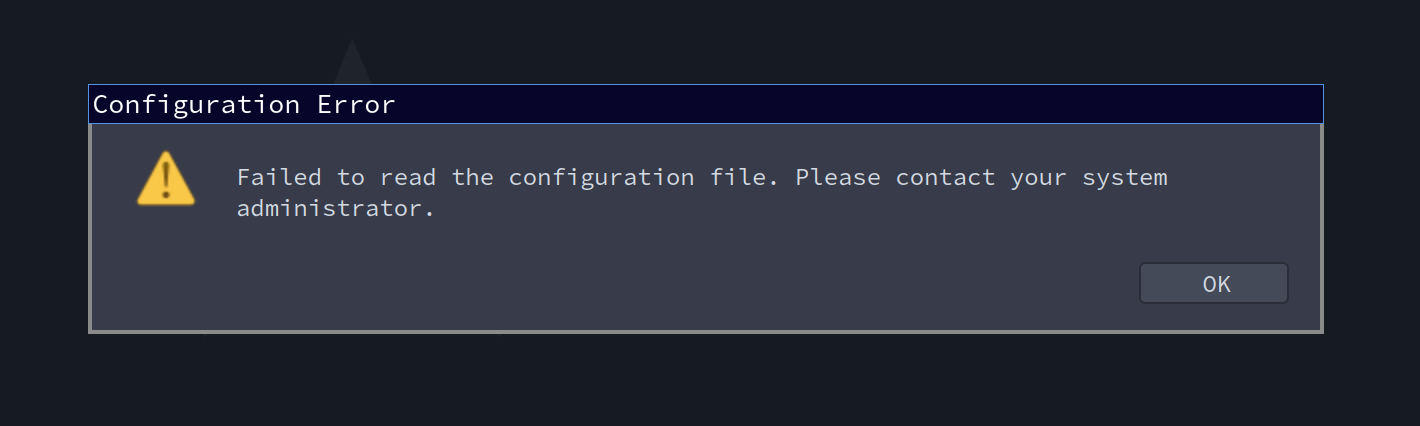
However, every time I run Firefox, this message will appear:
"Failed to read the configuration file. Please contact your system administrator."
If I empty out the `firefox.cfg` file, Firefox will run normally without showing the error message. It will also run normally if I just have something like this in the file:
 //
 (() => {
   var testVar = "";
 })();
I don't understand why the JavaScript code can't access the Firefox UI elements through `document` or `window.document`. If `autoconfig.js` isn't build for that, what should I use to change my browser's UI elements through JavaScript?
Thank you.
Athraithe ag jazali ar
Réiteach roghnaithe
Note that you need a lot more code to be able to access a browser window (i.e. add an observer that is triggered when you open a window).
// start autoconfig.cfg with a comment line
try {
 function ConfigJS() { Services.obs.addObserver(this, 'chrome-document-global-created', false); }
 ConfigJS.prototype = {
  observe: function (aSubject) { aSubject.addEventListener('DOMContentLoaded', this, {once: true}); },
  handleEvent: function (aEvent) {
   let document = aEvent.originalTarget;
   let window = document.defaultView;
   let location = window.location;

   if (/^(chrome:(?!\/\/(global\/content\/commonDialog|browser\/content\/webext-panels)\.x?html)|about:(?!blank))/i.test(location.href)) {
    if (window._gBrowser) { //place your code here
       var tabbar = window.document.getElementById("TabsToolbar");
    }  // gBrowser
   }   // location
  }    // handleEvent
 };    // prototype
 if (!Services.appinfo.inSafeMode) { new ConfigJS(); }
} catch(e) {Cu.reportError(e);}
Read this answer in context 👍 0
All Replies (3)
Did you disable the sandbox via autoconfig.js ?
Content of autoconfig.js:
//start autoconfig.js with a comment line
pref("general.config.filename", "autoconfig.cfg");
pref("general.config.obscure_value", 0);
pref("general.config.sandbox_enabled", false);
Réiteach Roghnaithe
Note that you need a lot more code to be able to access a browser window (i.e. add an observer that is triggered when you open a window).
// start autoconfig.cfg with a comment line
try {
 function ConfigJS() { Services.obs.addObserver(this, 'chrome-document-global-created', false); }
 ConfigJS.prototype = {
  observe: function (aSubject) { aSubject.addEventListener('DOMContentLoaded', this, {once: true}); },
  handleEvent: function (aEvent) {
   let document = aEvent.originalTarget;
   let window = document.defaultView;
   let location = window.location;

   if (/^(chrome:(?!\/\/(global\/content\/commonDialog|browser\/content\/webext-panels)\.x?html)|about:(?!blank))/i.test(location.href)) {
    if (window._gBrowser) { //place your code here
       var tabbar = window.document.getElementById("TabsToolbar");
    }  // gBrowser
   }   // location
  }    // handleEvent
 };    // prototype
 if (!Services.appinfo.inSafeMode) { new ConfigJS(); }
} catch(e) {Cu.reportError(e);}Hi. Thank you very much for the answer! My script can now access `document` thanks to your code. But I'm still confused on how to implement the following into the snipped you provided:
 var tabbar = window.document.getElementById("TabsToolbar");
 function showHideTabbar() {
   var sidebarBox = window.document.getElementById("sidebar-box");
   var sidebarTST = sidebarBox.getAttribute("sidebarcommand");
   if (!sidebarBox.hidden && sidebarTST === "treestyletab_piro_sakura_ne_jp-sidebar-action") {
     tabbar.style.visibility = "collapse";
   }
   else {
     tabbar.style.visibility = "visible";
   }
 }
 var observer = new MutationObserver(showHideTabbar);
 observer.observe(window.document.getElementById("sidebar-box"), { attributes: true, attributeFilter: ["sidebarcommand", "hidden"] });
Its purpose is to hide the tab strip on top when Tree Style Tab is open on the sidebar.
I found that it worked when I ran it through the Browser Toolbox. But it had no effect when I put it into the `if (window._gBrowser) {}` scope. I'm not too familiar with JavaScript, so I can't quite figure out what's wrong.
Athraithe ag jazali ar