

Cuireadh an snáithe seo sa chartlann.
Cuir ceist nua má tá cabhair uait.

Cartlannaithe
Firefox won't load, got error message

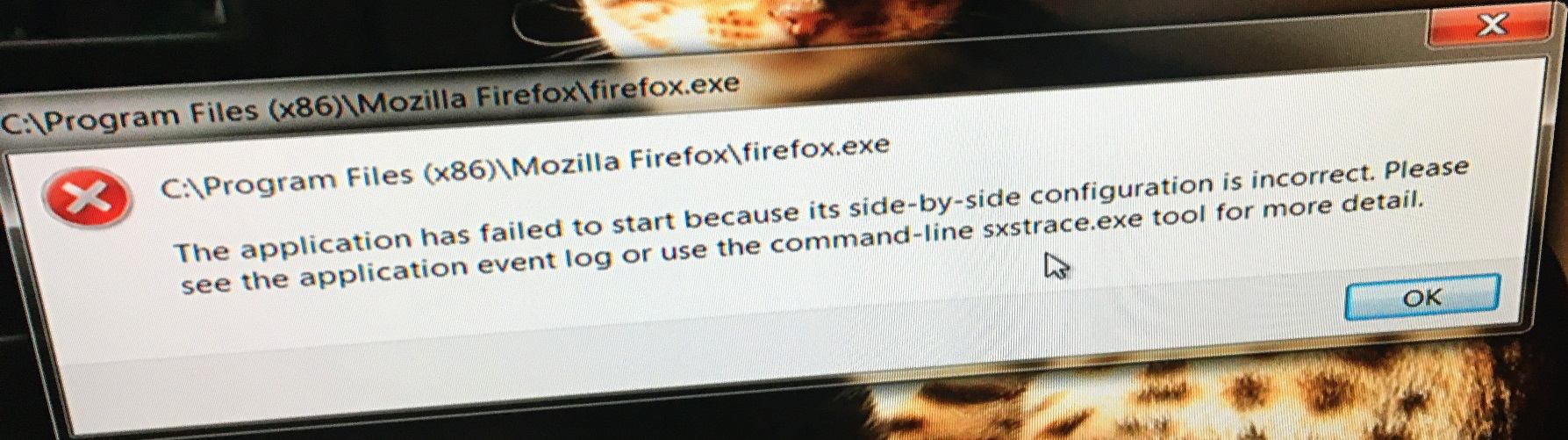
My neighbor is having a problem with Firefox that has just appeared (see attached jpeg). When trying to load Firefox an error message appears basically saying "the application has failed to start because it's side-by-side configuration is incorrect" . Whatever that means. It tells you to do a trace program from the command prompt but that didn't result in anything.
At the same time we are noticing that the desktop short cut says " Firefox -Copy-Copy-Copy-Copy -Copy" May not be related.
Any one seen this before? What do we do next?
Thank you
Ron
My neighbor is having a problem with Firefox that has just appeared (see attached jpeg). When trying to load Firefox an error message appears basically saying "the application has failed to start because it's side-by-side configuration is incorrect" . Whatever that means. It tells you to do a trace program from the command prompt but that didn't result in anything.
At the same time we are noticing that the desktop short cut says " Firefox -Copy-Copy-Copy-Copy -Copy" May not be related.
Any one seen this before? What do we do next?
Thank you
Ron
All Replies (1)

Open the properties of the shortcut. The Target should read something like this: Note the quotes "C:\Program Files (x86)\Mozilla Firefox\firefox.exe"