


Video's that keep poping up in the right corner of websites
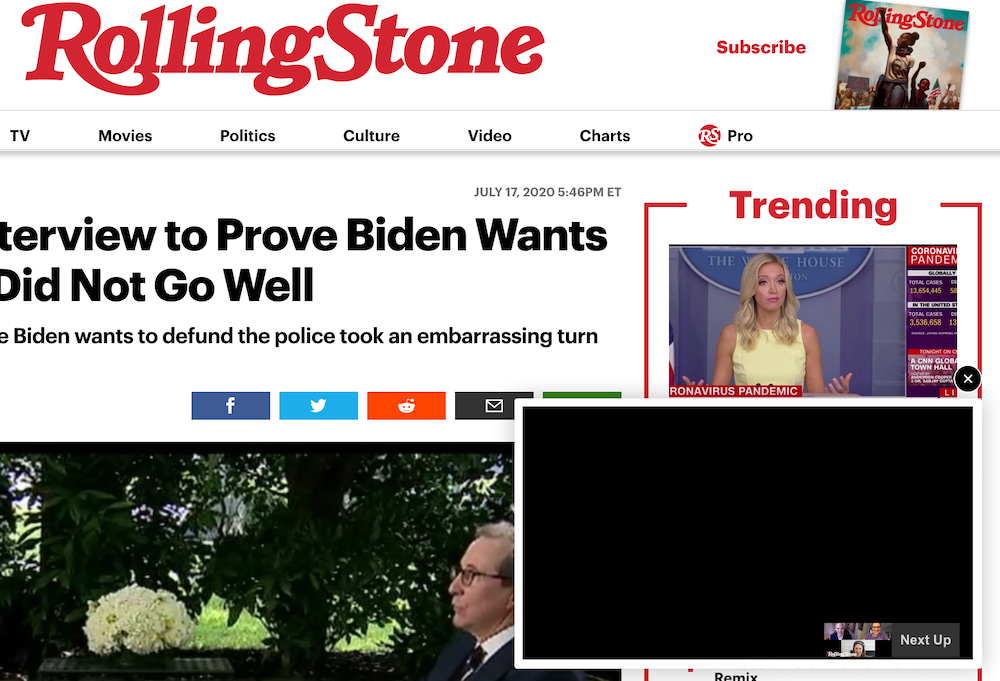
Does anyone know how to stop these video's from popping up when you visit a website. I attached a pic from Rolling stone and the vid is bottom right. Seems to happen on every website and ad blocker, uBlock etc won't stop them.
All Replies (3)

Contact uBlock support on instructions on how to teach the add-on to block specific items on the page.
I think that this miniplayer is shown when a video that is started automatically and the main player is moved off screen.
You can try to set media.autoplay.blocking_policy = 2 on the about:config page to see if that will prevent the video from starting.
You can try this in the userContent.css file or use these class names in a content blocking extension.
@-moz-document domain(www.rollingstone.com){
.jwplayer.jw-flag-small-player .jw-wrapper {
  display: none !important;
}
}
Athraithe ag cor-el ar
I've edited the code for a better selector.
@-moz-document domain(www.rollingstone.com){
.jwplayer.jw-flag-small-player .jw-wrapper {
display: none !important;
}
}
Athraithe ag cor-el ar