


Windows 10 reached EOS (end of support) on October 14, 2025. If you are on Windows 10, see this article.

Rechercher dans l’assistance

Évitez les escroqueries à l’assistance. Nous ne vous demanderons jamais d’appeler ou d’envoyer un SMS à un numéro de téléphone ou de partager des informations personnelles. Veuillez signaler toute activité suspecte en utilisant l’option « Signaler un abus ».

En savoir plus

Note pen not recognized in Naver search bar

  • Aucune réponse
  • 0 a ce problème
  • 113 vues

FirefoxFast&PrivateBrowser app developer in charge.

Greetings.

This is donghyun from Samsung Electronics Application Quality Assurance team.

We test applications and site compatibilities for Samsung Android devices. Then we find bugs and mal-functions that are present.

Based on customer feedback we have received recently, the application available from the Google Play has come to our attention.

It seems that the application is not properly performing as expected. Application Name : FirefoxFast&PrivateBrowser Package Name : org.mozilla.firefox Application Version : 147.0.1

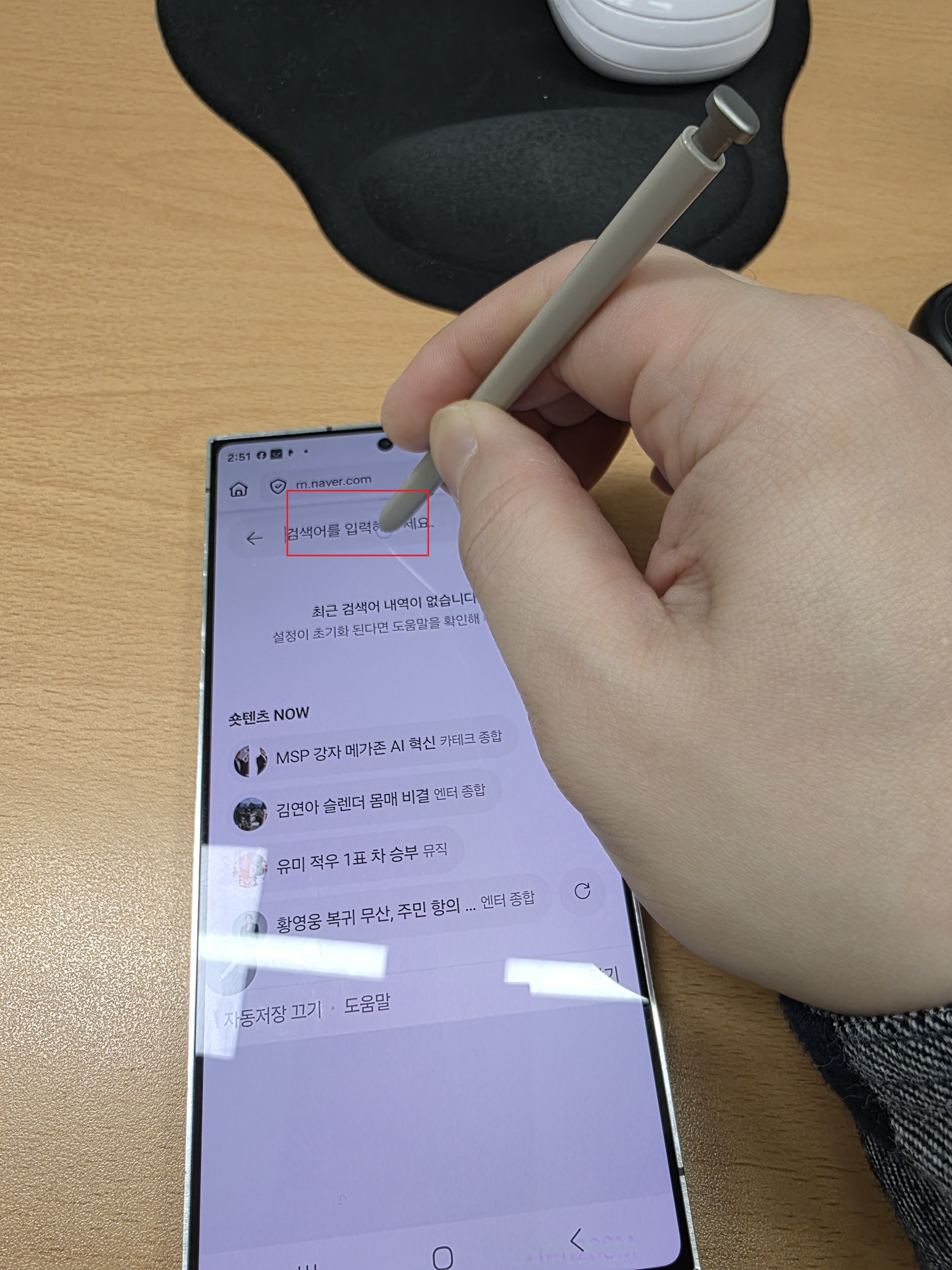
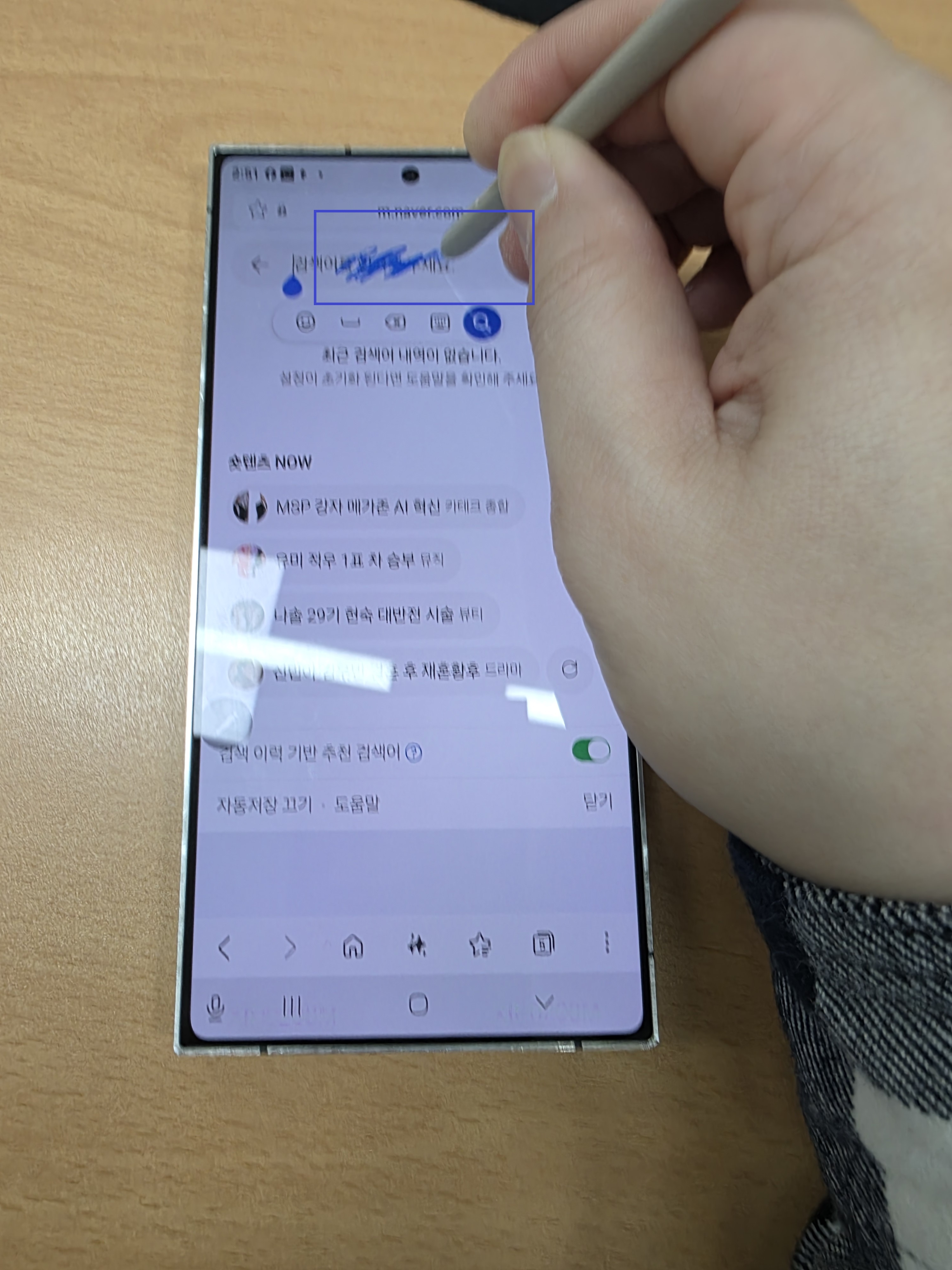
Issue Title Note pen not recognized in Naver search bar

Issue Procedure 1.Execute app 2.Access the Naver site > Select Serch > try writng with a pen 3.Check the screen

Frequency of Occurrence Always

Detected Device Group Galaxy S25 Ultra

Detected Device SM-S938N

Android OS Android16

Please reply to this email address: [edited email from public community support forum]
FirefoxFast&PrivateBrowser app developer in charge. Greetings. This is donghyun from Samsung Electronics Application Quality Assurance team. We test applications and site compatibilities for Samsung Android devices. Then we find bugs and mal-functions that are present. Based on customer feedback we have received recently, the application available from the Google Play has come to our attention. It seems that the application is not properly performing as expected. Application Name : FirefoxFast&PrivateBrowser Package Name : org.mozilla.firefox Application Version : 147.0.1 Issue Title Note pen not recognized in Naver search bar Issue Procedure 1.Execute app 2.Access the Naver site > Select Serch > try writng with a pen 3.Check the screen Frequency of Occurrence Always Detected Device Group Galaxy S25 Ultra Detected Device SM-S938N Android OS Android16 Please reply to this email address: [edited email from public community support forum]
Captures d’écran jointes

Modifié le par James

Vous devez vous identifier avec votre compte pour répondre aux messages. Veuillez poser une nouvelle question, si vous n’avez pas encore de compte.