


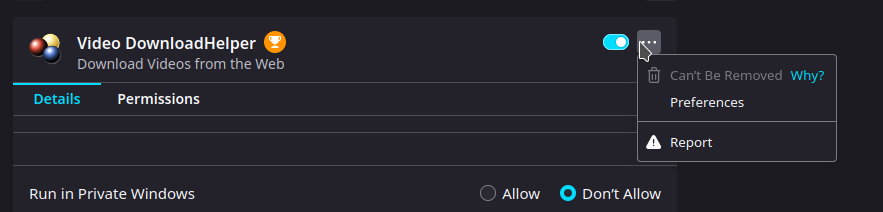
after installing the extension video downloadhelper it's impossible to uninstall

i've tried everything, safe/troubleshoot mode, manually uninstalling and even refreshing firefox in normal or safe mode, the extension has the "Can't be removed" button the profile directory (/home/xxx/.mozilla/firefox/v6kxe18l.default-release-1648663005215/ for me) don't have a extension folder after refreshing firefox, when booting up i immediately get the extension reinstalled
This is clearely skooky behavior in my opinion and I really don't want this extension
Valittu ratkaisu
What is the installation location of the extension ?
You can find the install location of a specific extension in the extensions.json file in the profile folder. You can open the extensions.json file in a Firefox tab and search for this extension. The path field lists its install location.
Lue tämä vastaus kontekstissaan 👍 0Kaikki vastaukset (1)
Valittu ratkaisu
What is the installation location of the extension ?
You can find the install location of a specific extension in the extensions.json file in the profile folder. You can open the extensions.json file in a Firefox tab and search for this extension. The path field lists its install location.