


How do I add a new calendar? The option in the documentation is not showing for me.
Today I installed Thunderbird on my new ThinkPad. I'm running Elementary OS Juno 5.0
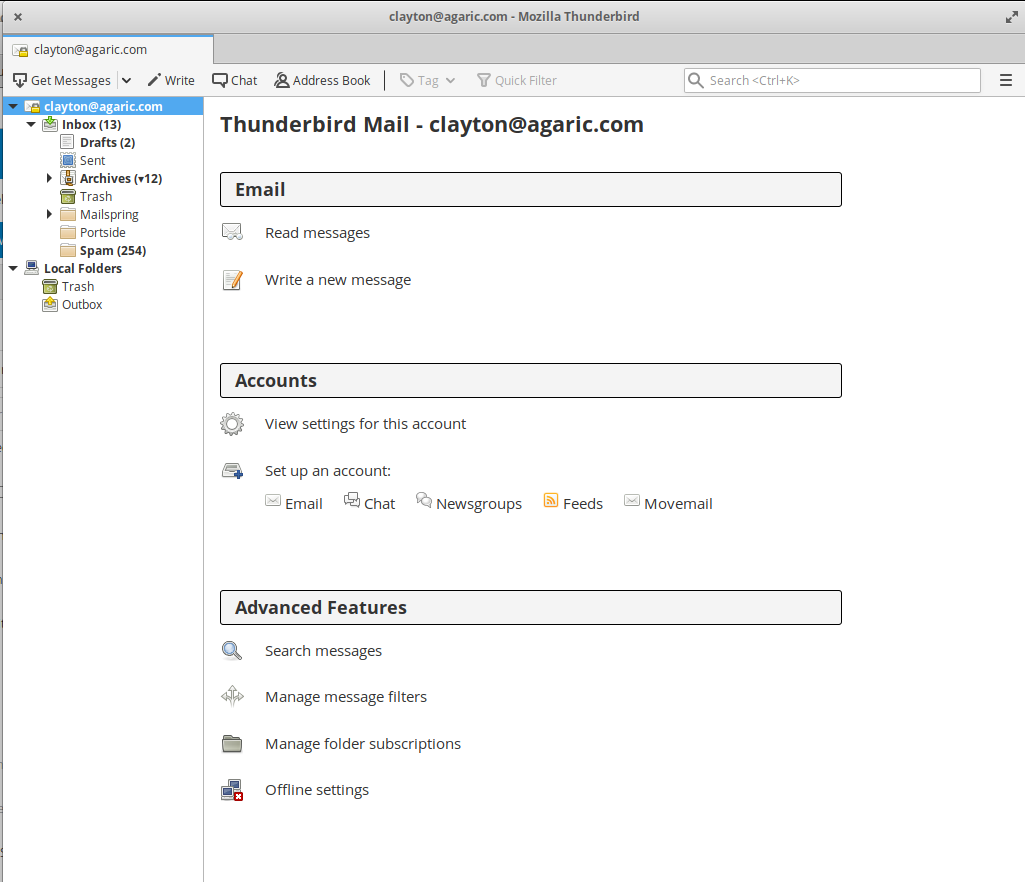
Nowhere in the Thunderbird interface am I seeing the ability to create and configure calendars. I've looked in the:
- home screen
- sidebar
- view menu
- tools menu
Valittu ratkaisu
re :Today I installed Thunderbird on my new ThinkPad. Where did you get the download from? Did you get it from the official webpage here: https://www.thunderbird.net/en-US/thunderbird/all/
What version have you downloaded?
Lightning is automatically bundled with Thunderbird. So I'm surprised that Calendar and Tasks icons are not showing on the right side.
check to see if it has been installed. Click on menu icon (3 lines) and click on 'Addons' Select 'Extensions' - it is a jigsaw icon on left. Do you have Lightning installed ? If yes, is it enabled ? If not enabled, click on the Lightning 'Enable' button Restart at prompt.
Menu icon > Events & Tasks > select 'Calendar'
A default 'Home' calendar will already be created. Info on Calendars: https://support.mozilla.org/en-US/kb/creating-new-calendars
Lue tämä vastaus kontekstissaan 👍 1Kaikki vastaukset (3)
Valittu ratkaisu
re :Today I installed Thunderbird on my new ThinkPad. Where did you get the download from? Did you get it from the official webpage here: https://www.thunderbird.net/en-US/thunderbird/all/
What version have you downloaded?
Lightning is automatically bundled with Thunderbird. So I'm surprised that Calendar and Tasks icons are not showing on the right side.
check to see if it has been installed. Click on menu icon (3 lines) and click on 'Addons' Select 'Extensions' - it is a jigsaw icon on left. Do you have Lightning installed ? If yes, is it enabled ? If not enabled, click on the Lightning 'Enable' button Restart at prompt.
Menu icon > Events & Tasks > select 'Calendar'
A default 'Home' calendar will already be created. Info on Calendars: https://support.mozilla.org/en-US/kb/creating-new-calendars
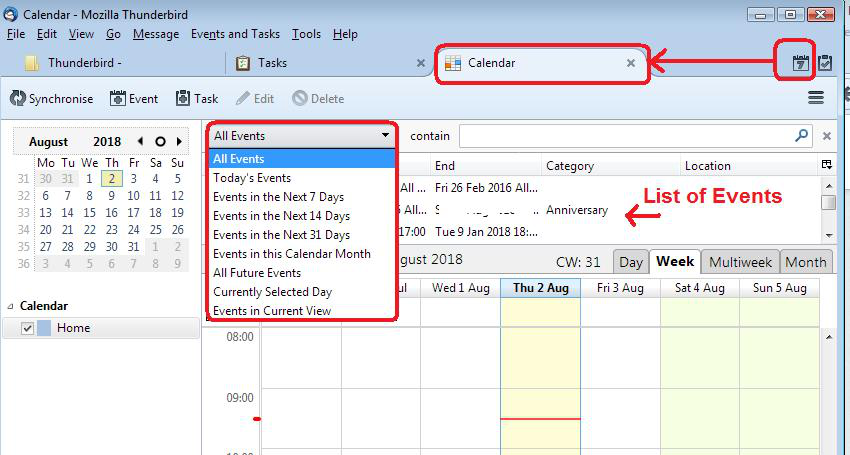
You should also be able to click on 'Calendar' icon - currently not displaying in your image - hence why I ask if Lightning is installed and enabled. See last image below which shows the icon I'm talking about.
If you want to add an entirely new calendar in addition to the Home default calendar. In Calendar window Right-click in the calendar list on the left side of the screen and choose 'New calendar. More info in the link supplied in previous comment.
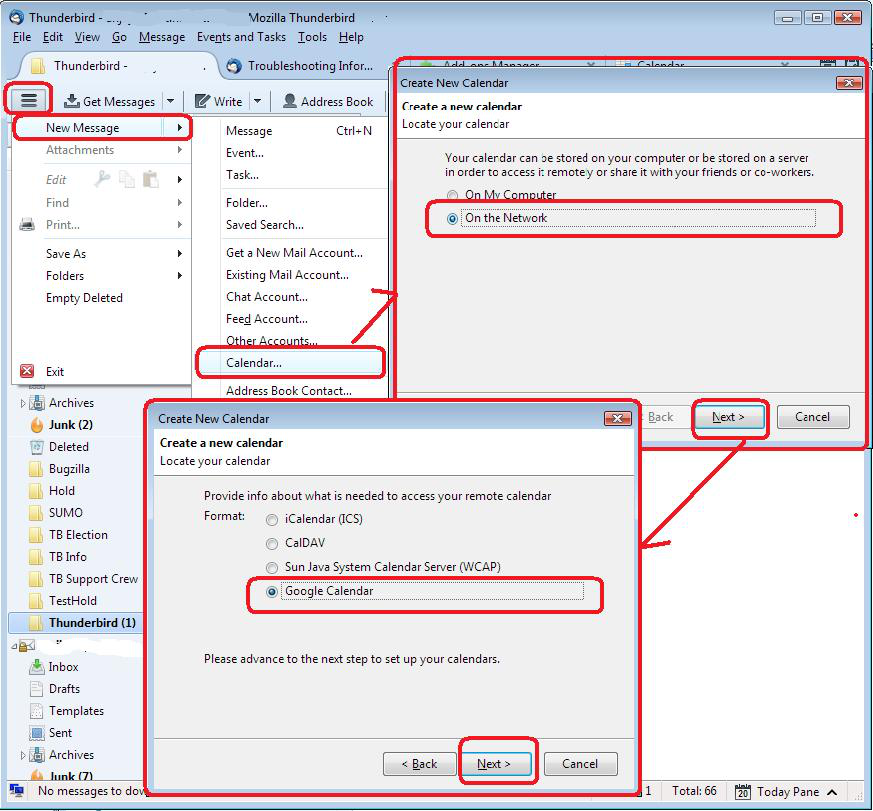
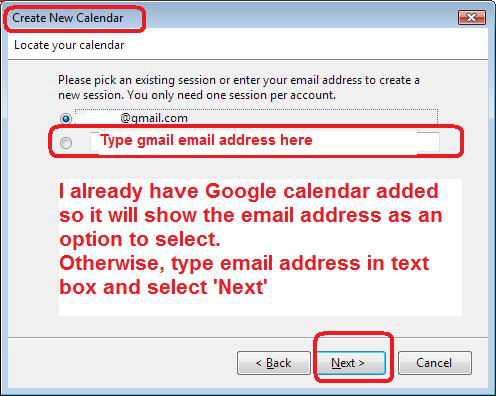
OR alternatively... Menu icon > New Message > Calendar More info: https://support.mozilla.org/en-US/kb/creating-new-calendars#w_google-calendar_2 See image below - example in images when creating a Google calendar
Oh my. Yes, I needed to enable it in the Add-Ons. Thanks!