


Avoid support scams. We will never ask you to call or text a phone number or share personal information. Please report suspicious activity using the “Report Abuse” option.

Learn More
Open

Top bar disappears after clicking search bar (Firefox for Android since v153)

Василий

Dear Firefox Support Team,

I am writing to report a user interface bug I have encountered in the mobile version of Firefox for Android, version 153.

The Issue: When I tap on the search/address bar to type, the top part of the browser, including the search bar itself, disappears, leaving a blank, empty space at the top of the screen. This behavior began immediately after updating to version 153.

It seems similar to issues reported by other users where the top bar does not reappear correctly or disappears under specific conditions . The problem makes the browser difficult to use, as I cannot see what I am typing in the search field.

Steps to Reproduce:

   Open the Firefox for Android app (version 153).
   Tap on the search/address bar to bring up the keyboard and begin a search.
   The top bar, including the address bar, disappears and is replaced by a blank space.

Expected Behavior: The top bar should remain visible and functional, or at least reappear correctly, when the search bar is selected.

Actual Behavior: The top bar disappears and does not come back, creating a blank space at the top of the screen.

Additional Information:

   Firefox Version: 153
   Operating System: Android
   This issue was not present in the previous version and appeared immediately after the update.

I have tried restarting the browser, but the issue persists. It appears to be a bug related to the toolbar and keyboard interaction, which has been noted in other versions . Please investigate this issue, as it significantly impacts the usability of the browser.

Thank you for your time and for working to improve Firefox.
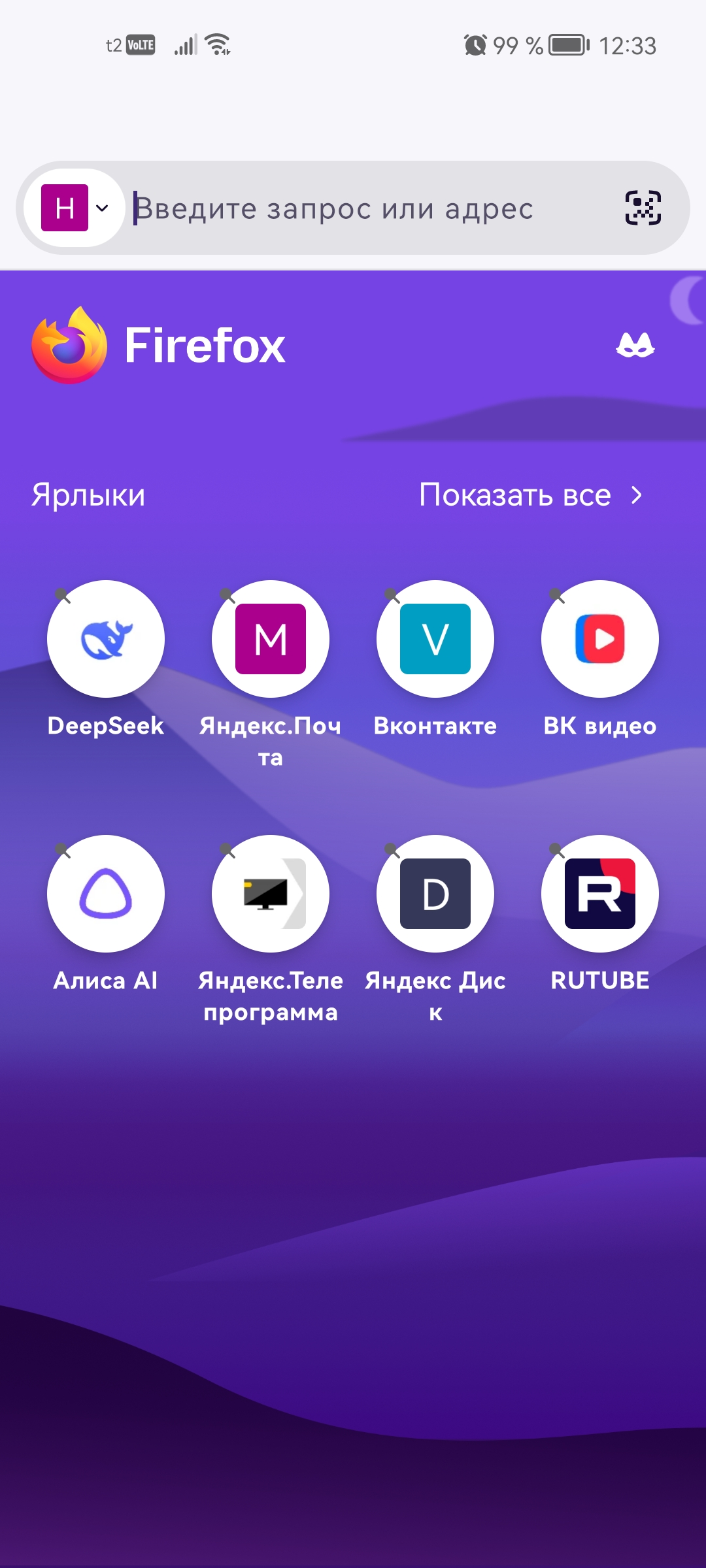
Dear Firefox Support Team, I am writing to report a user interface bug I have encountered in the mobile version of Firefox for Android, version 153. The Issue: When I tap on the search/address bar to type, the top part of the browser, including the search bar itself, disappears, leaving a blank, empty space at the top of the screen. This behavior began immediately after updating to version 153. It seems similar to issues reported by other users where the top bar does not reappear correctly or disappears under specific conditions . The problem makes the browser difficult to use, as I cannot see what I am typing in the search field. Steps to Reproduce: Open the Firefox for Android app (version 153). Tap on the search/address bar to bring up the keyboard and begin a search. The top bar, including the address bar, disappears and is replaced by a blank space. Expected Behavior: The top bar should remain visible and functional, or at least reappear correctly, when the search bar is selected. Actual Behavior: The top bar disappears and does not come back, creating a blank space at the top of the screen. Additional Information: Firefox Version: 153 Operating System: Android This issue was not present in the previous version and appeared immediately after the update. I have tried restarting the browser, but the issue persists. It appears to be a bug related to the toolbar and keyboard interaction, which has been noted in other versions . Please investigate this issue, as it significantly impacts the usability of the browser. Thank you for your time and for working to improve Firefox.
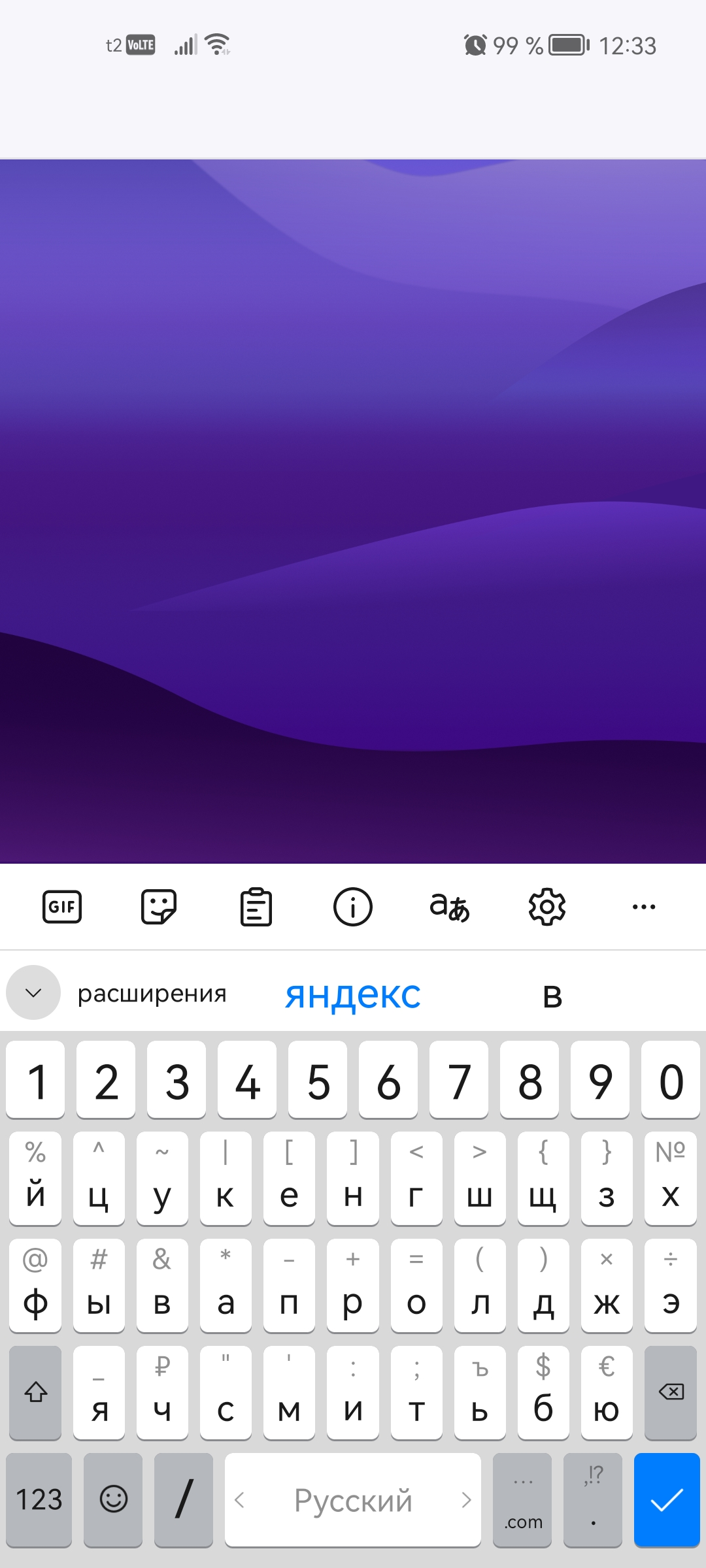
Attached screenshots

You must log in to your account to reply to posts. Please start a new question, if you do not have an account yet.