


Account folder is duplicated

Somehow my account folder has duplicated itself, complete with Inbox, Drafts, Sent and Trash. Going to Settings, I can't see any difference. Both continue to be updated with new mail. How can I delete the duplicate? I see nothing in 'Account Settings' that would let me delete it.
চয়ন করা সমাধান
Ray Andrews said
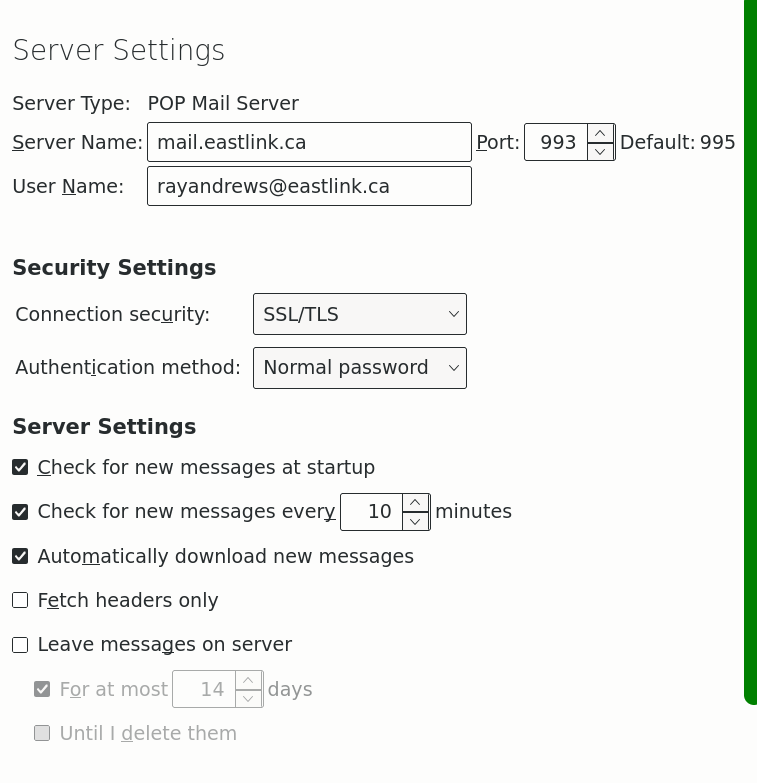
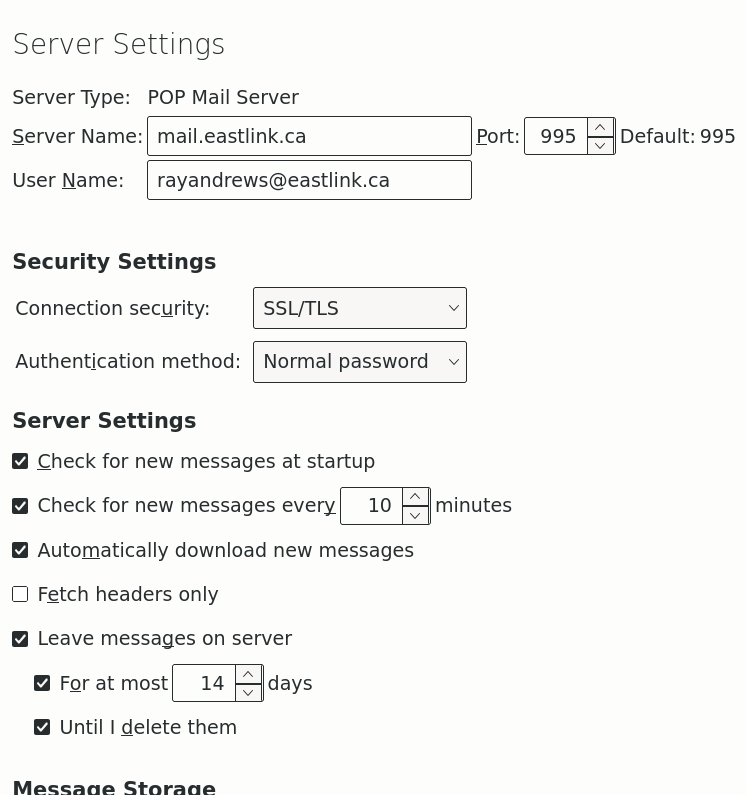
And I notice one difference: port 993 vs. port 995.
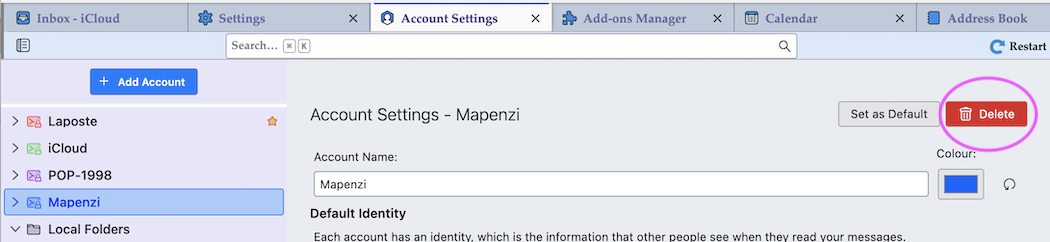
Yes, I noticed that two. But still no explanation how this could happen. Do both accounts have the same folders with the same messages? Then you could decide which one to delete: back in Account Settings select the account to be deleted and click the red "Delete" button.
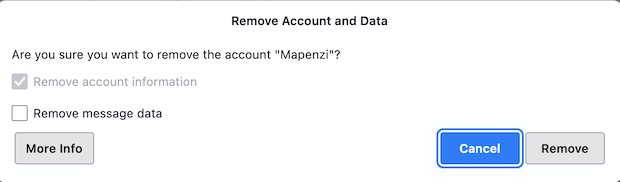
Since I don't understand what happened - and to be on the secure side - I prefer that in the upcoming dialogue box you do not check "Remove message data"
All Replies (11)
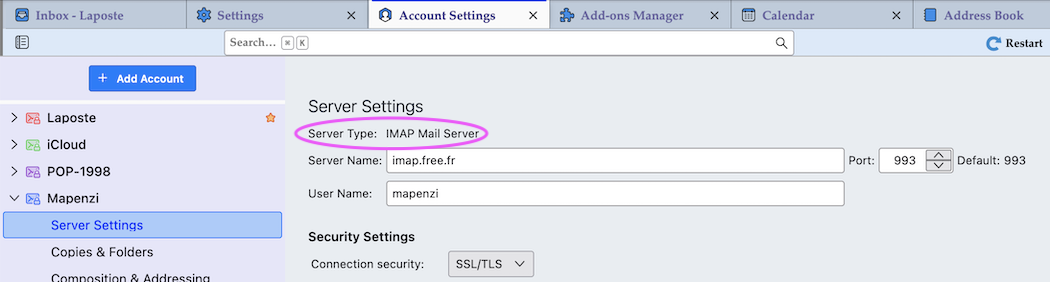
Maybe you have set up two email accounts for the same email address: once with a POP server and again with an IMAP server (or vice versa). You can find the server type in the Server Settings (image)
Nope, they're both POP3. And I didn't do this deliberately, it happened all by itself AFAICT.
I've never seen that. You sure the duplicate is an account and not another identity (alias)?
Not sure. The look like accounts, they both offer 'Account Settings' on right click. How can I check for 'identity'? Never did anything like that on purpose. Some accidental click perhaps?
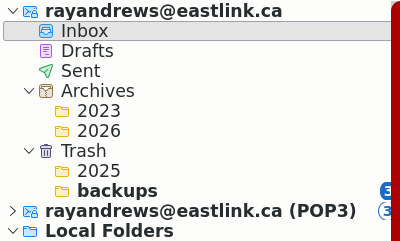
Click on the App ("Hamburger") ≡ button in the upper right corner and select "Account Settings". Do you see two accounts for an identical email address with exactly the same settings? Thunderbird refuses to set up the same account twice. Unfortunately your screen shot doesn't prove anything since it shows only the folder pane and not the account settings.
Is this better? I note the little star vs. "(POP3)" on the duplicate. But I see nothing letting me delete either one. "Account Name" shows: 'rayandrews@eastlink.ca_2' so there's clearly been some duplication at some point -- but they both show that name.
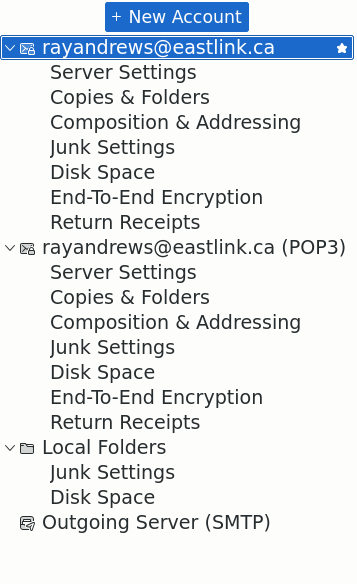
Not better, it doesn't show the server types of the accounts Have a look at my screen shot which shows how to find the "server type" POP or IMAP. Look it up for each of your two accounts.
I note the little star vs. "(POP3)" on the duplicate.
The little star indicates the "default account".
But I see nothing letting me delete either one.
I won't tell you how to delete either account unless I know that there is no danger for you to delete the wrong account. Is it so difficult to look up the server type for both accounts in the Server Settings? It would take less than a minute.
Ah ... needed to click deeper, sorry didn't realize that. Not a question of time, a question of knowing what to do. Here's screencaps of the two:
And I notice one difference: port 993 vs. port 995.
চয়ন করা সমাধান
Ray Andrews said
And I notice one difference: port 993 vs. port 995.
Yes, I noticed that two. But still no explanation how this could happen. Do both accounts have the same folders with the same messages? Then you could decide which one to delete: back in Account Settings select the account to be deleted and click the red "Delete" button.
Since I don't understand what happened - and to be on the secure side - I prefer that in the upcoming dialogue box you do not check "Remove message data"
Ah! The delete button is off the screen here, it's the only thing that's as far right as that, so I didn't even realize I wasn't seeing everything. AFAIKT both accounts are identical, they both receive all new messages anyway. I'll do a full clone of my system before deleting anything so no worries. I'll let you know how it goes. BBL.
... but there's still the question of how that duplicate account happened. Probably one of those unsolvable mysteries. Thanks Mapenzi.