


Lost emails from the Local Folders

Dear Sir or Madam,
I have lost all stored folders with my email correspondence from the Local Folders for an unknown reason (I restarted my computer, and they disappeared). I can find some of these emails using the search option, but I cannot see the path of their storage location. I have checked my Profile/Mail/Local Folders, but they are not there. Are they stored on the server? How can I recover these folders?
Thank you very much in advance,
Jasmina
চয়ন করা সমাধান
Thanks for the feedback. I'm glad it's fixed.
All Replies (11)
I wonder if there was an update and thunderbird may have created a new profile. Just a guess, but you can check:
- click help>troubleshootinginformation
- scroll down to 'profiles' and click 'about:profiles
- the next screen is a list of profiles. Click to open one that is not active
- now, click the Mail folder and then the Local Folders folder to see if any message folders are there. If so, you found the missing items. Let me know and we can proceed from there.
Dear David,
Thank you very much for your quick reply.
The last Thunderbird update was on Dec 11, 2025. This update was not the cause of losing my local folders, as they were deleted on Jan 7. I likely experienced an unwanted Windows update on Jan 7, which slowed down my computer and made me restart it.
I am attaching screenshots that may help clarify my problem. It is confusing to me that, in the meantime, I have added new folders to my Local Folders directory, but the Profile/Mail appears unchanged.
Kind regards, Jasmina
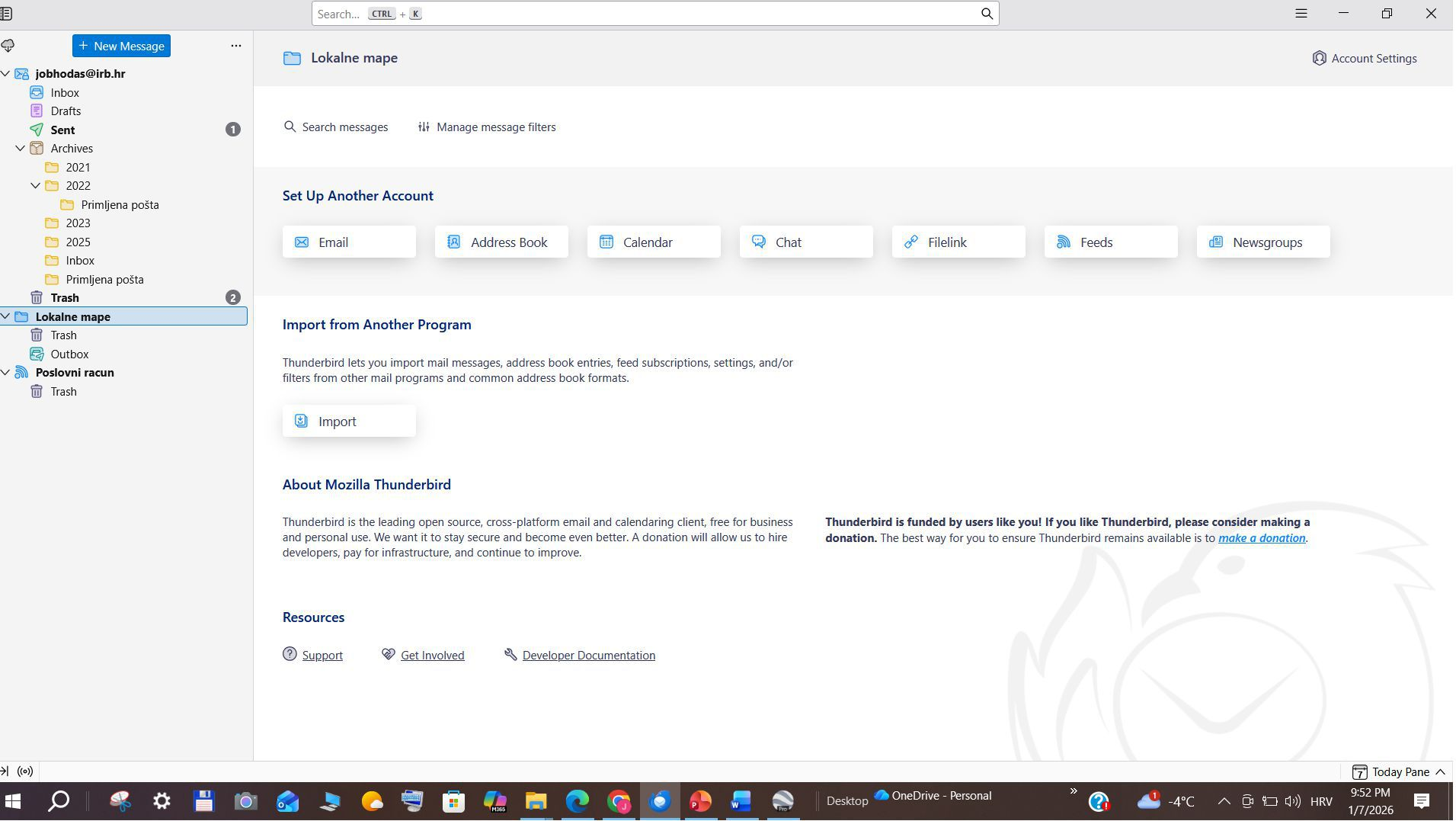
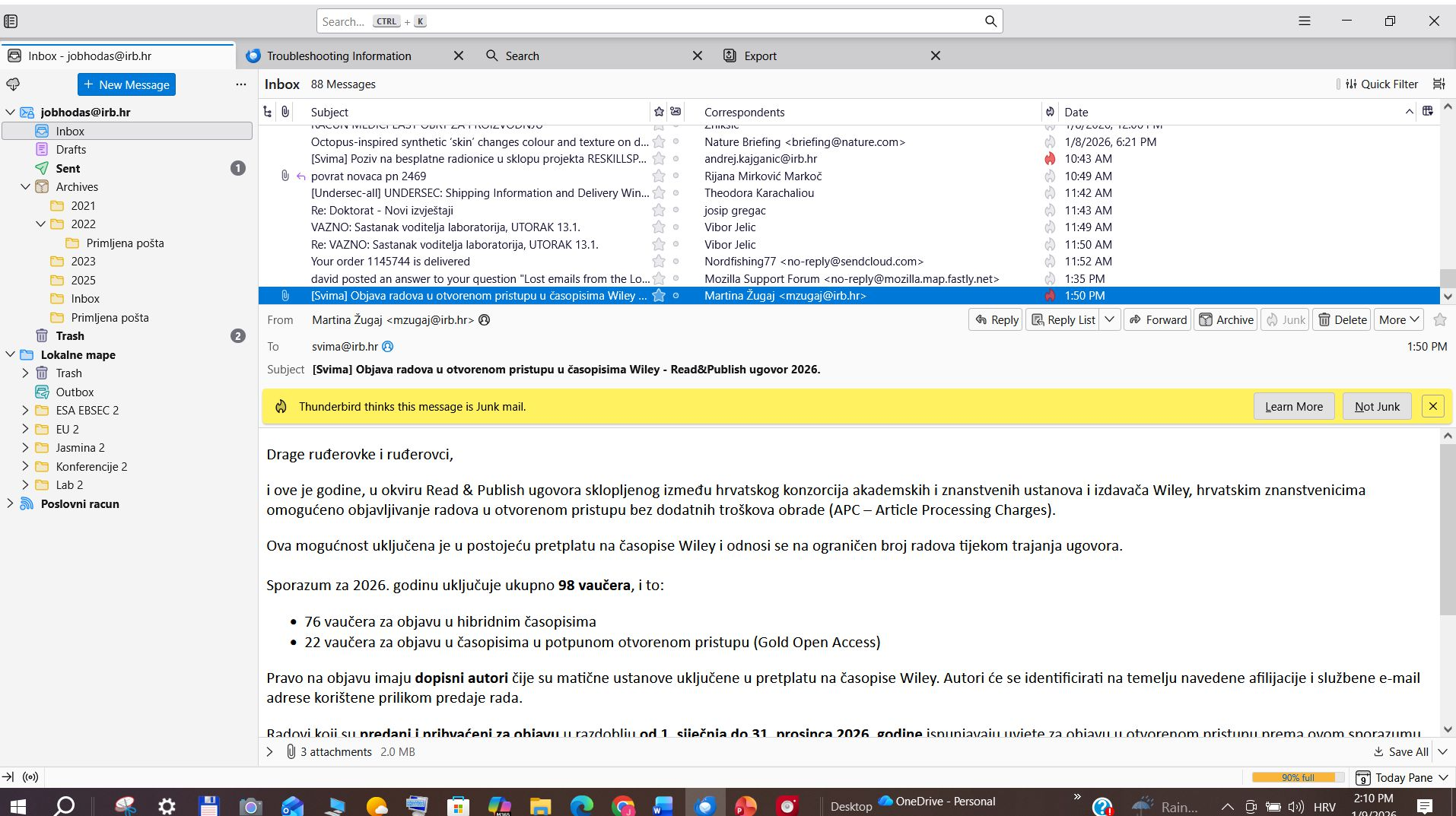
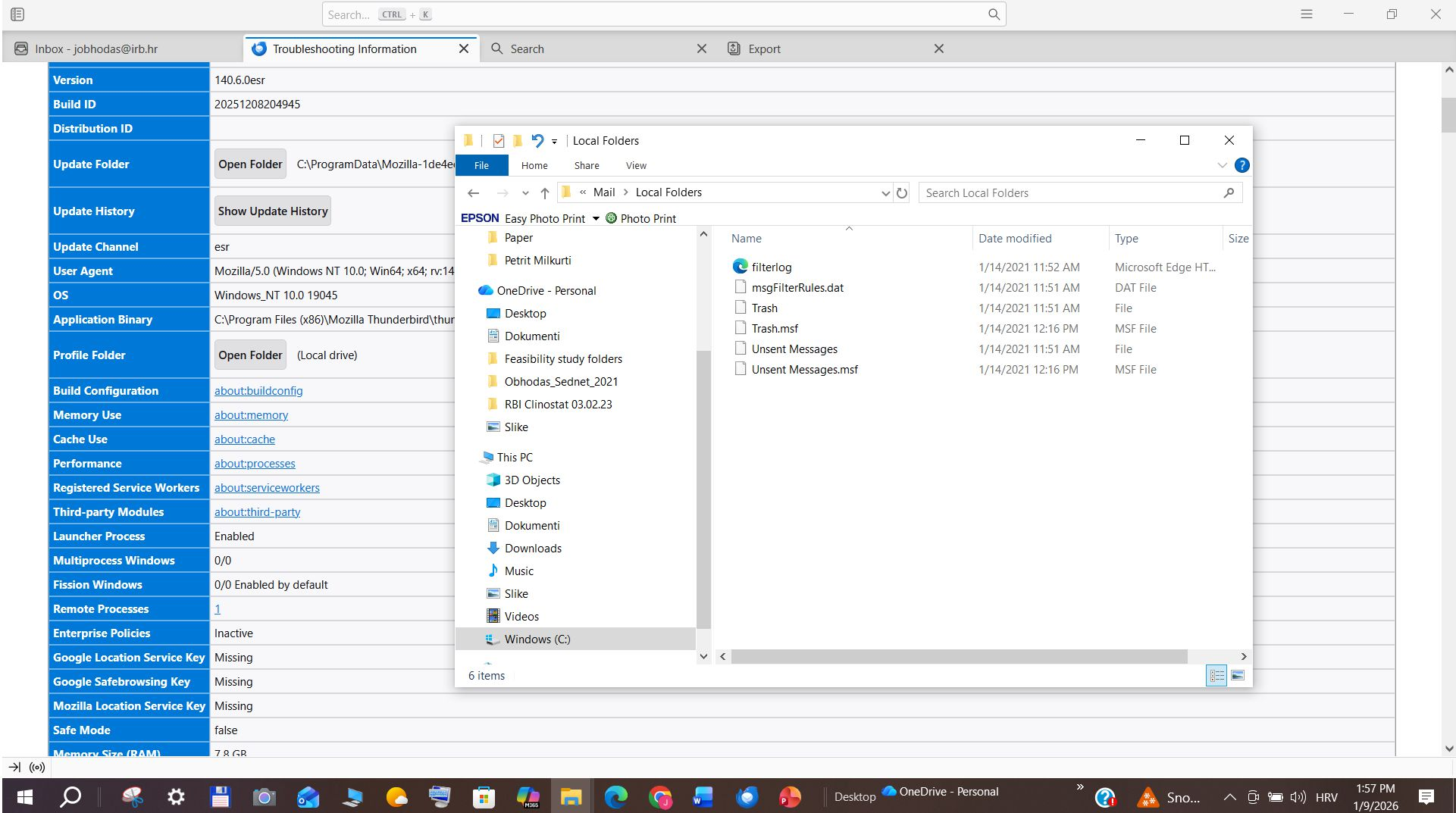
There seems to be a discrepancy. Would you please do another screenshot of Local Folders that includes the path all the way from C prompt. The one shown just says Mail\Local Folders. If those other folders are there, my assumption is that we're not seeing the right Local Folders. That doesn't resolve the issue, of course. Did you check other profiles, per my earlier suggestion? What did you find?
One more question: two of your screenshots show the profile folder. One has just the trash in local folders, and the other has several folders there. What do the two represent? It seems to be two separate profiles.
Dear David,
I am attaching a screenshot of my Profile from the C path. I have only one Profile. The difference you see in my new Local Folders is what I have added in the last two days since I've lost the old ones. They are marked with #2.
Thank you very much for helping me with this.
Kind regards, Jasmina
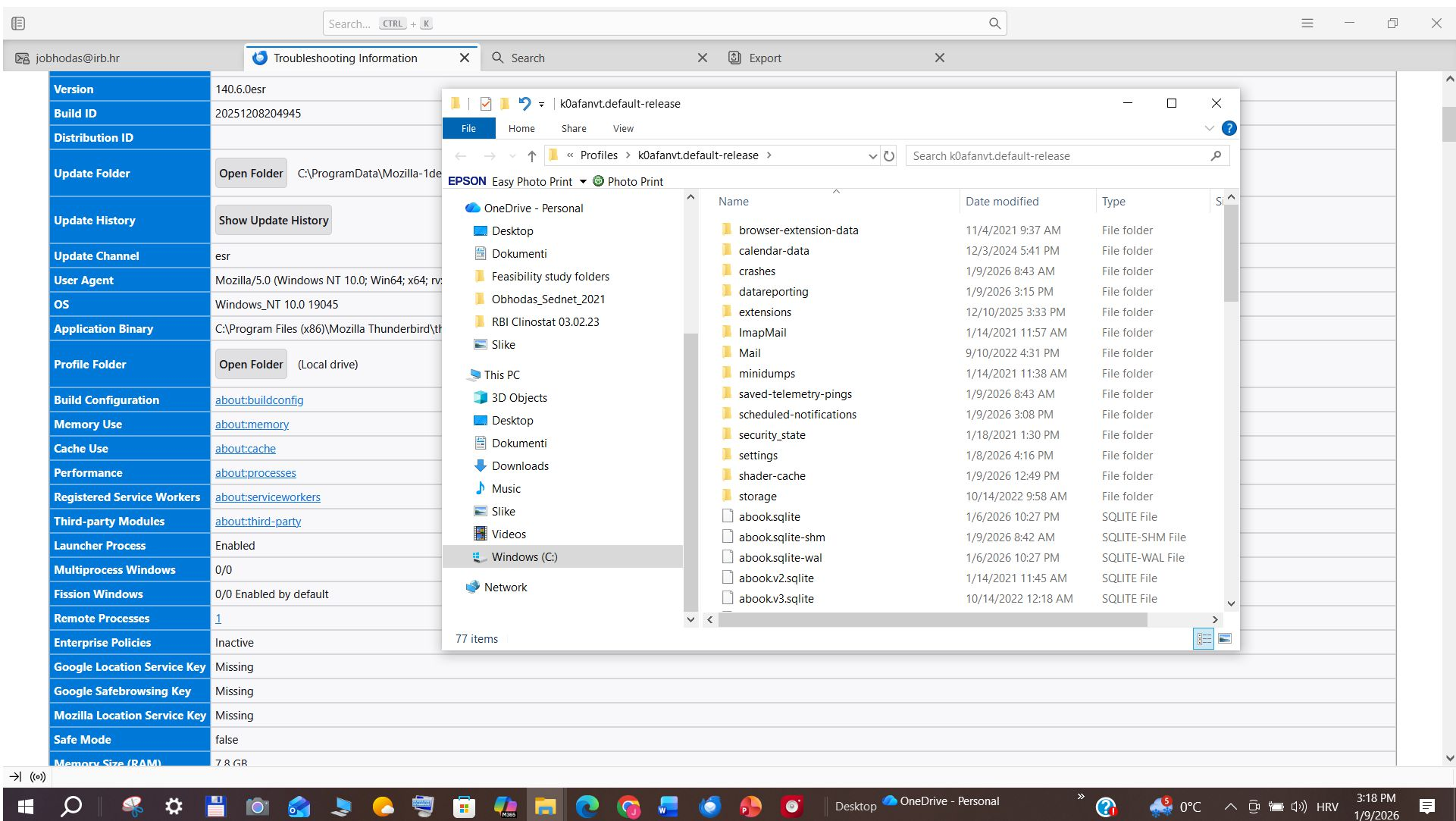
If you have added new local folders, yet a screenshot of Mail\Local Folders is now showing them, then we are not seeing the right folders. Thunderbird cannot have folders that are hidden from Windows. You are stating that if you go to appdata\roaming\thunderbird\profiles that there is only one profile. And the profile does not show the Local Folders that are displayed in Thunderbird. It just doesn't add up to me. Maybe someone else will see the discrepancy.
Dear David,
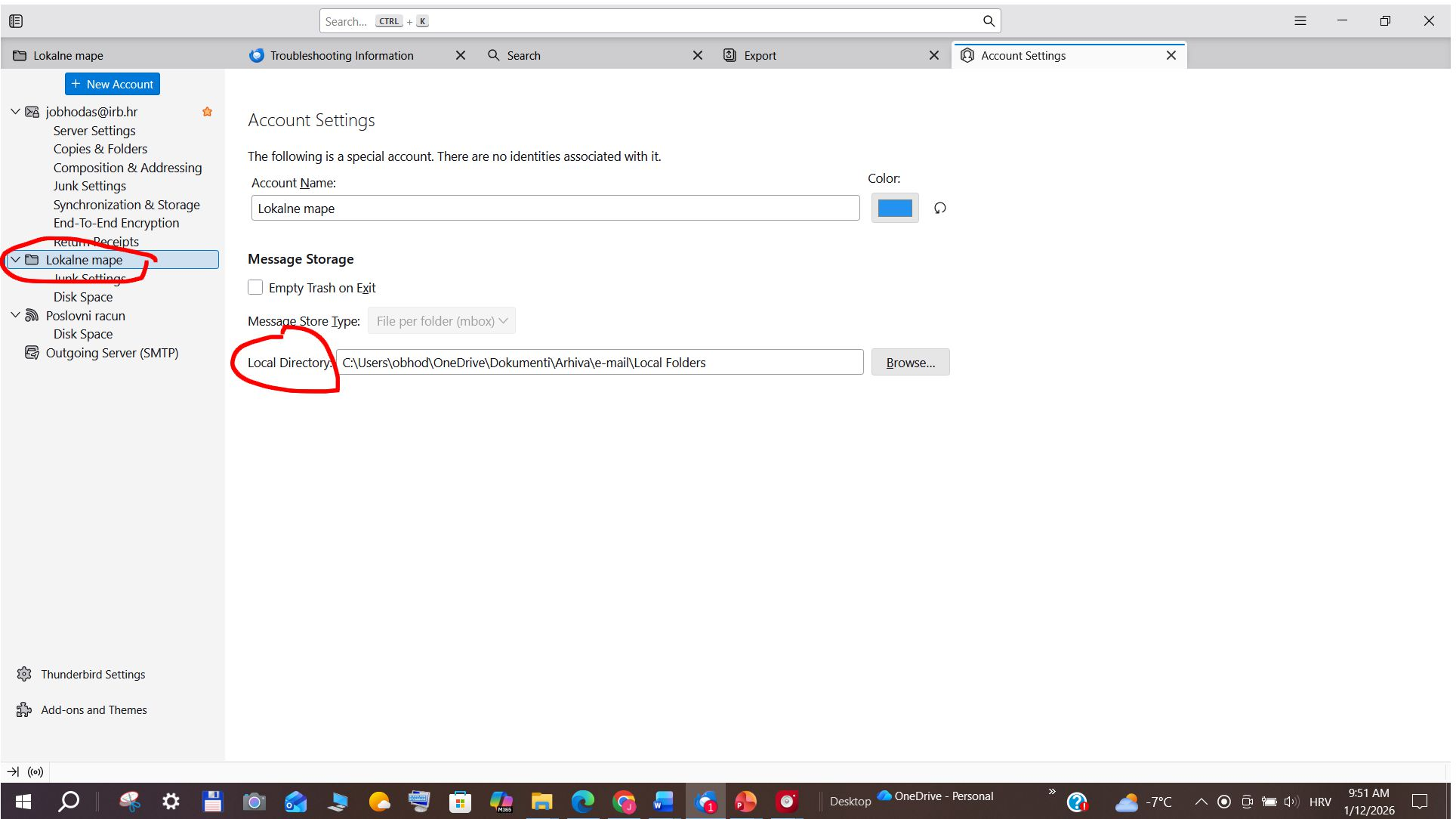
Thank you very much for your help. I have found the solution to my problem. My Local Folders were not stored in the Profile, but in a different folder, as shown in the screenshot "Print Screen_Solution". Right-clicking on Local Folders/Settings displays the path. After a recent Windows update, for some unknown reason, my original folders were rearranged, and I lost the path to my old emails. The Windows "search" option helped me find my old "Local Folders", and I was able to copy them back to the correct location.
It seems simple now, but it took me a few days to figure out what had happened. I hope this post might save someone else some time.
Kind regards, Jasmina
চয়ন করা সমাধান
Thanks for the feedback. I'm glad it's fixed.

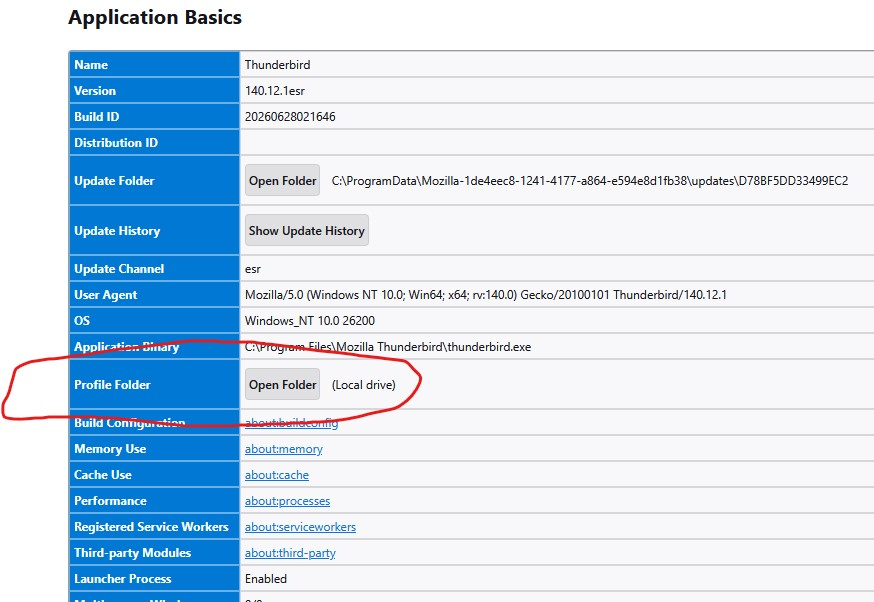
I am sorry to re-open this thread. I have the same problem of missing emails in Local Folders. I have followed the above steps and found the emails and local folders (well I guess they are as the folders are named as I had named them in TB eg Friends and Friends.msf). The folders are found when I click on the "Open Folder" tag labelled in Profile Folder row in the Troubleshooting Information page. Now how do I point to these folders from inside TB so that the messages can appear again. Well, that's what I am hoping for.
The messages in the Local Folders were there the last time I accessed my computer 2 months ago. I use Gmail as my server.
Thank you in advance. llim
To add, when I move my new emails today into the Local Folders, they disappear too.
llim
Dear Ilim, Try this. Create a new folder in your Local Folders (name it like Archive or something similar) by using right-click in Thunderbird. Then, copy the emails that you have found (or that are newly created) into this folder using your file manager (I guess you know the path to Local Folders from your Thunderbird Profile Manager). It seems that Thunderbird cannot read the msf folders from the Local Folder directly. However, this should be possible from a created folder within the Local Folders. Tell me if it worked out. Jasmina