


Weather Widget on Homepage Only Allows me to Choose Canadian Cities

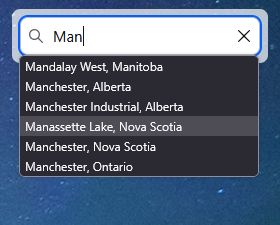
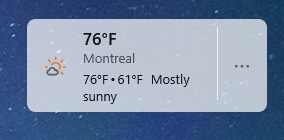
The weather widget on my FireFox homepage, as well as the information when I type "weather" into the address bar shows me as in Montreal QC, Canada. But I am in New Hampshire, USA. When I try to type a different city name after clicking the 3 dots next to the widget and choosing change location the only cities that come up are Canadian cities.
I am not running any kind of VPN, and when I check my location with an IP lookup it shows me in the correct location, my locale settings in Windows are set the the US as well.
Thanks for any help!
সমাধান চয়ন করুন
This issue should be fixed now,try again.
প্রেক্ষাপটে এই উত্তরটি পড়ুন। 👍 1All Replies (3)
You're right, I can confirm that. Something's wrong. We've reported it yesterday, but there's no answer yet.
চয়ন করা সমাধান
This issue should be fixed now,try again.
Yes! I noticed this afternoon that it was showing a local city and was able to edit it to my city!! Perfect, thank you!!