


Firefox does not respect monitor scaling

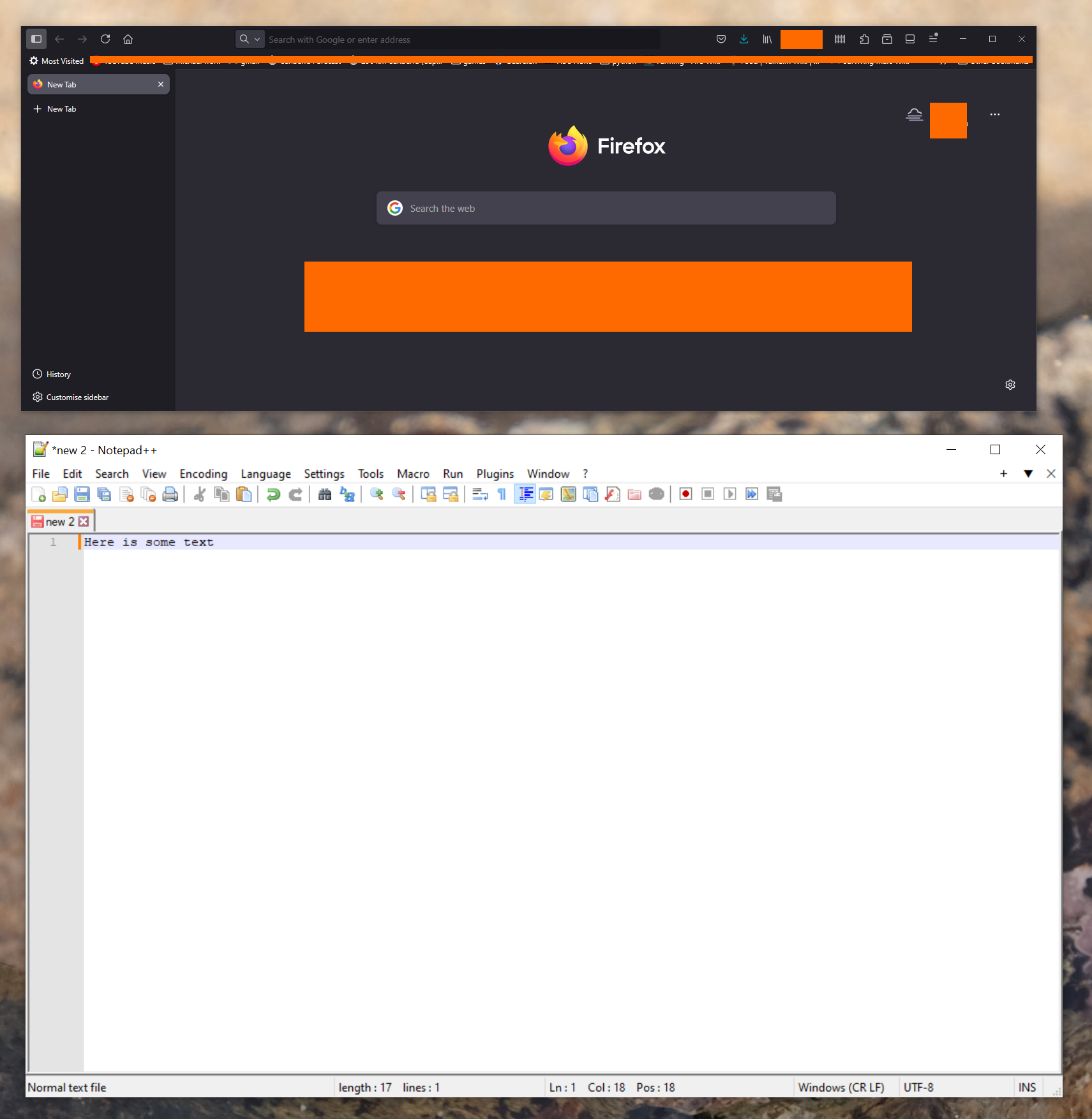
I have a 4k monitor, with Windows scaling set to 150% to make text readable. On firefox the text is still very small - I think it is not scaling according to the monitor setting. I also think this issue only started recently?
All other apps show the text at the scaled size on that monitor. Firefox seems to be the odd one out. Screenshot attached with another app to show the difference.
All Replies (2)
Try to enter about:config in the address bar and set layout.css.devPixelsPerPx to 1.4.
This problem seems to have now gone away by itself. Possibly because firefox updated. Or something else in my system sorted itself out (the problem appeared mysteriously too).
Thanks for the devPixelsPerPx idea - it might be a workaround for some. I didn't mention I have 2 monitors, with different scaling - which is why I need firefox to just use the scaling defined for the monitor it's on.