How many email accounts can I configure in Thunderbird?

Right now I have one account configured. How do I add a second account?
সমাধান চয়ন করুন
I don't know of any precise upper limit. I have round about eleven on this computer.
To add another account:
In the main menu, File|New|Existing Mail Account
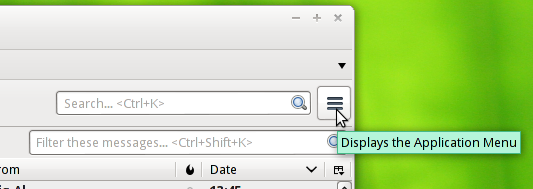
Via the "hamburger" menu, [≡]New Message|Existing Mail Account Note that you need to hover over New Message; don't click it.

Or if you select any account, and in the right-hand pane, you'll see "View settings for this account". That will open the Account Settings page, at the bottom of which is a button labelled "Account Actions". This will also let you add a new account: Add Mail Account…
Another route to Account Settings is to right-click an account and select "Settings".
প্রেক্ষাপটে এই উত্তরটি পড়ুন। 👍 1All Replies (1)
চয়ন করা সমাধান
I don't know of any precise upper limit. I have round about eleven on this computer.
To add another account:
In the main menu, File|New|Existing Mail Account
Via the "hamburger" menu, [≡]New Message|Existing Mail Account Note that you need to hover over New Message; don't click it.
Or if you select any account, and in the right-hand pane, you'll see "View settings for this account". That will open the Account Settings page, at the bottom of which is a button labelled "Account Actions". This will also let you add a new account: Add Mail Account…
Another route to Account Settings is to right-click an account and select "Settings".