এই থ্রেডটি সংরক্ষিত ছিল।
যদি আপনি সাহায্য চান তাহলে অনুগ্রহ করে একটি নতুন প্রশ্ন জিজ্ঞাসা করুন

সংরক্ষণ করা হয়েছে
My "Write" tab has disappeared: how can I get it back?

When I used to go to Thunderbird, there were several tabs at the top, and "Write" was one of them. Now, that tab is gone, and the only way I can send mail is to open an email, click on "reply", then change the address to one I want, replace the subject line with what I want, then write the letter. I've tried rebooting, of course, and doesn't change anything. Please help soon!
When I used to go to Thunderbird, there were several tabs at the top, and "Write" was one of them. Now, that tab is gone, and the only way I can send mail is to open an email, click on "reply", then change the address to one I want, replace the subject line with what I want, then write the letter. I've tried rebooting, of course, and doesn't change anything. Please help soon!
All Replies (1)
You have no menu or toolbar?
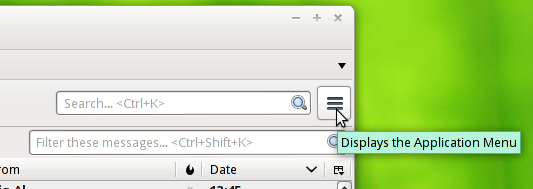
Use this button:

and look for "New Message".
Or you can enable the menu and toolbars.
<alt> V Toolbars and tick the checkboxes.