


Firefox inspector - CSS rules suggestions/hints

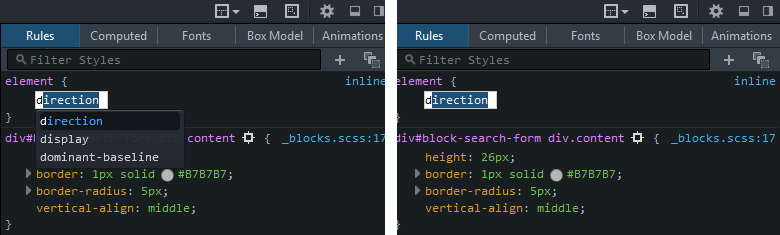
I have a problem with the inspector in Firefox browser. After some time of use, in the "rules" tab, system don't want to show me CSS syntax suggestions. After switching the inspector off and on, everything returns back to normal, but ... again ... after a few moments, the system stops showing me syntax hints.
الحل المُختار
The latest Firefox Developers Edition fixed that bug.
Read this answer in context 👍 0All Replies (3)
One work around I have seen for this is to use the up and arrow down key before typing to see if you can kick start it up again. However this only showed me a few to select from so it is not ideal.
The setting to turn on and off auto complete is here:
Try to toggle them the next time it happens.
guigs said
One work around I have seen for this is to use the up and arrow down key before typing to see if you can kick start it up again. However this only showed me a few to select from so it is not ideal. The setting to turn on and off auto complete is here: Try to toggle them the next time it happens.
Hi. Toggling the checkbox in settings didn't worked :(. To get it work again, I must close & open the Inspector. Maybe it's a Firefox bug?
الحل المُختار
The latest Firefox Developers Edition fixed that bug.