


At least once a day, I get the same message, one stating that a web site is a forgery. Fine, block it. But how do I turn off the recurring message?

The website is static.australianbrewingcompany.com. It was popping up daily. I never clicked on it, just deleted it. Installed AdBlock Plus 2.4. Don't see the website any more but do get a message every day stating that the website is a reported forgery. I agree, but I don't need to see the message every day. It's distracting when I'm trying to work (I'm a B@B writer). So, how can I leave the block in place, but not see the message every day?
所有回复 (6)
Please note that this site has been ranked poorly in security by multiple sources.
View WOT Report
It is not recommended that you visit this site.
Where do you see that message if the site is not opening??
I think the request for that page may be generated by malware external to Firefox. Please try the tools recommended in this article to root it out: Troubleshoot Firefox issues caused by malware.
I know it's a bad site. I want to know how to permanently block it and not get the daily messages telling me it's a bad site.
@jscher2000
I do not believe that this is a malware issue.
This message is legit.
View the screenshot of the message that I receive.
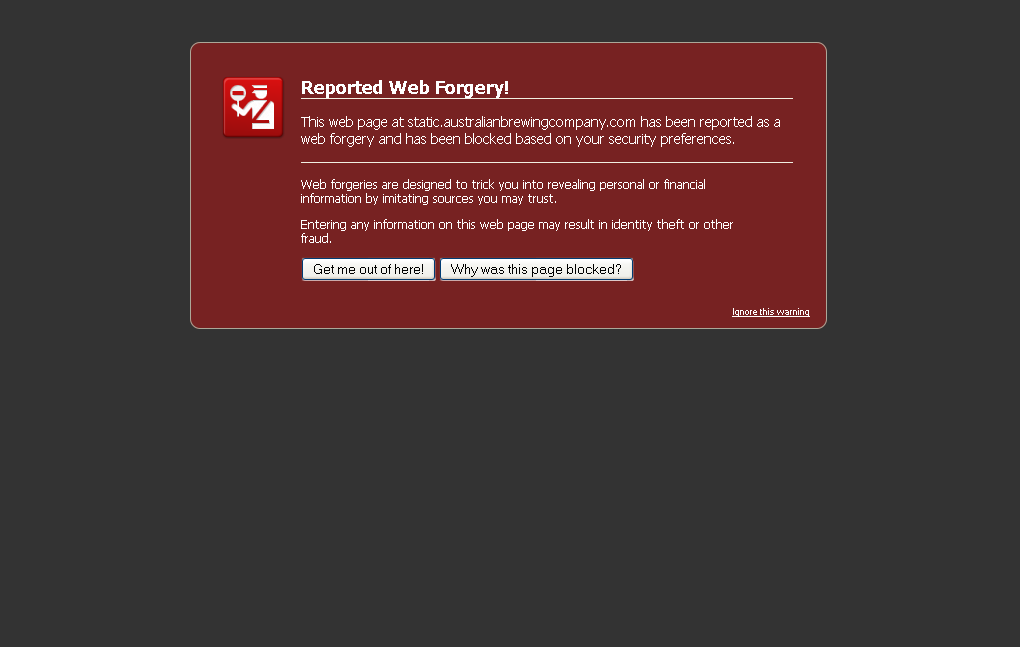
Hi ComputerWhiz, I'm suspicious about what is causing Firefox to try to load that page in the first place. That's why I suggested checking for malware.
Hi RichardGregory, can you associate the attempted visit to the site with anything in particular, such as first opening Firefox, or visiting a specific other site, or a particular time of day?
Over the course of the year, we've seen malware that adds a scheduled task to Windows to launch ads at a particular time of day, and we've seen malware hack the Firefox program icon on the desktop to open a specific page when you double-click it, so that's why the additional information would be helpful in getting to the bottom of it.
I should add that extensions also can display ads and that these unwanted add-ons are not always cleaned out by malware removers. Try this:
Disable ALL nonessential or unrecognized extensions on the Add-ons page. Either:
- Ctrl+Shift+a
- orange Firefox button (or Tools menu) > Add-ons
In the left column, click Extensions. Then, if in doubt, disable (or remove).
Usually a link will appear above at least one disabled (or removed) extension to restart Firefox. You can complete your work on the tab and click one of the links as the last step.
Hopefully that will help shut it down.