


Firefox does not display websites correctly. Images are missing or out of position.

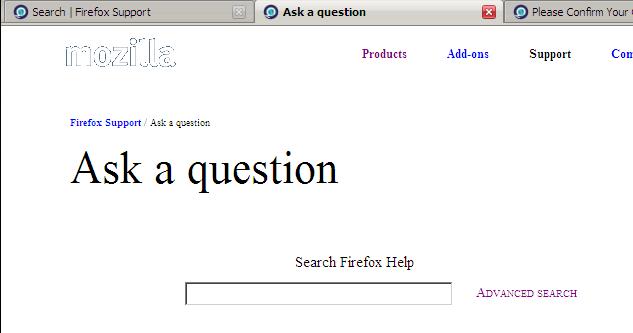
Too much white space. How do I downgrade back to 3.6.3? I have another computer running that version that displays everything correctly. Text is also placed incorrectly. Even this Mozilla page has no images. Only white space with a fuzzy 'mozilla' in the upper left-hand corner.
Too much white space. How do I downgrade back to 3.6.3? I have another computer running that version that displays everything correctly. Text is also placed incorrectly. Even this Mozilla page has no images. Only white space with a fuzzy 'mozilla' in the upper left-hand corner.
所有回复 (3)
See:
A possible cause is a disabled color setting:
Tools > Options > Content : Fonts & Colors: Colors > [X] "Allow pages to choose their own colors, instead of my selections above"
由cor-el于修改
Thanks. But, the images are still missing, as you can see in the uploaded image.
Rick
Thanks:
The Fonts & Colours option worked wonderfully for me and now my pages are displaying the colour and images I expected to see. So very simple in the end. Is it related to the current upgrad? At least I will not have to trouble with attempting to revert to an earlier version.
Bruce