Open
how to re-enable push notifications, notifications?

Hello, I was clicking random stuff and i accidentally turned off "Show notifications" in the syncronization thing
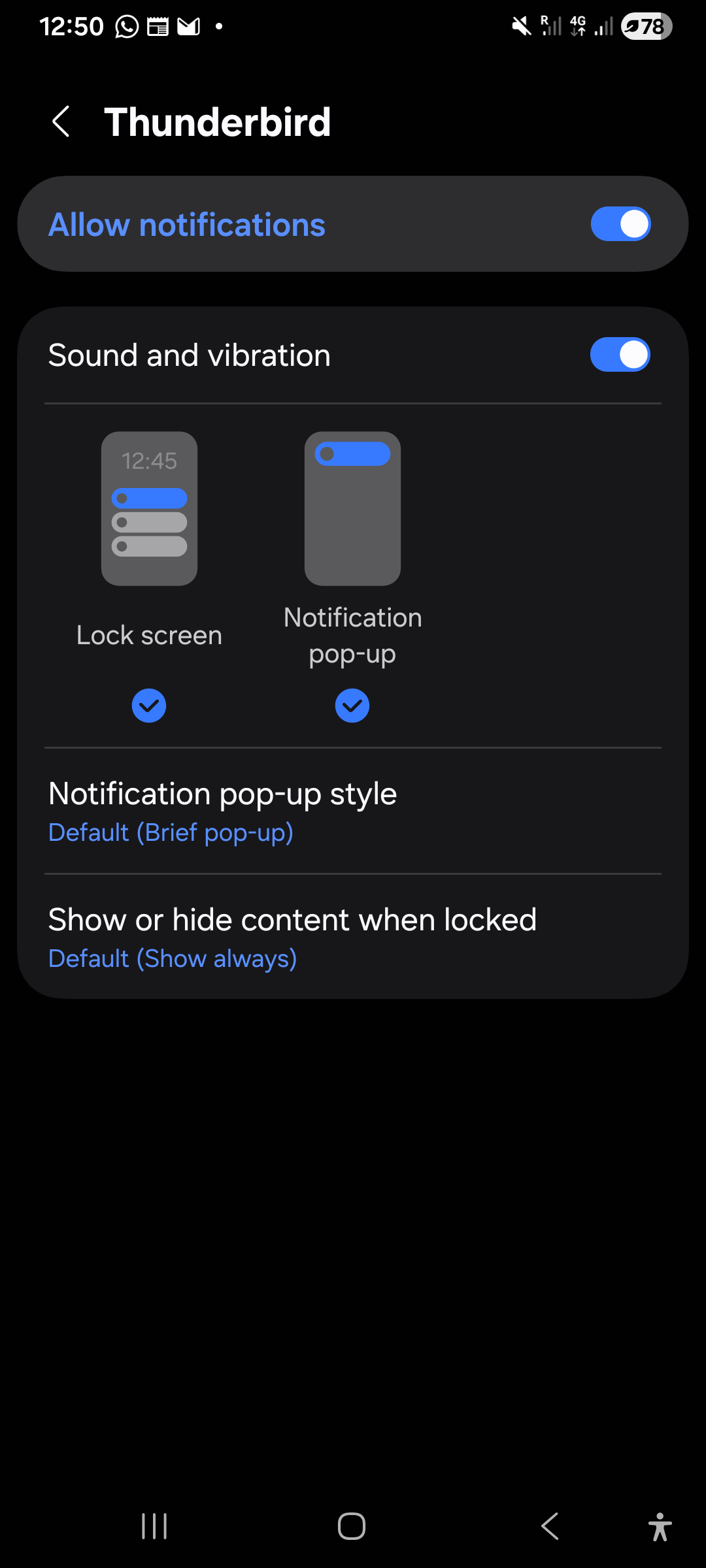
and now i can't turn it back on because to access that noticication setting i need the push noticication to send me there, but, you know.... I turned it off and i can't find any other way to access it. In the app settings from my phone's settings it only shows notification setting for any notification, not specific ones.
What do i do now? Please don't tell me i need to re- install it
Hello,
I was clicking random stuff and i accidentally turned off "Show notifications" in the syncronization thing
and now i can't turn it back on because to access that noticication setting i need the push noticication to send me there, but, you know.... I turned it off and i can't find any other way to access it. In the app settings from my phone's settings it only shows notification setting for any notification, not specific ones.
What do i do now? Please don't tell me i need to re- install it
所有回复 (3)
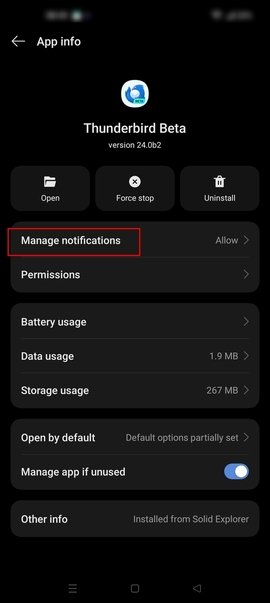
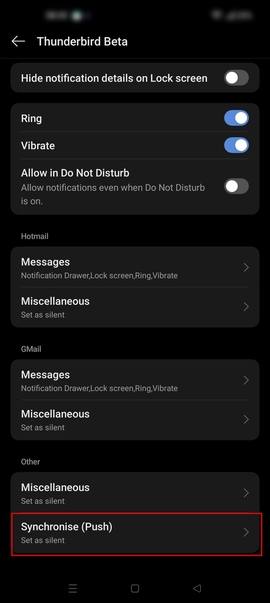
I took these images from the help center because well... i can't get to any of these
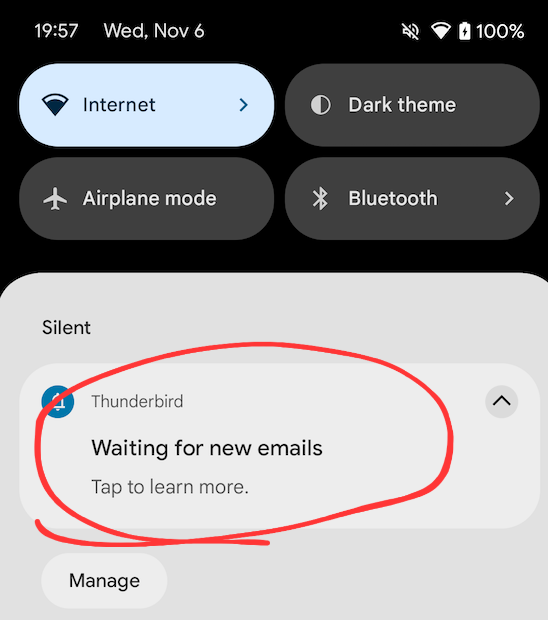
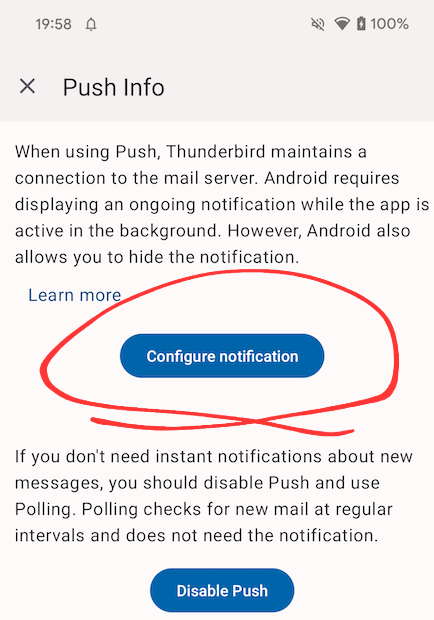
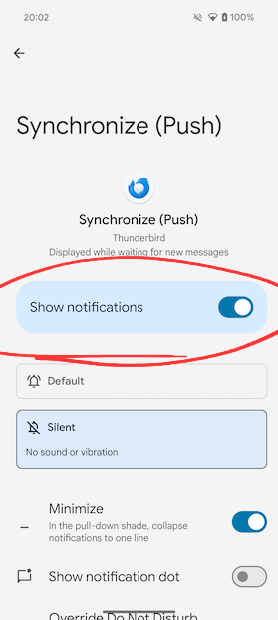

- Navigate to android settings > apps > Thunderbird
- Tap notifications
- Scroll down to the bottom at tap Synchronise (Push)
- Toggle ON show or allow notifications
See screen shots below.
Platform34 said
# Navigate to android settings > apps > ThunderbirdSee screen shots below.
- Tap notifications
- Scroll down to the bottom at tap Synchronise (Push)
- Toggle ON show or allow notifications
That would have been nice to have. Idk why it doesn't show to me