


High CPU usage (& extremely slow loading) on certain academic journals (only as of late)

Hi all,
By "extremely" I mean an all-caps extremely.
Some bulletpoints:
- Tried deleting stored data of affected websites
- Affects articles on e.g. science.org and pnas.org
- Tested troubleshooting mode
- Tested against Edge
- I noticed that the references (bibliography section) loads one by one, very slowly
- Hence maybe has to do with the integration of GetFTR by the affected journals
- Disabling tracking protection didn't work
- Only thing that "worked" (isn't a solution, really) is disabling all scripting and just using reading mode, using e.g. "||pnas.org^$stylesheet" in uBlock; doing that, the papers load in an instance
Example article: https://www.science.org/doi/10.1126/science.aeb1157
I first went to bugzilla, but read: "please consider checking Firefox Help instead of creating a bug", plus I don't know what technical stuff to submit.
If it isn't a configuration issue on my end, then I leave it in your good hands!
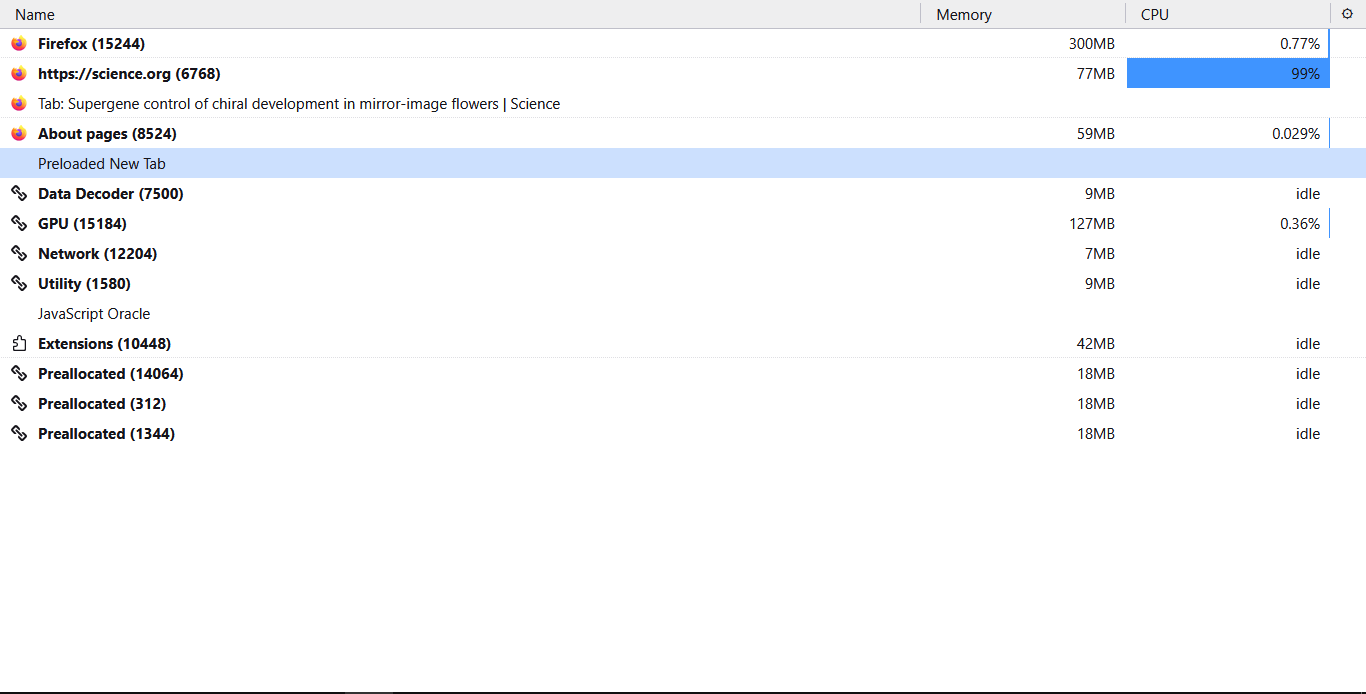
(The uploaded screenshot is taken in troubleshooting mode)
edited a typo
由Joey于修改
选择的解决方案
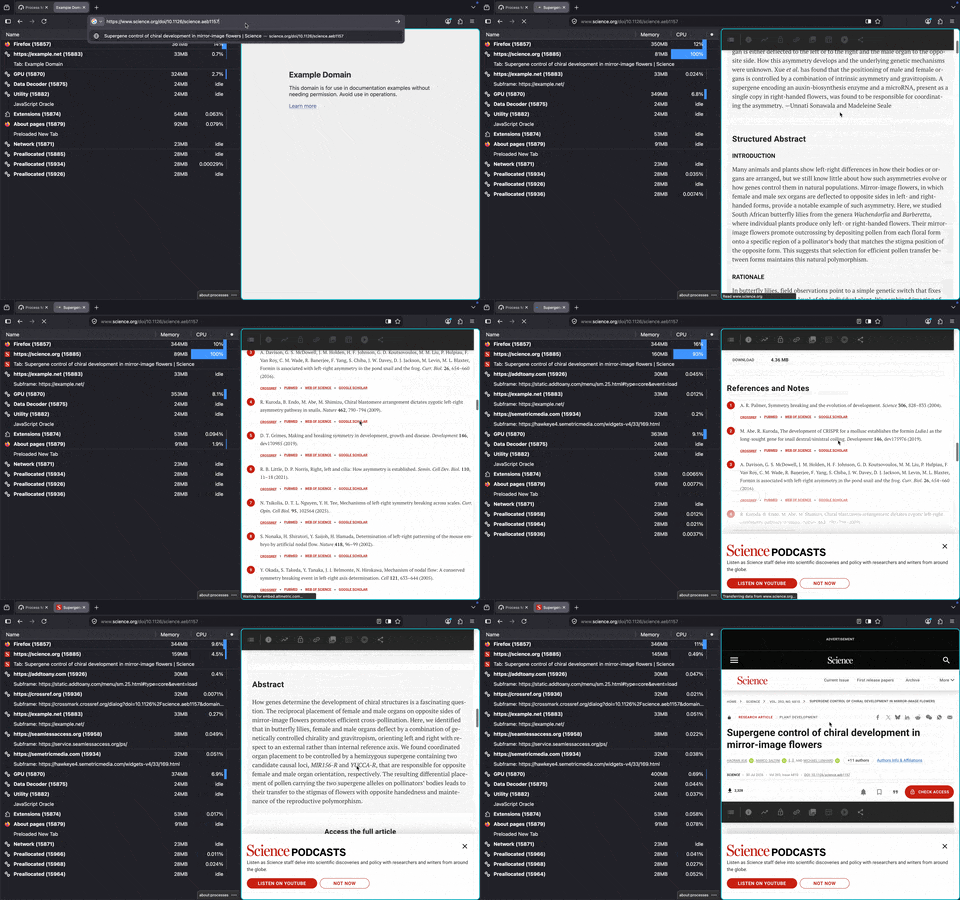
Okay I originally thought I'm just seeing network hangs but you're right, there's a lot of jank even on that preview article and CPU utilization is ugly; tried from several versions, poor laptop got warmer than comfortable:(
Do you wanna file a bug yourself, so that you can follow the timeline and provide some other info in case you have more similar examples to share if you have a feeling they're related?
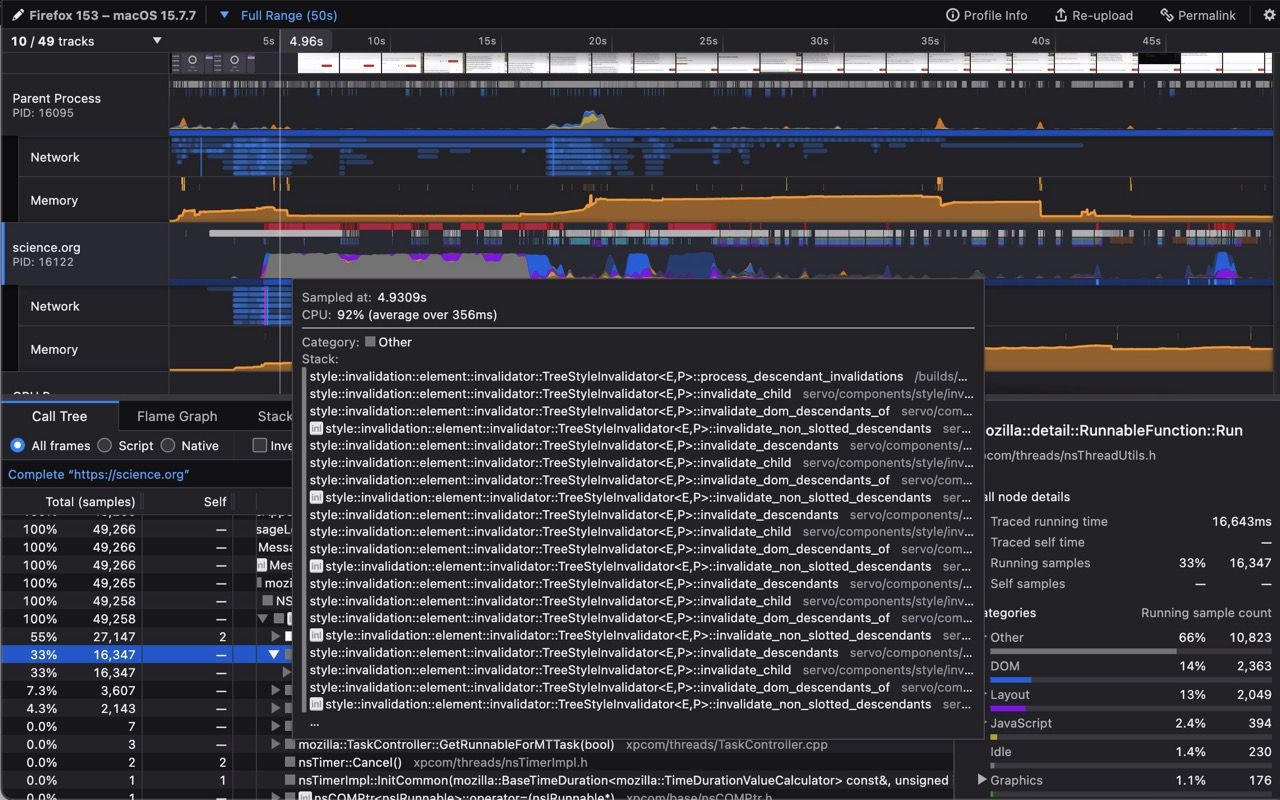
I've captured a profiler recording for you: https://share.firefox.dev/4xmsya0 that you can use to report.
所有回复 (7)
I see the site is extremely slow, so lotsa repaints and lazy loads are stalling the whole experience, but nothing jumps out to me as a signed–out user.
If you take the example article and open it in Private Window without being a subscriber there (i.e. what I would see there), do you still see the same CPU spike, or is it happening only on the full articles available to just subscribers?
jbr said
do you still see the same CPU spike
Hi!
Yes, same spike (which is maintained) plus the slow loading. You confirming the issue took a load off my mind! Thanks.
选择的解决方案
Okay I originally thought I'm just seeing network hangs but you're right, there's a lot of jank even on that preview article and CPU utilization is ugly; tried from several versions, poor laptop got warmer than comfortable:(
Do you wanna file a bug yourself, so that you can follow the timeline and provide some other info in case you have more similar examples to share if you have a feeling they're related?
I've captured a profiler recording for you: https://share.firefox.dev/4xmsya0 that you can use to report.
Also notably this is a site change if this got worse for you recently. I've ran a quick regression check and the load is the same across multiple versions; checked 155–154–153–152–151–148–142–136–128 so it's not an actual regression, just something not nice in the rendering.
(And yes, I can see the similarity between the two sites; while not apparently related they seem to use the same publishing platform.)
@jbr thank you so much.
Tomorrow probably I'll use the profile capture you've made and figure out submitting a report.
It is indeed something recent that is affecting journal websites one by one (my guess is the GetFTR thing I mentioned). But weirdly, affecting only Firefox.
Thanks again!
PS the link you provided doesn't work ("Firefox can’t connect to the server at profiler.firefox.com"), but of course I can still link to this thread in the report
PPS do I mark your latest confirmation of the issue as "this solved it"?
由Joey于修改
Update: I've submitted the bug report as best I could (first time for everything): https://bugzilla.mozilla.org/show_bug.cgi?id=2061877
I'm marking your confirmation above as a solution here; thanks again!
That's a very good report, and it got already triaged to where it belongs, so that worked. Thanks!
The profiler link should generally load for you, but I captured extra verbose sample to be on the safe side so it's 30MB+ of data which might cut out on timeouts during periods of heavy loads.
This is what's inside:
由jbr于修改