How do I re-enable the AI overviews

Firefox used to display an AI overview response at the top of the page when you asked a question. That feature has disappeared on my systems. I assume that is because of the new AI controls. Is that function still available? If so, how do I re-enable it on Windows 10? The only video I could find addressed it for Windows 11 but I'm not there yet.
所有回复 (4)
Bonjour
Block generative AI features with Firefox AI controls https://support.mozilla.org/en-US/kb/firefox-ai-controls
Firefox AI controls, in my opinion, is unrelated with Google AI overview
I live in France, i have not, Google AI overview.
To see, i used, built-in VPN in Firefox https://support.mozilla.org/en-US/kb/built-in-vpn
Hello
This discussion thread https://www.reddit.com/r/firefox/comments/1rv6gcs/i_cant_see_ai_overview_in_google_search
Your add-ons? If the case, please disable all your add-ons, or, one by one, to see https://support.mozilla.org/en-US/kb/disable-or-remove-add-ons
I live in France, i don't have Google AI Overview To see, below, a test performed, i used built-in VPN in Firefox, location Canada https://www.youtube.com/watch?v=V815G759mDo
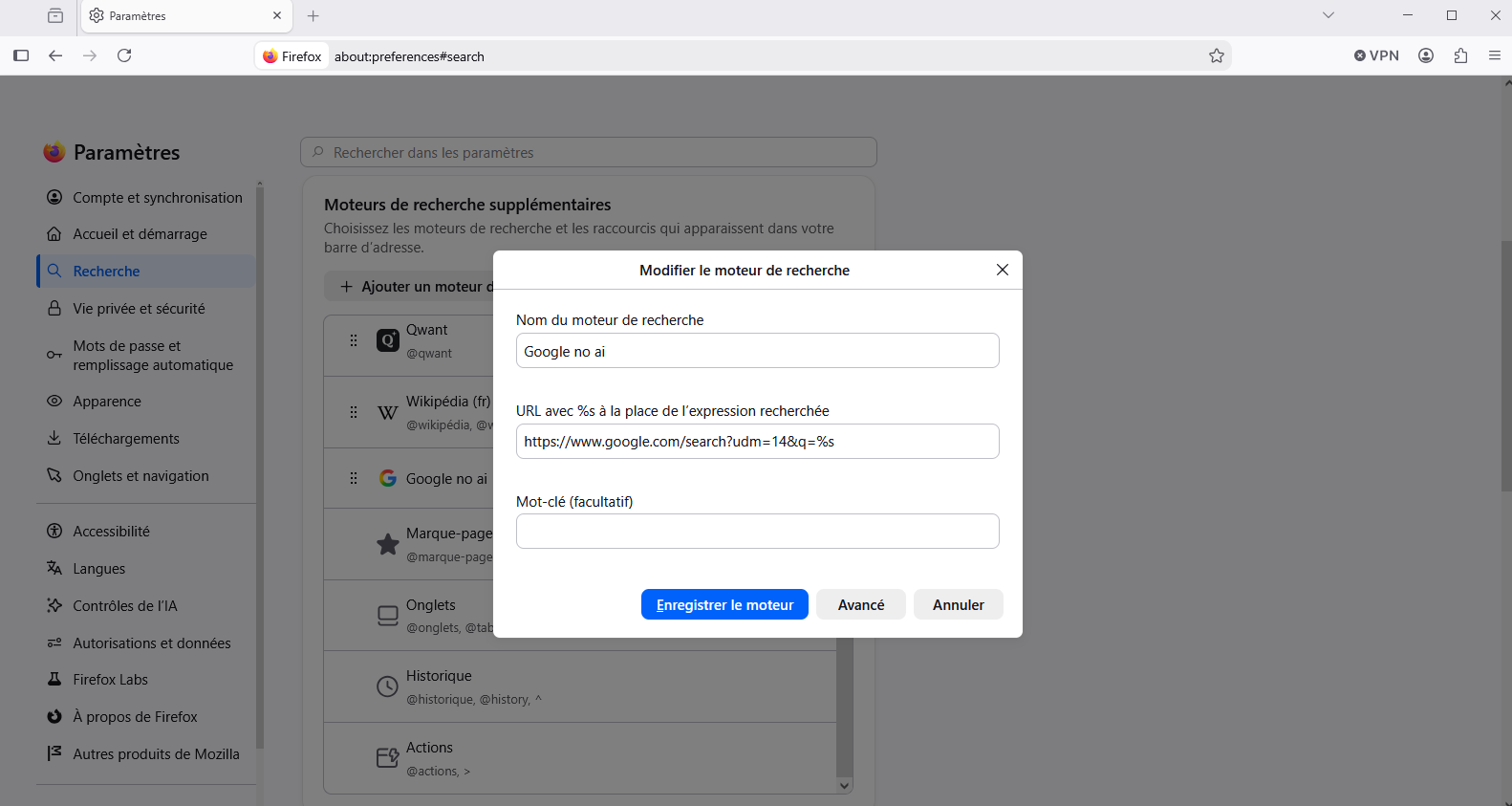
Oher situation, if case https://support.mozilla.org/en-US/kb/add-custom-search-engine-firefox Add a custom search engine in Settings
https://www.google.com/search?udm=14&q=%s
For illustration https://www.youtube.com/watch?v=4hFaHmZz_p8
Bonjour
Je vis en France Lancement des Aperçus IA et du Mode IA dans la Recherche Google en France
Ajouter des moteurs de recherche personnalisés à Firefox https://support.mozilla.org/fr/kb/ajouter-moteurs-recherche-personnalises-firefox Ajouter un moteur de recherche personnalisé dans les paramètres
J'ai ajouté
https://www.google.com/search?udm=14&q=%s
Pour illustration https://www.youtube.com/watch?v=AE8JETfFRl0