


Apple Mail
I'm having so much trouble with Apple Mail and Thunderbird saving my password and I do have an Apple User Defined Password. So, I'm constantly having to input my password. Any suggestion would be deeply appreciated!
Jerry
所有回复 (15)
I have difficulties to understand your problem. Do you have an iCloud account with Apple and are you now trying to set up a new email account in Thunderbird with your xxxxxx@icloud.com address? Or have you already successfully created an icloud.com account in Thunderbird and now you are all the time prompted to fill in your password? I don't know what an "Apple User Defined Password" should be or did you want to say "an app-specific password"?
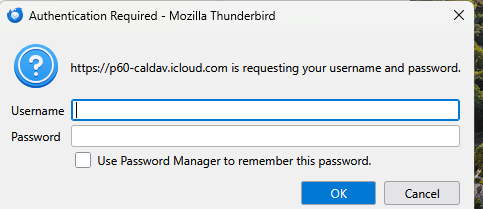
You have to fill in your "Username" (which is your xxxx.yyyyyy@icloud.com email address), your app-specific password, check ⬜ "Use Password Manager ....." , click "OK" and thereafter click "Finish"... So what happens if you do this?
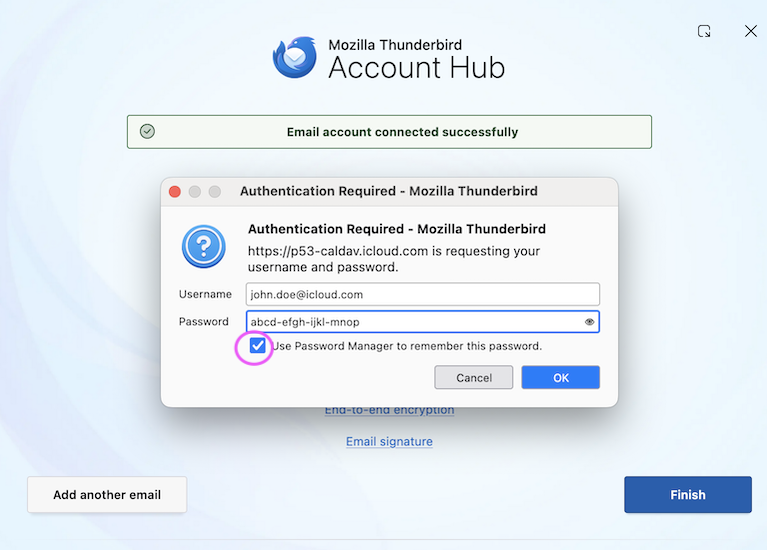
I'm doing all that! The problem is that I have to keep inputting my username and password as the Password Manager is not remembering my username and password!
Jerry
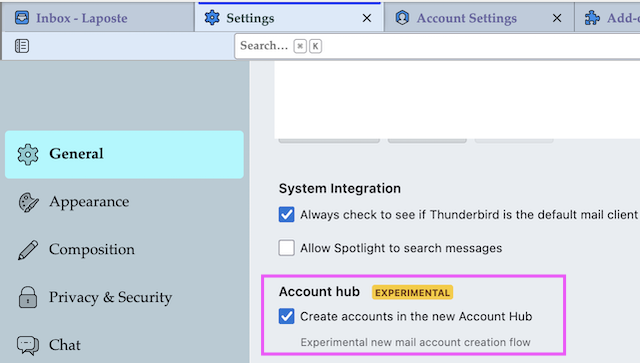
Did you successfully create this account for your icloud.com address or does Thunderbird refuse to finish the account creation and always reverts to the "Authentication Required" window? Do you use the new "experimental" Account hub"? If yes go to Settings > General > Account hub and disable ◽ "Create accounts in the new Account Hub". Then try to set up your account in the "classic" way...
The account was created! The servers were tested all works ok! I'll check my email later in the day and there is that sign in message on my screen and I have to log in again. I know nothing about this Account! All I did was select the Add Accounts option!
Jerry
Still trying to understand the issue. So you have successfully created your .... @icloud.com account, you can receive and send messages but for each downloading oder sending a message Thunderbird asks again for your username and your password. And even when you set a check mark in ⬜ Use Password Manager to remember .... " Thunderbird would ask it again next time. Is this the unique account in your Thunderbird installation or do you have other email accounts? Which is your Thunderbird version? Do you use an antivirus software? Did you recently upgrade from a very old Thunderbird version to an actual version?
I don't know what more I can explain then I already have! I've sent a screen shot! I've tried to explain to the best of my knowledge!
Jerry
Jerry Pop Fairfield said
I don't know what more I can explain then I already have! I've sent a screen shot!
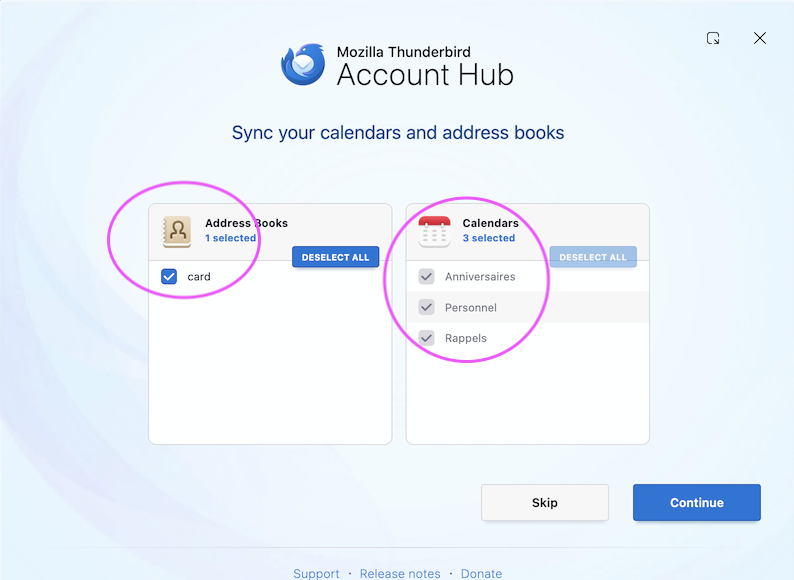
Sorry, my bad. I took a new look on your screenshot and this time I noticed that in your window Thunderbird doesn't prompt for username and password for your iCloud email account but for a CalDav calendar. When you set up your iCloud account Thunderbird asked you in one phase whether you would "Sync your calendars and address books", which means to sync your macOS "Contacts" and "Calendar" with Thunderbird's Address Book and Calendar (image)
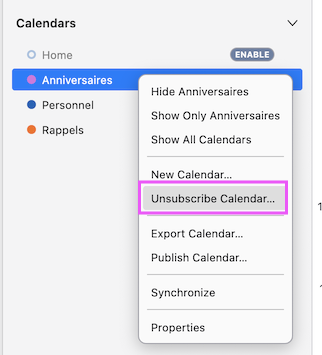
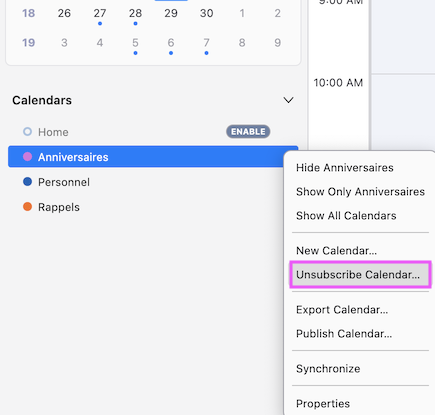
Probably you didn't disable syncing and now TB always prompts again username and password. If you don't use Thunderbird's Calendar and Address Book open Calendar and Address book tabs and unsubscribe and/or delete them (image)
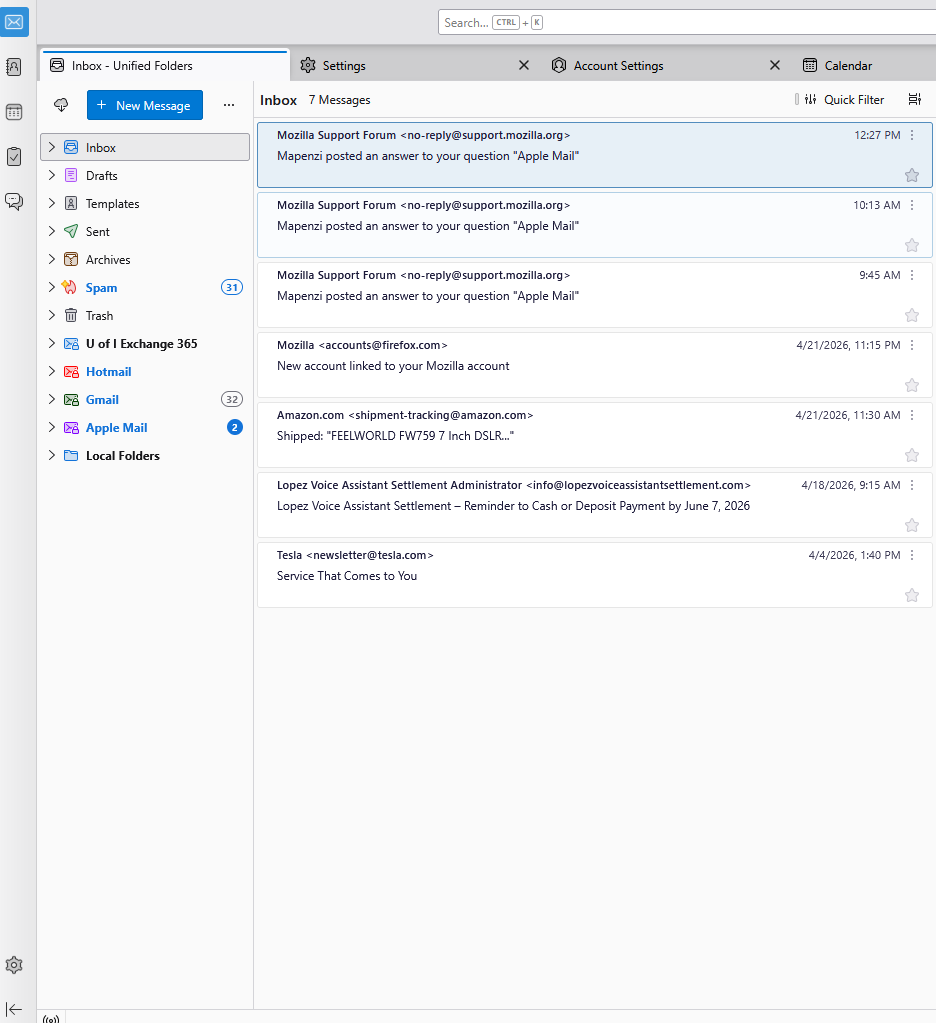
In the "Spaces Toolbar" on the left border click on the Address Book symbol to open the address book in a new tab. Your Calendar tab is already displayed in the tab bar.
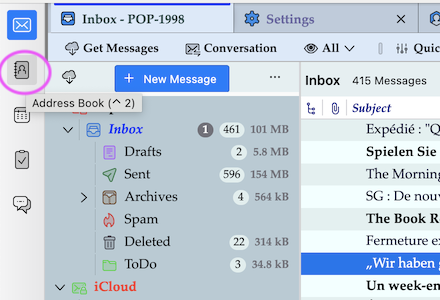
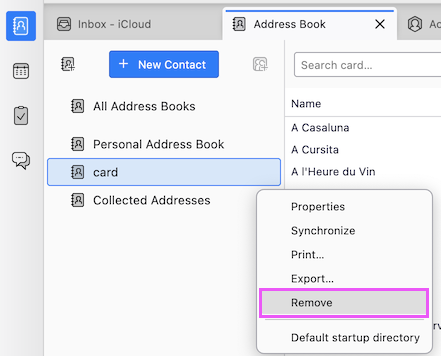
Address book tab: R-click on unwanted AB > Remove Calendar tab: R-click on unwanted calendar > Unsubscribe Calendar .... (See joint images)
由Mapenzi于修改
Thanks, Mapenzi you have been very patient and helpful! I hope these messages don't get delete for future reference if I forget something! I'm also assuming that I can just unsubscribe from Calendars as there are more than just one.
Jerry
Hi Jerry,
I had too little information about your Thunderbird installation to help efficaciously, so some of my suppositions may have been hazardous until I had a closer look on your first image. I even don't know whether you run macOS or Windows on your computer. I'm still presuming that you migrated from Apple Mail to Thunderbird but I don't know whether or not you switched from macOS to Windows at the same time. "Apple Mail" doesn't have an address book of its own but it is synced with the Mac's "Contacts" address book. So I now wonder where your contact emails addresses are stored after the switch from Apple Mail to Thunderbird. Anyway, if you have further questions concerning the migration from Apple Mail to Thunderbird, feel free to post your questions and I'll try to help as best as I can.