


Android installation of TB 'stuck' in outboxes

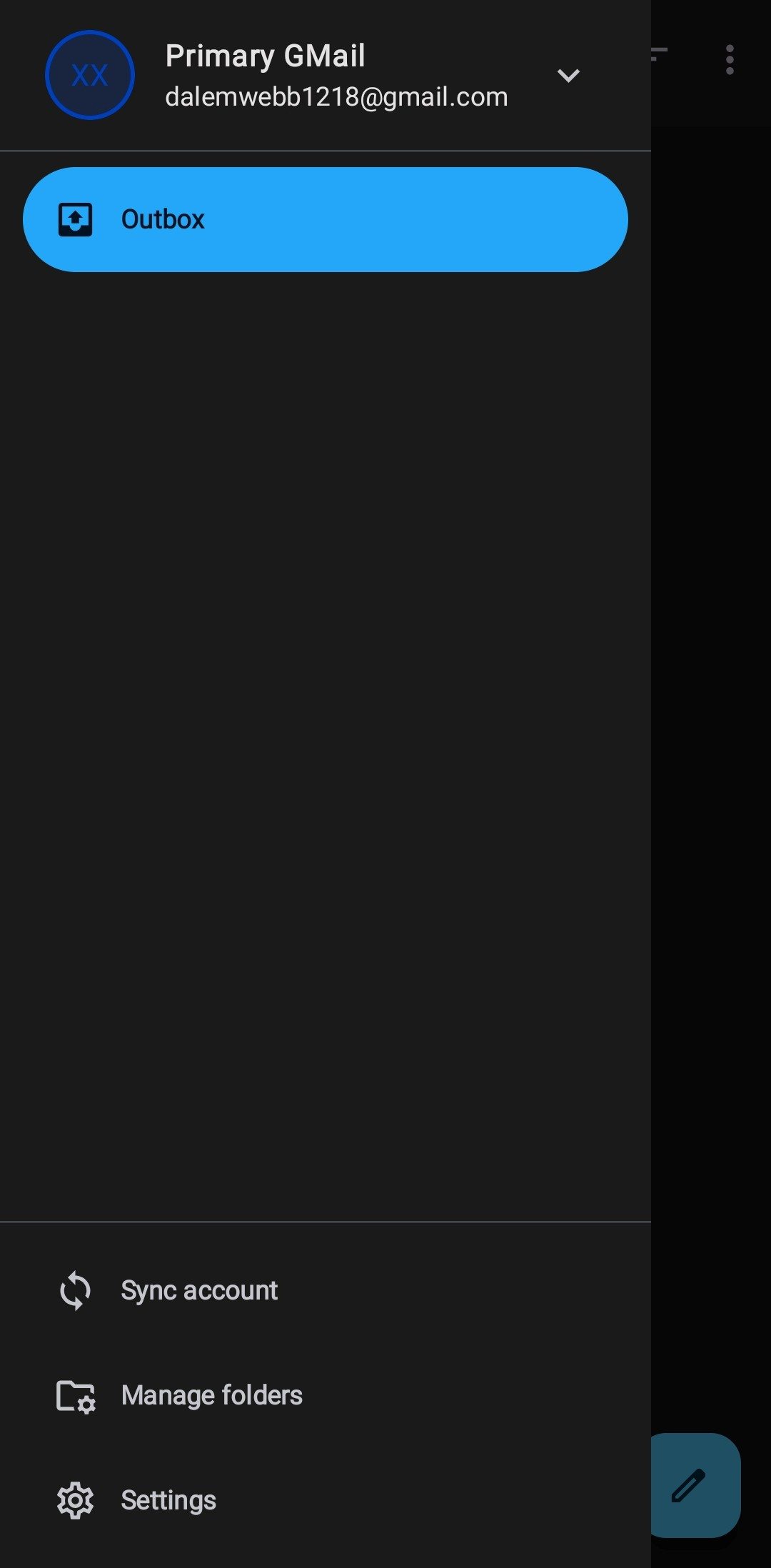
Imported desktop settings to TB Android on my phone. Used your instructions and seemed to go well (done it before). Android install of both Gmail accounts I imported are 'stuck' showing ONLY the outboxes. Can't get anywhere else. What do I need to do to correct the install on my phone. Desktop install was done manually and seems to work.
所有回复 (4)

Having only an outbox displayed occurs when the account's sign-in didn't complete successfully during setup or import. This can happen if the Oauth 2.0 account sign-in process was skipped or an unsupported configuration was imported.
Are the accounts using ...
- Imap or pop3 connections?
- What authentication type is used on each. Oauth 2.0 or user name & password.
For the two accounts, can you navigate to
- Settings > account > fetching mail > incoming server.
- Settings > account > Sending mail > outgoing server.
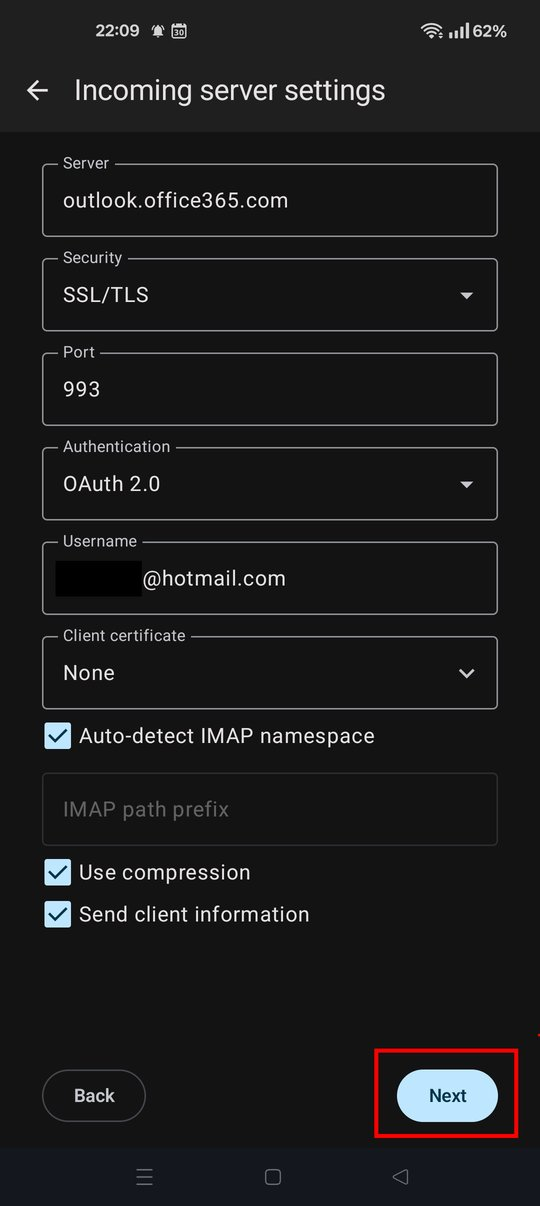
Click next on both screens to establish and test the server connection.
Port 993 = Imap, Port 995 = Pop3 on the incoming server page.
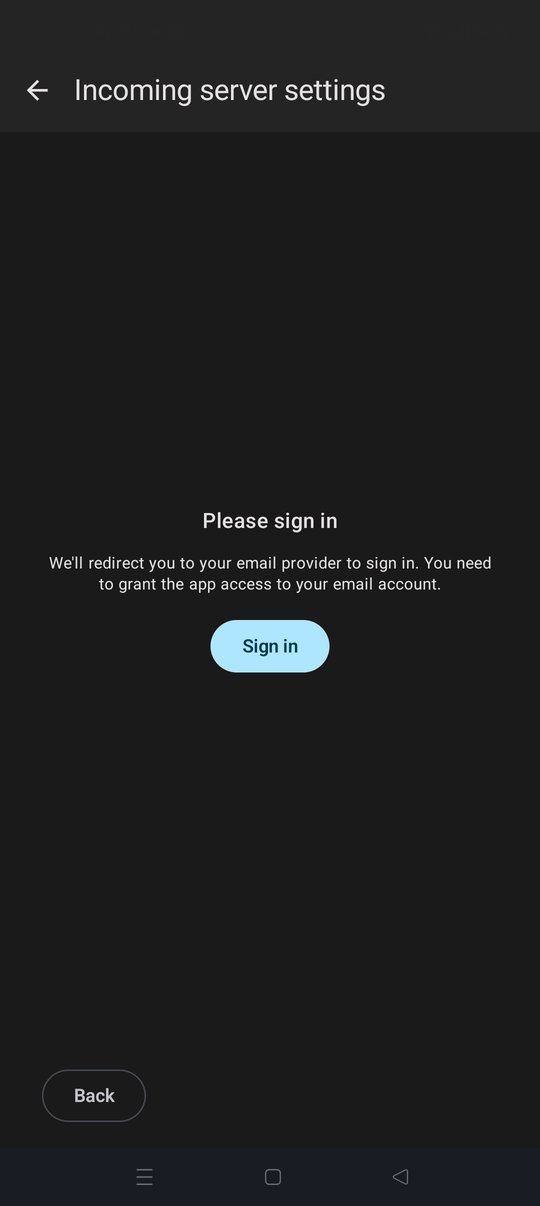
For oAuth authentication, you might be prompted to sign-in to your provider and grant the app permission to access your email account. Click the "sign-in with google" button as example.
Note that Thunderbird for Android doesn't support using OAuth with Pop3 connections. If this is the issue, you will need to create an app password via your webmail setting.
Imap or pop3 connections? IMAP (that's what's on the desktop) What authentication type is used on each. Oauth 2.0 or user name & password. OAuth2 (on desktop) For the two accounts, can you navigate to
Settings > account > fetching mail > incoming server. Port 993 Settings > account > Sending mail > outgoing server. Port 587 I imported settings. Why would they be wrong.
For oAuth authentication, you might be prompted to sign-in to your provider and grant the app permission to access your email account. Click the "sign-in with google" button as example.
I imported settings. Why would they be wrong.
I didn't say they were wrong. I said it was possible to import a configuration (oAuth + Pop) which works on TB desktop but is not supported on Thunderbird Android!
Thanks for confirming your using Imap with oAuth authentication. This rules out the above case.
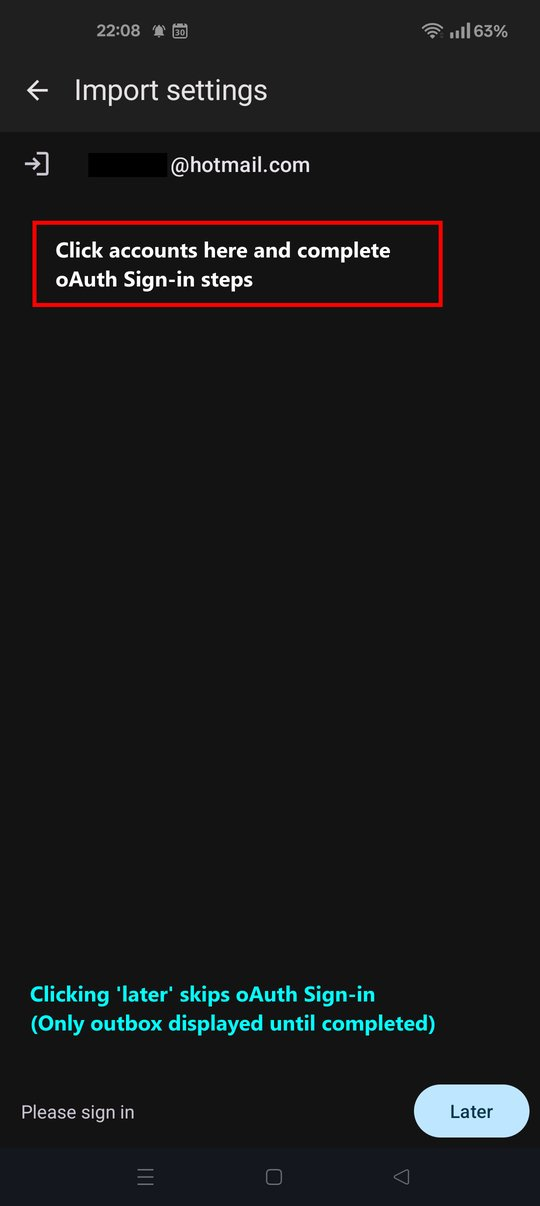
The cause is most likely that you imported the configuration and clicked the later button, skipping the oAuth sign-in process. See the screen shots as reference.
TBA android thereafter displays only the outbox until the sign-in process is completed.
Did you click next on the incoming and outgoing server page and sign-in?
I deleted TB, reinstalled, and set up the accounts manually. Seems to work. Thanks