


How to resolve error message

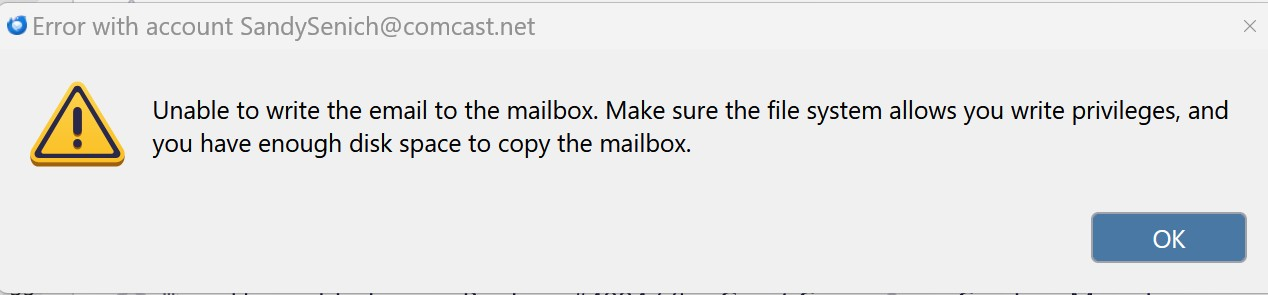
Hello, my email account works fine, but my wife's account keeps getting the message "Unable to write the email to the mailbox." The message at the bottom of the screen says that there are 56 emails to be downloaded from the host, but the error message does not allow the download to occur. Thank you for any assistance. John.
被采纳的解决方案
This appears to be a local error message, not a server error, but the cause is mysterious. I find several references to it on the Internet, but more than one solution. Some things you can try:
- If Thunderbird had crashed, there might be an invisible instance of it running in the background. The easy solution is to simply reboot the computer. Have you done that?
- Another possibility is that your anti-virus has found something it doesn't like among your emails and has taken exclusive control over your mail file. This can be tested by temporarily disabling your AV, or (better) restarting the computer in Safe Mode with Networking.
- I find reports of this happening when there is a malformed email on the server that, I guess, Thunderbird chokes on and stops downloading. Solutions all have to do with going to your email provider's web mail interface. You might see the problem right away - a couple of reports say that there are many copies of one particular email. Deleting that corrupt message 'unstops the dam' and normal operation resumes. Here's a conversation about that:
https://support.mozilla.org/en-US/questions/1463022
Other reports say they fixed it by moving all emails in the inbox (in web mail) to a temporary folder, then telling Thunderbird to fetch mail, then moving the mails back to the Inbox in small batches until the errant message is identified and deleted. Here's a conversation about that:
https://support.mozilla.org/en-US/questions/1521373
Other people said the problem just went away on its own!
定位到答案原位置 👍 0所有回复 (2)

选择的解决方案
This appears to be a local error message, not a server error, but the cause is mysterious. I find several references to it on the Internet, but more than one solution. Some things you can try:
- If Thunderbird had crashed, there might be an invisible instance of it running in the background. The easy solution is to simply reboot the computer. Have you done that?
- Another possibility is that your anti-virus has found something it doesn't like among your emails and has taken exclusive control over your mail file. This can be tested by temporarily disabling your AV, or (better) restarting the computer in Safe Mode with Networking.
- I find reports of this happening when there is a malformed email on the server that, I guess, Thunderbird chokes on and stops downloading. Solutions all have to do with going to your email provider's web mail interface. You might see the problem right away - a couple of reports say that there are many copies of one particular email. Deleting that corrupt message 'unstops the dam' and normal operation resumes. Here's a conversation about that:
https://support.mozilla.org/en-US/questions/1463022
Other reports say they fixed it by moving all emails in the inbox (in web mail) to a temporary folder, then telling Thunderbird to fetch mail, then moving the mails back to the Inbox in small batches until the errant message is identified and deleted. Here's a conversation about that:
https://support.mozilla.org/en-US/questions/1521373
Other people said the problem just went away on its own!
Thank you, Lin. I signed on to my webmail account and deleted all of the emails that I would have deleted from my inbox if they had been successfully downloaded to Thunderbird. The remaining emails then downloaded like normal. If I wasn't under time constrains, I would have liked to determine exactly which email was causing the error. Maybe next time - if it occurs again.