


Mail filters

Hello,
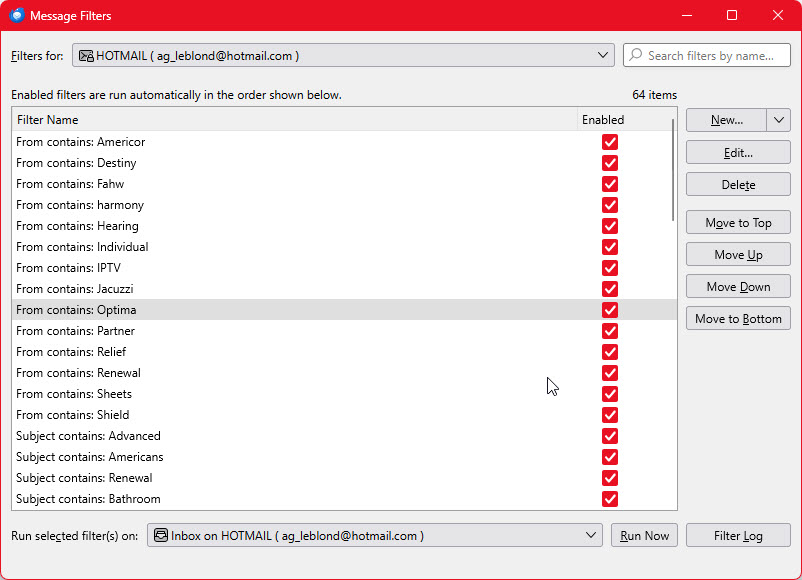
I have defined about 45 simple filters to get rid of spam. They are all based on keywords found in subject or sender.
All of them are enabled and set this way :
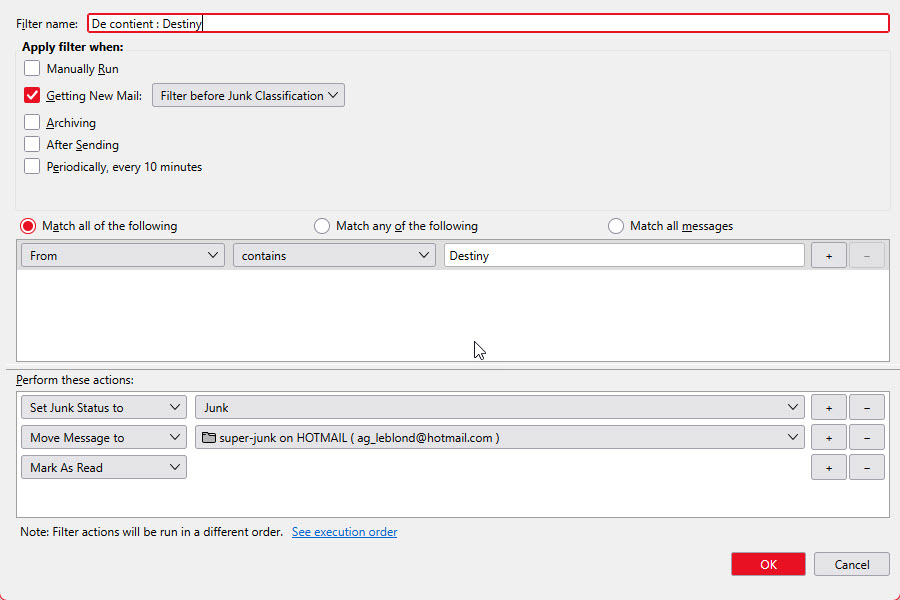
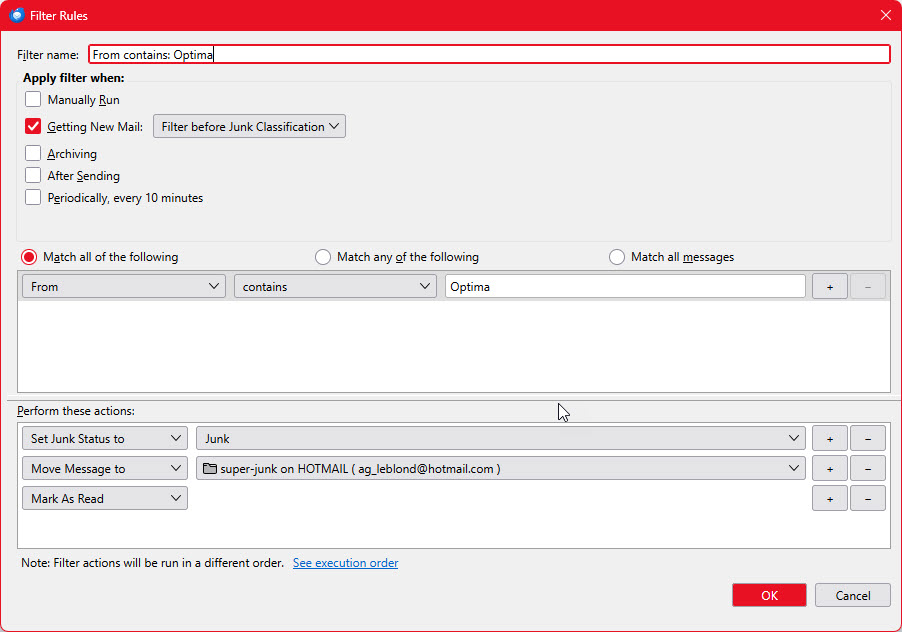
Apply filter when : _ Manually Run X Getting New Mail ( Filter before Junk Classification ) _ Archiving _ After sending _ Periodically, every 10 minutes.
Perform these actions : 1. Set Junk Status to : Junk 2. Move Message to : "super-junk" folder 3. Mark As Read
See example in attached image.
PROBLEM : They do not run automatically when new emails are received. But if I run each of them manually, they work.
QUESTION : What is wrong ?
Thanks !
所有回复 (5)
Just a suggestion: check to see with which accounts the filters are being used.
Hi David,
I have 3 accounts configured in my Thunderbird :
- The main one where I use to receive a lot of spams ( ...@hotmail.com ). - 2 second ones with very low traffic ( ...@gmail.com, ...@yahoo.ca ).
All my filters are defined for my main account ( ...@hotmail.com ).
Thanks.
All I can suggest is to review to ensure it's set for that account. I say that because filtering works; otherwise there would be many more posts on this.
Thanks again David,
I agree with you.
My filters should work since they are very simple to setup. I suspect a conflict between Thunderbird builtin junk filter and my own junk filters. This is the reason why all my junk filters are set to run "before Junk Classification". ( see example in attached images )
Does it sound something ?
I don't think so. I suggest using the error console and posting information from there. What you're doing seems to be what thunderbird expects. But, I use only a few simple filters.