


Why doesn’t Firefox remember search history in the search bar anymore?

Hi,
In the search bar (I’m not sure about its official name), my previous searches used to appear as suggestions before Google’s own suggestions. However, since I changed my default search engine from Google US to Google UK, it no longer seems to remember the searches I make. I’ve tried switching back to Google US, but that didn’t restore the behavior. Do you have any idea how to fix this?
For example, I previously searched for “things to see in Latvia”, which is why it appears as a suggestion in the screenshot. But if I now search for “things to see in Louvre Museum” and then try the same search again a few hours or days later, it isn’t saved and therefore doesn’t appear as a suggestion.
Thank you!

所有回复 (5)
Hi
1. Enable Search and Form History
If Firefox isn't "remembering" what you type check:
Goto Menu > Privacy & Security > Scroll down to the History section.
Ensure the drop-down menu is set to "Remember history".
If it is set to "Use custom settings for history," make sure the box for "Remember search and form history" is checked.
2. Check Address Bar Settings
The Search Bar and the Address Bar have separate toggle switches
In Settings, click on Search in the left sidebar.
Scroll down to Search Suggestions.
Ensure "Show search suggestions" is checked.
Go to the Privacy & Security tab again and look for the Address Bar section.
Make sure "Browsing history" and "Shortcuts" are checked.
Try again.
For more info Manage Firefox search settings
Hi, thank you for your reply. I've scrupulously checked what you wrote, everything is as you describe... and the problem remains.
Check if you accidentally enabled "Always use private browsing mode" in the History settings.
If this is checked, Firefox will look like it has "Remember History" selected, but it actually discards everything the moment you close the tab or browser, including search terms.
Menu > Privacy & Security > History
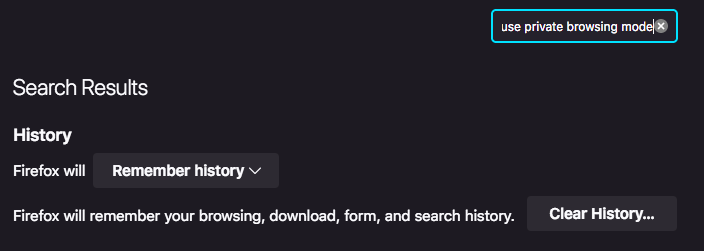
Hi, thanks again for your reply. I couldn't find exactly what you wrote, but I found this and it seems to be the right way for Firefox to solve my problem... except that it didn't (I had'nt anything to change).
(My browser is quite old, Version 115.31.0esr (64 bit))
Since you are on 115.31.0esr, you are on a version designed for stability in work environments or old computers. If this is a work computer, your IT may have a "Policy" that prevents saving form history, which would override any changes you make in the menu.