

话题已存档。
如果需要帮助请提出新问题。

已解决
已存档
Sync from one computer to another

Getting a new computer. have done sync on old one. when I get new one and add firefox, do I just login and do sync on it or do I have to have both running?
Getting a new computer. have done sync on old one. when I get new one and add firefox, do I just login and do sync on it or do I have to have both running?
所有回复 (1)

选择的解决方案
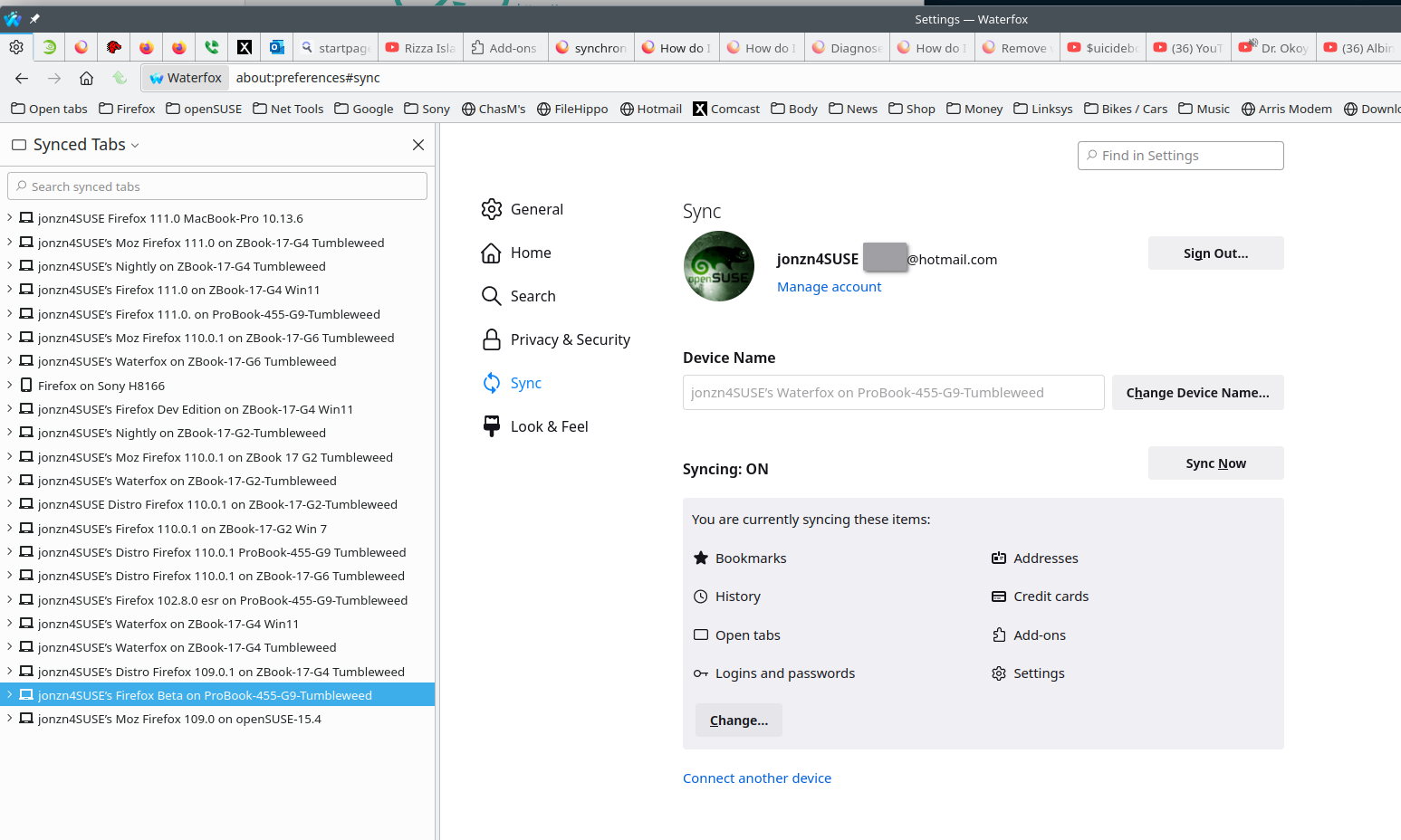
Yes, just sign into the same account and Firefox should automagically populate. see old screenshot
FYI... Firefox Sync IS NOT A DATA BACKUP SERVICE https://support.mozilla.org/en-US/kb/how-do-i-set-sync-my-computer https://support.mozilla.org/en-US/kb/how-do-i-choose-what-information-sync-firefox https://www.mozilla.org/en-US/firefox/features/sync/ https://hacks.mozilla.org/2018/11/firefox-sync-privacy/ Sync is not a backup tool but it is a good sync/transfer/move tool https://support.mozilla.org/en-US/forums/contributors/707681
由jonzn4SUSE于修改