


thunderbird 144 message filter failing with message "UID copy rate limit" error message

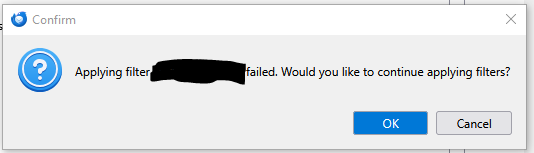
I get the pop-up attached and the notification: "The current operation on 'Inbox' did not succeed. The mail server for account < --- > responded: [LIMIT] UID COPY rate limit... (it's cut off beyond that).
I'm getting this response regularly, although not every time, when creating new message filters. The filters simply copy and delete from the inbox to a folder on the email server.
The inbox that has several hundred emails and choosing a new or existing target folder makes no difference. It seems as if it can only process a certain number of emails and if the number is too high it aborts the filter.
FWIW, some of the filters run fine after the original emails are moved into the target folders manually - i.e. when new emails arrive they are properly moved.
The source is a Yahoo account. I have set the threads to 1 and restarted. I am using TB 144.
所有回复 (1)

As the message says, the server is stopping the operation, not Thunderbird. Apparently, your e-mail service provider limits the quantity of messages that can be moved or copied in a certain time period.